Category: Camera Reviews

Reviews of camera bodies, old and new

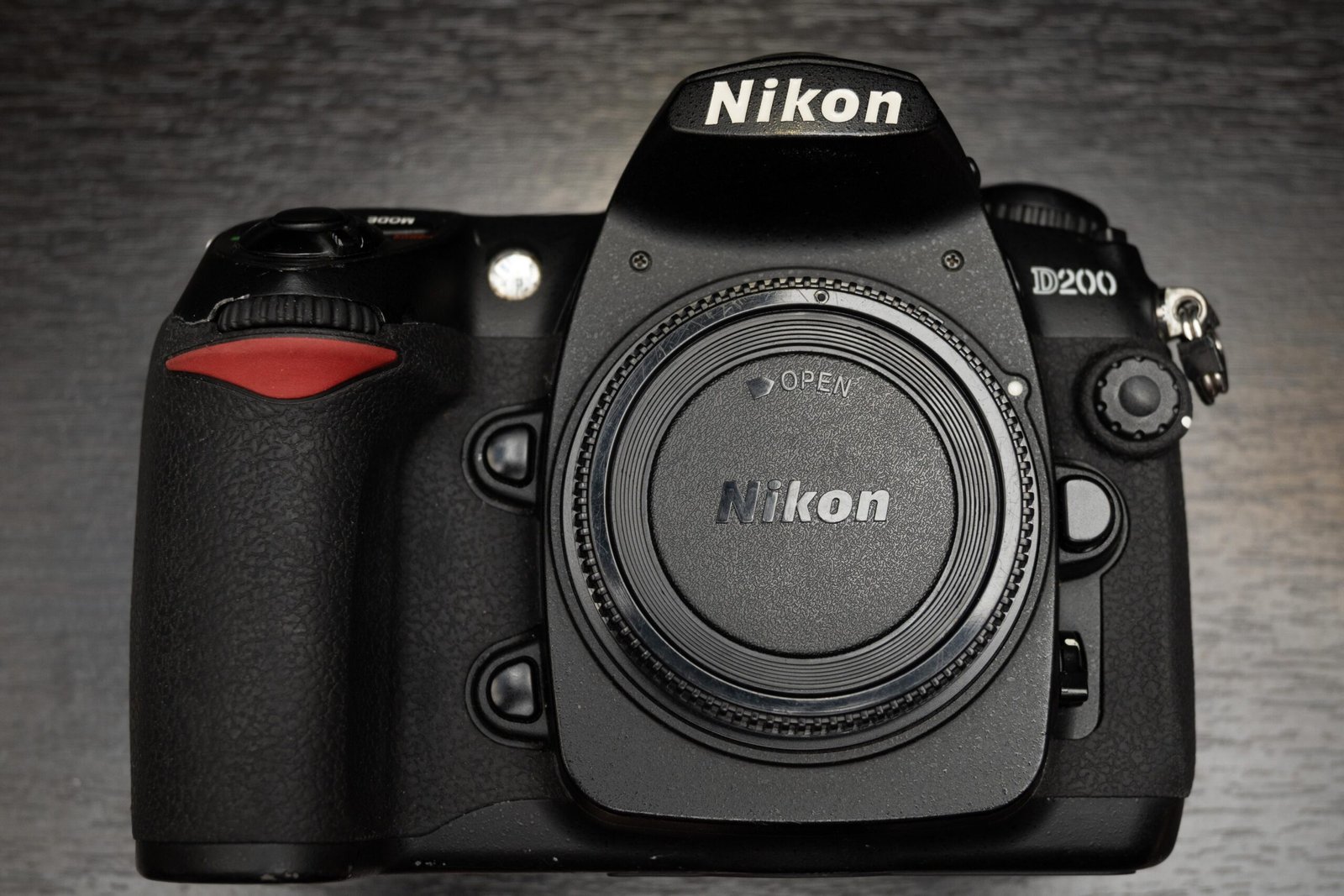
  • Nikon D200 throwback review, 15 years later in 2021

    Nikon D200 throwback review, 15 years later in 2021

    The Nikon D200 was released in 2005, back when digital photography was still in it’s nascent stages and film was still reigning. The professional grade D1, D1X and D1H have already been released on the Nikon roster alongside the Nikon F5 (film pro grade body).

    According to DPRreview, the D100 (my thoughts on the D100 here) started a new camera segment in the under $2000 USD range, and was a game changer as it made enthusiast grade DSLRs approachable for professionals and enthusiasts alike. The D200 looked to continue that trend.

    Now, in 2021, about 15 years after it’s entry into the market, I wanted to revisit it to see how the camera has aged over the years. I’m certainly not going to change my primary camera (Nikon Z6 Mark I) to the D200, but it would be an interesting look at how far camera tech advances have progressed since the early 2000s.

    Ergonomics of the D200

    In hand, the grip immediately feels familiar to anyone who has used a Nikon DSLR in the last 10 years. Instead of the straight, film camera like grip from the D100, we now have the curved grip. Looking at the camera as a whole, it definitely looks as though the D200 would set the tone for the rest of the its descendants to come.

    The camera is weighty, but I would describe it as a reassuring heft rather than simply heavy. The entire chassis inspires confidence, though people who have since moved on to mirrorless, like me, will feel the additional weight after a few hours.

    The D200’s top left dial
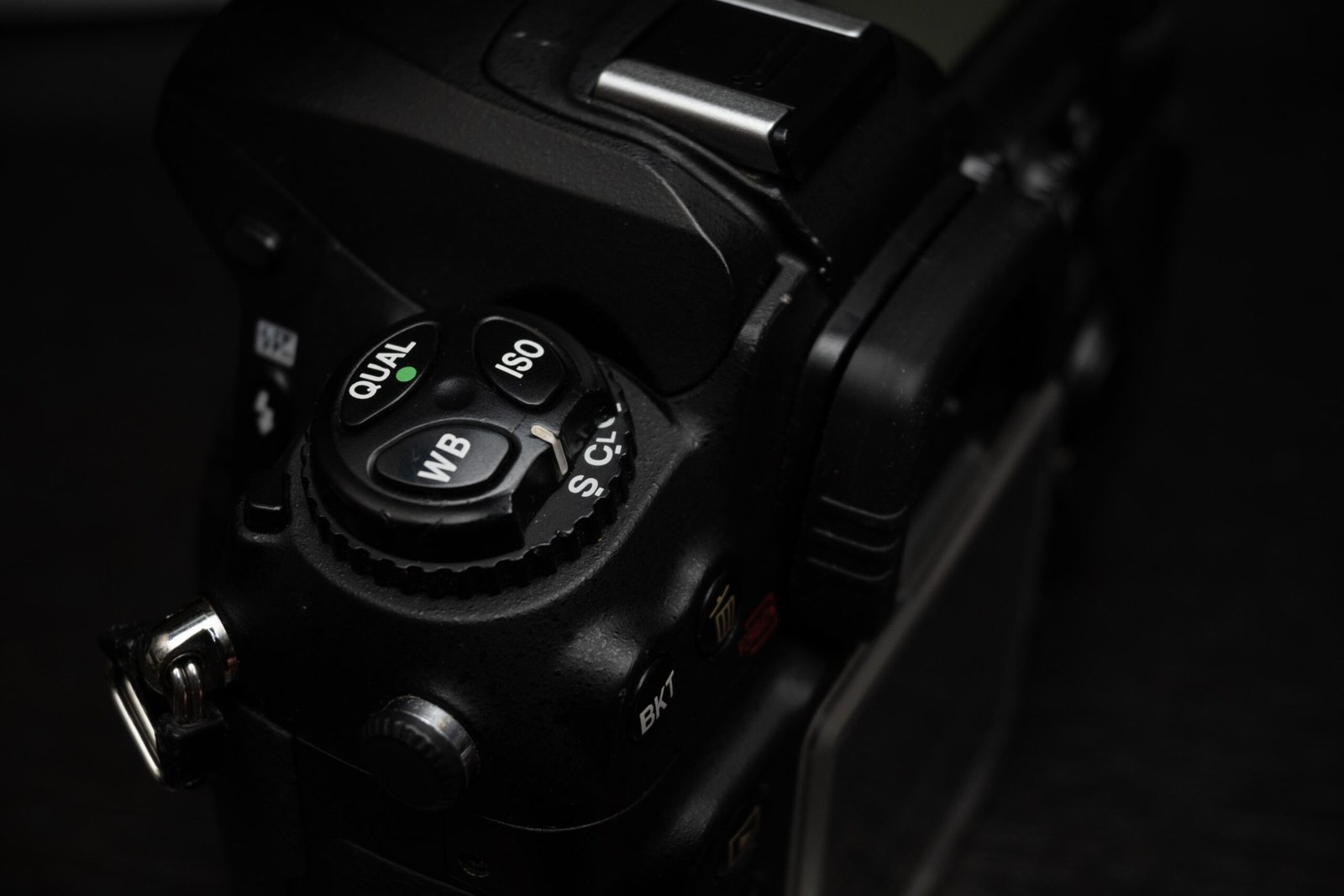
    nikon d200 back plate top showing control dial
    A very familiar dial with all Nikon shooters

    The now familiar top left dial used commonly in pro grade Nikon DSLRs is used in the D200, as compared to the older dial format used in the D100. Having shot tens of thousands of shots with Nikon Pro grade bodies from D3 onwards, my muscle memory did not fail me and I was able to use the D200 quite smoothly to change my settings.

    The D200 Back LCD
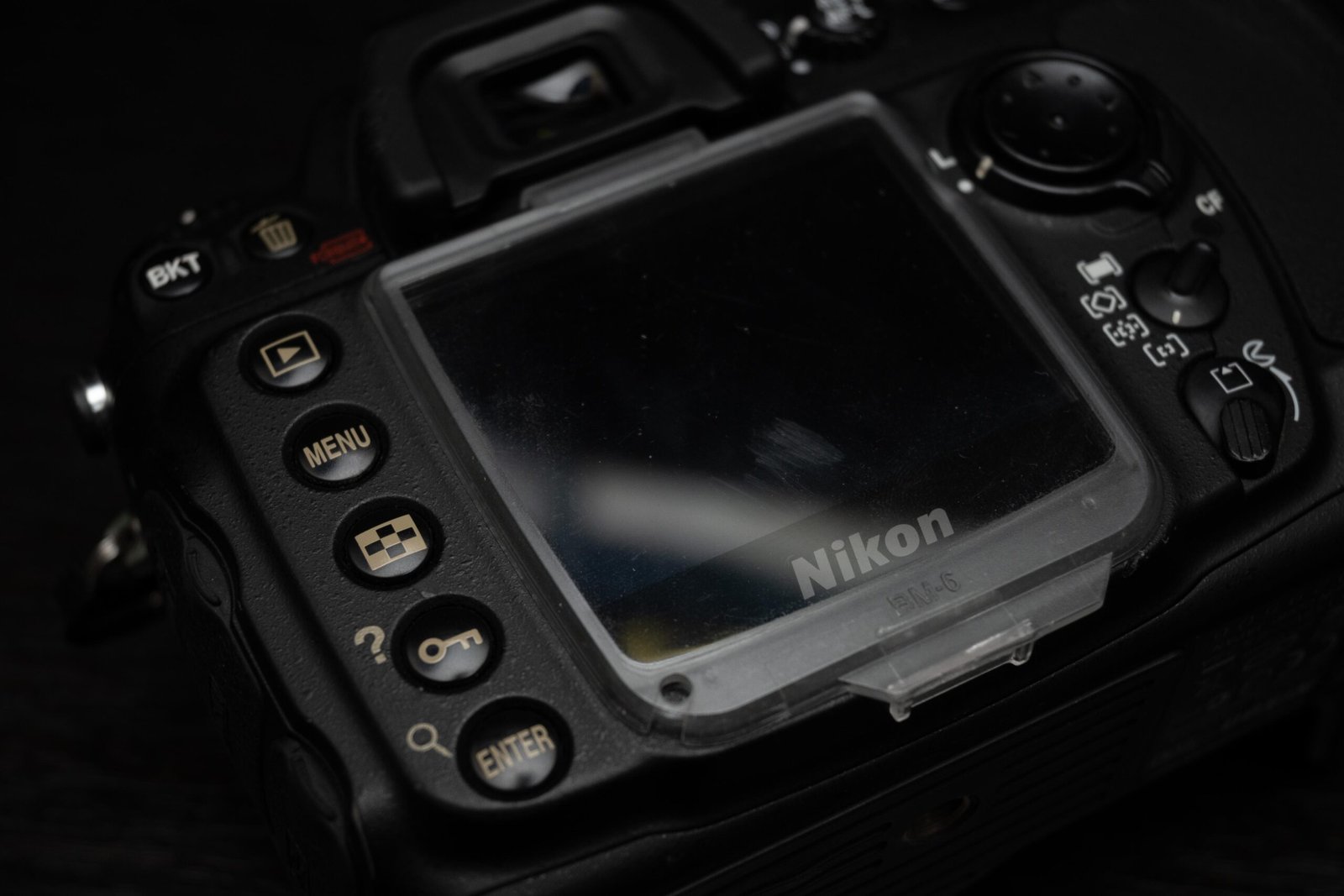
    nikon d200 back plate showing the button layout
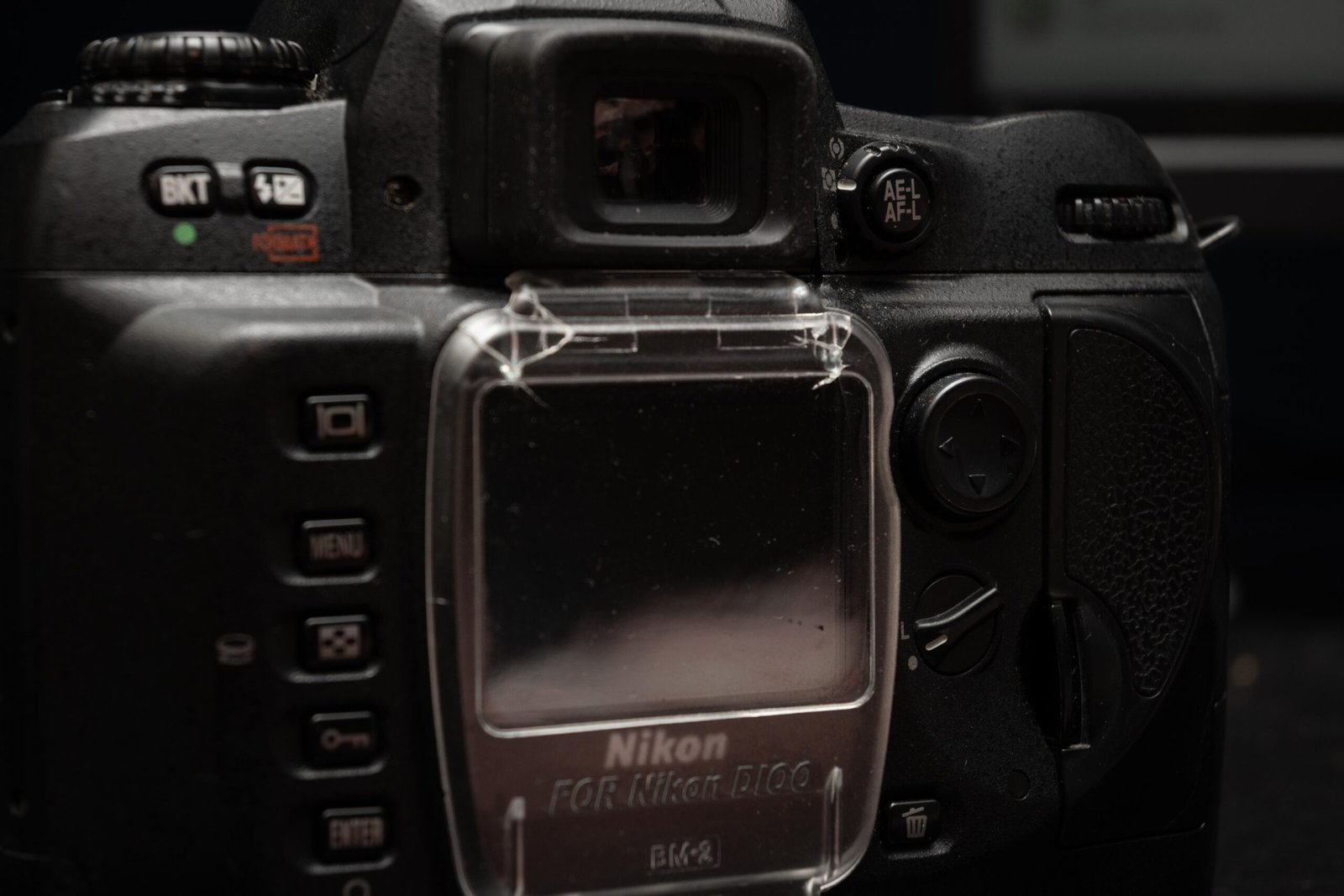
    A bigger LCD panel compared to the D100, but still lacking by modern standards

    The bigger rear LCD panel is a welcome change compared to the tiny one on the D100. I could comfortably check my shots on the panel. Color accuracy and portrayal was also no longer an issue. The only complaint I had was that the panel itself wasn’t very high resolution. Trying to zoom in to check critical sharpness was not useful. The display size and resolution upgrade came eventually in the D300.

    D200 Top LCD
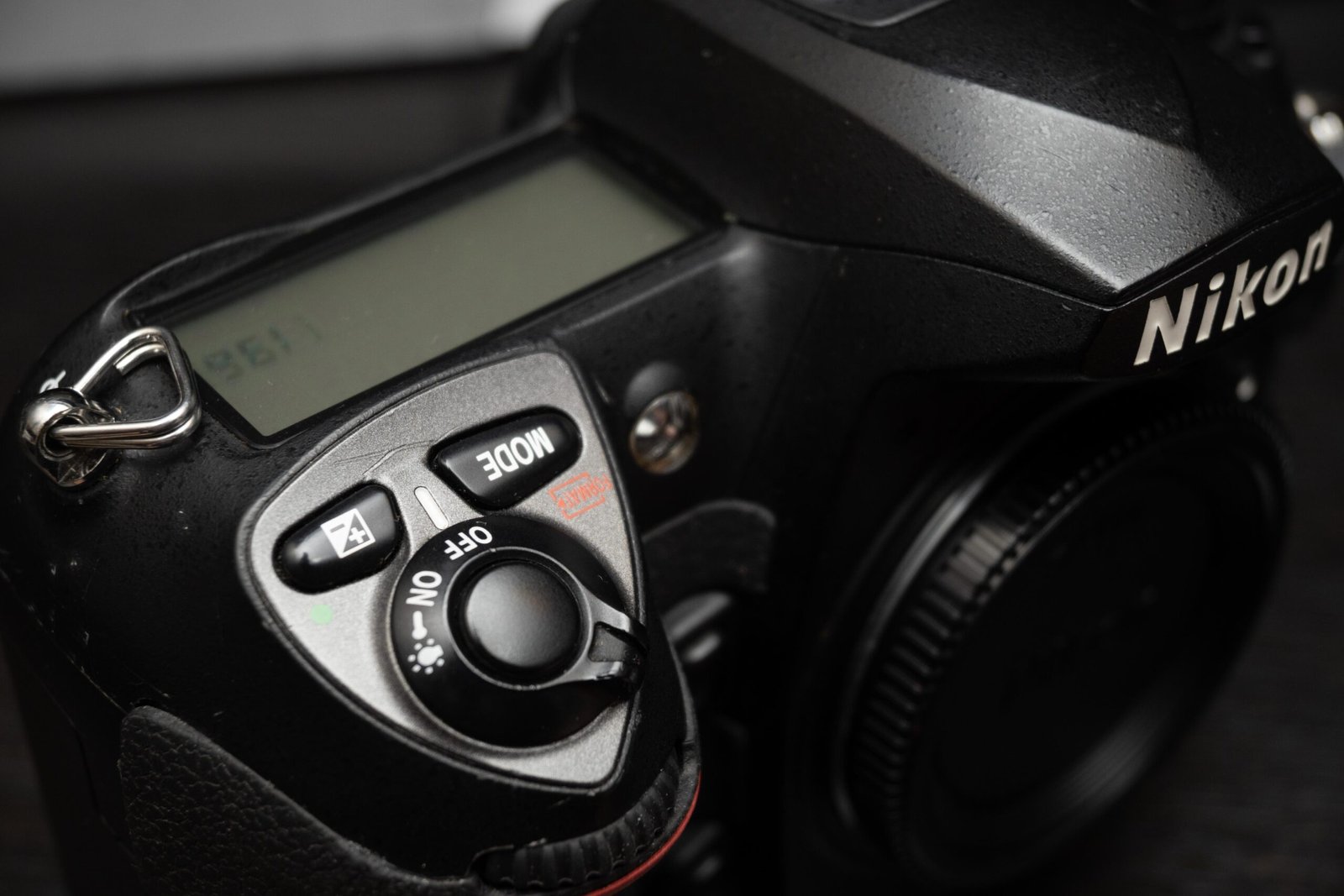
    nikon d200 top plate lcd and shutter button area
    The top LCD panel is quite large

    The top LCD panels show the shooting information such as ISO, shutter speed and aperture settings, as well as the number of shots remaining if you need it. The large panel is welcome since all the information is laid out clearly and easy to see.

    Nikon D200 Menus

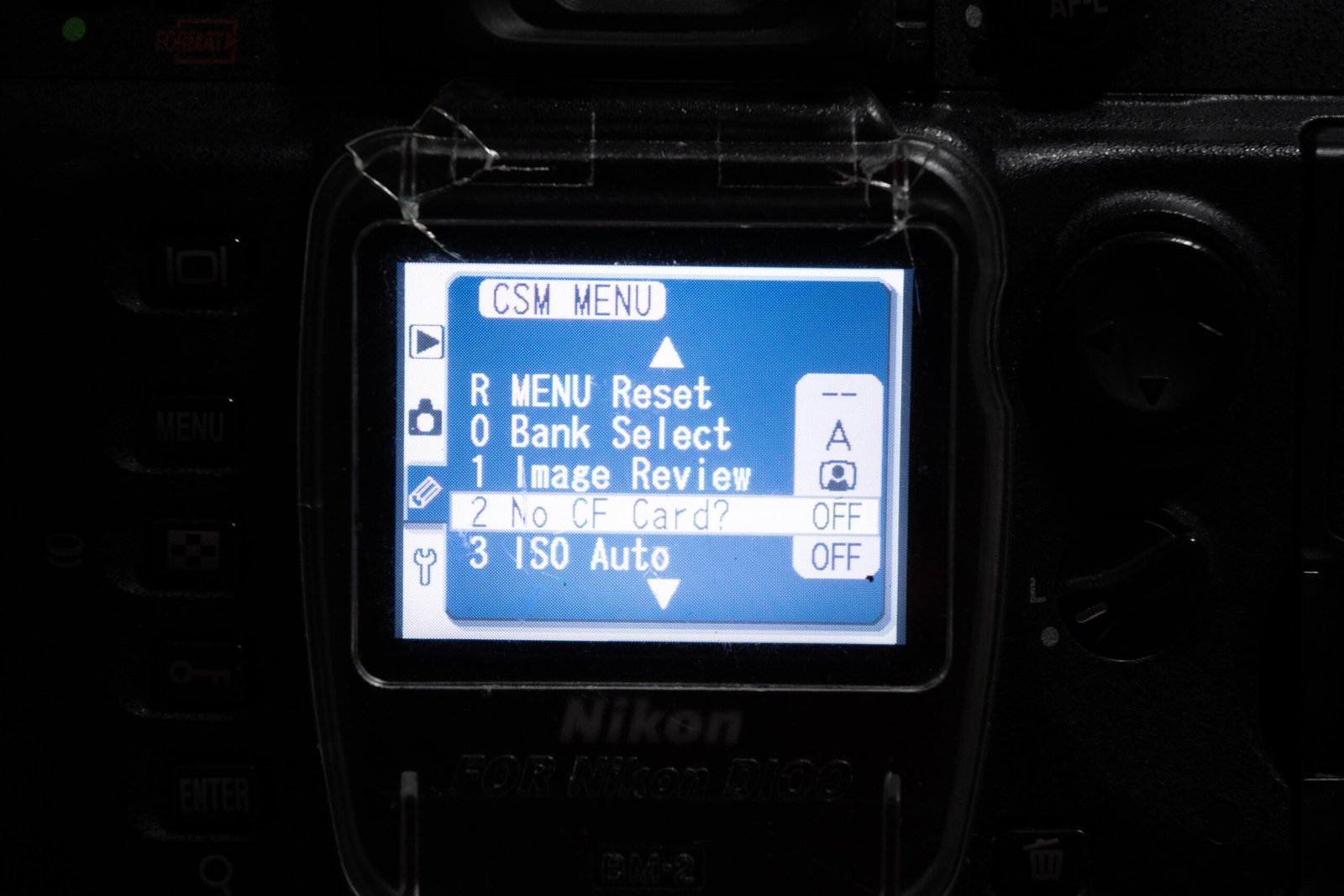
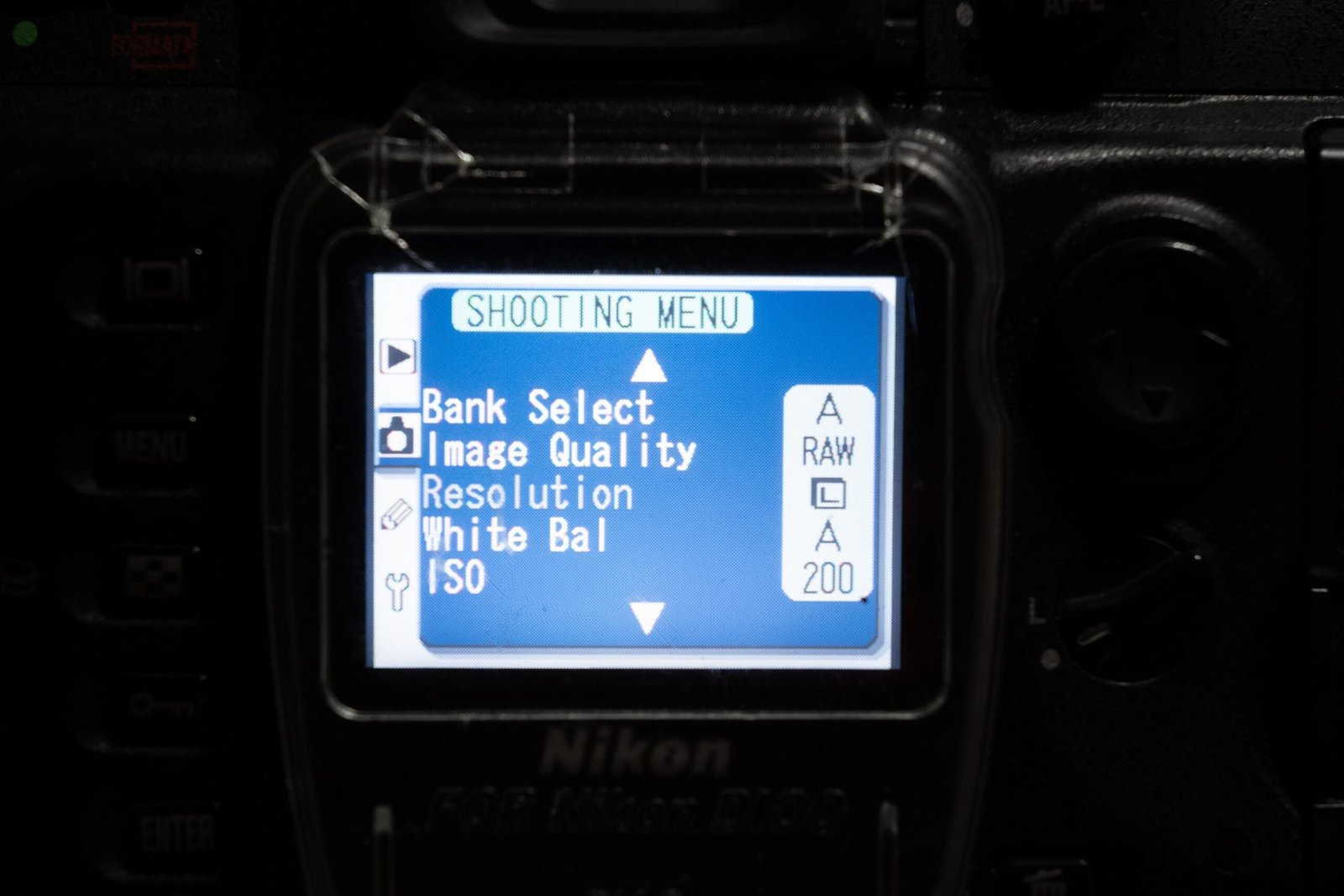
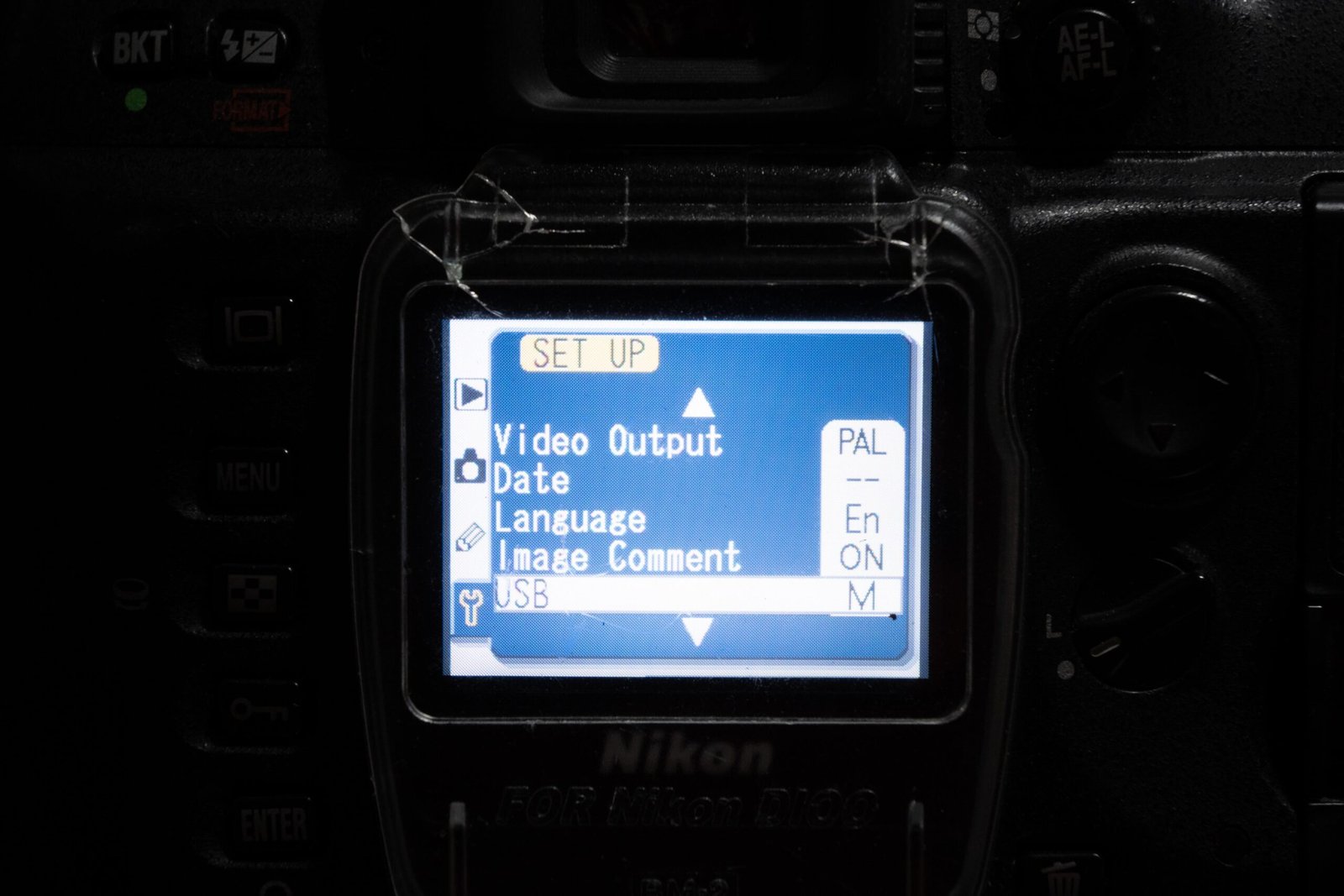
    The familiar custom menus have appeared here, and most modern Nikon users will be right at home using these menus, a massive upgrade from the archaic menus in the D100. There are quite a few custom functions to be used here as well, controlling the AF system, the playback and shooting as well.

    Nikon D200 Buttons Layout

    You may have noticed already, but the 2 button card formatting short cut had already been implemented in the D200 (one of the buttons is the mode button as shown in the picture above, with the red text beside it).

    This is definitely one of the functions in Nikon DSLRs that I personally found useful, since it allows me to quickly format and prepare my storage cards before a shoot instead of going through a series of menus to do so. The current batch of mirrorless cameras do not have this shortcut (i mapped it to function buttons myself.)
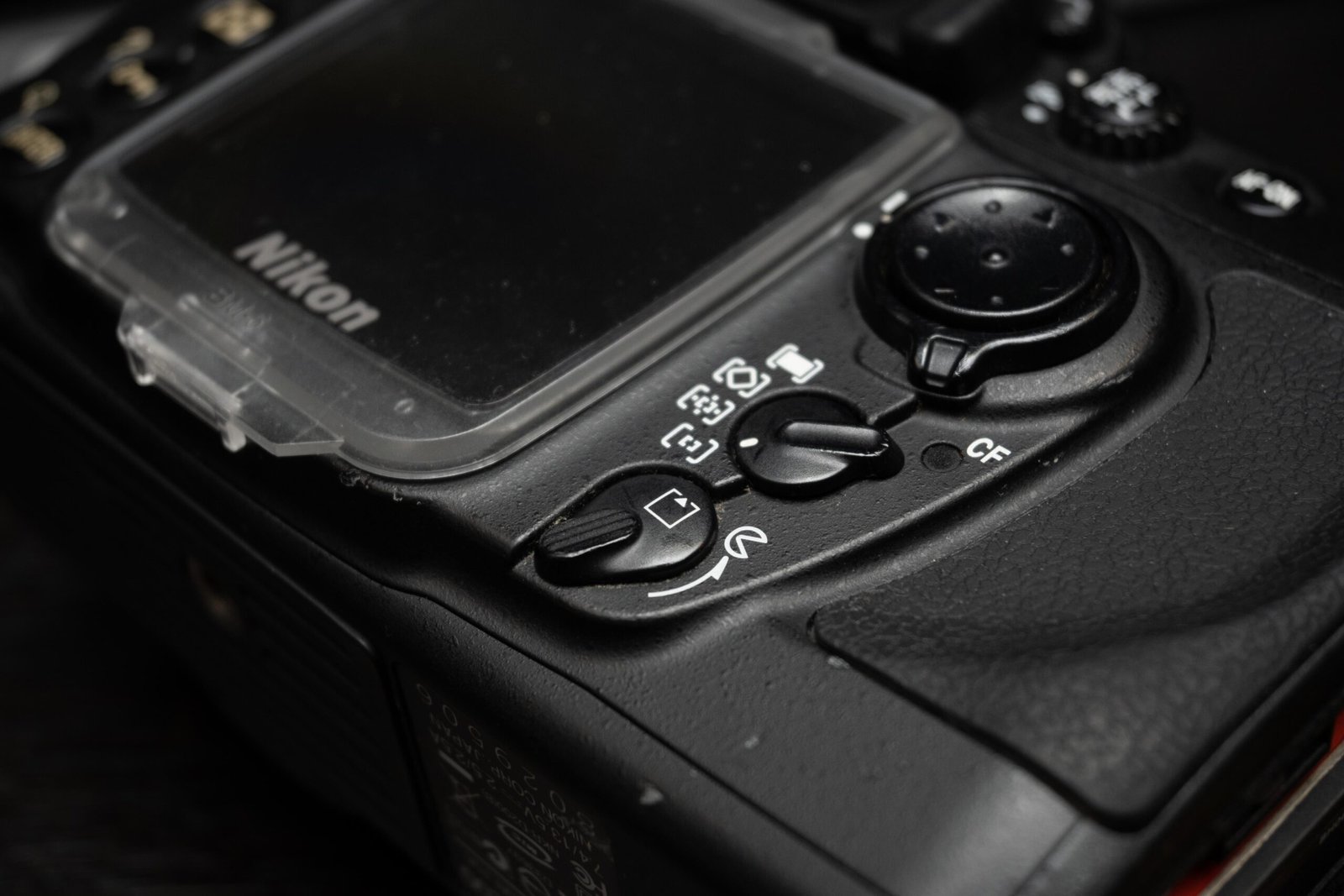
    nikon d200 AF modes switch and card door lever
    Note the AF control and the card release lever

    On the back of the D200, 2 important levers stand out. The lever controlling the release of the CF card slot and other controlling the AF system, whether it be single AF point or the very intuitive group AF point detection, which I found in practice to be rather accurate for tracking large subjects.

    Card slot
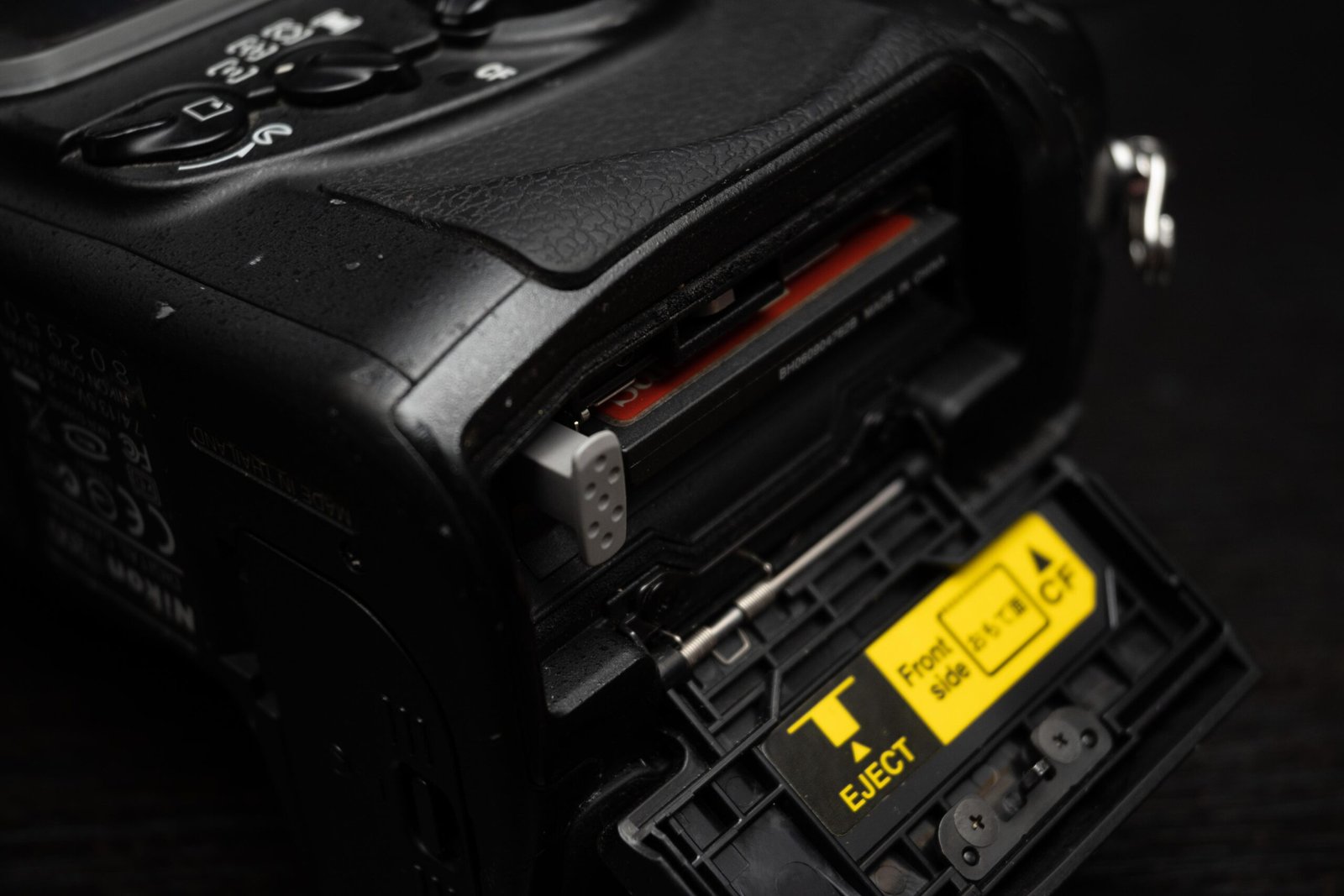
    nikon d200 storage cover
    1 CF card slot, but the slot is weather sealed

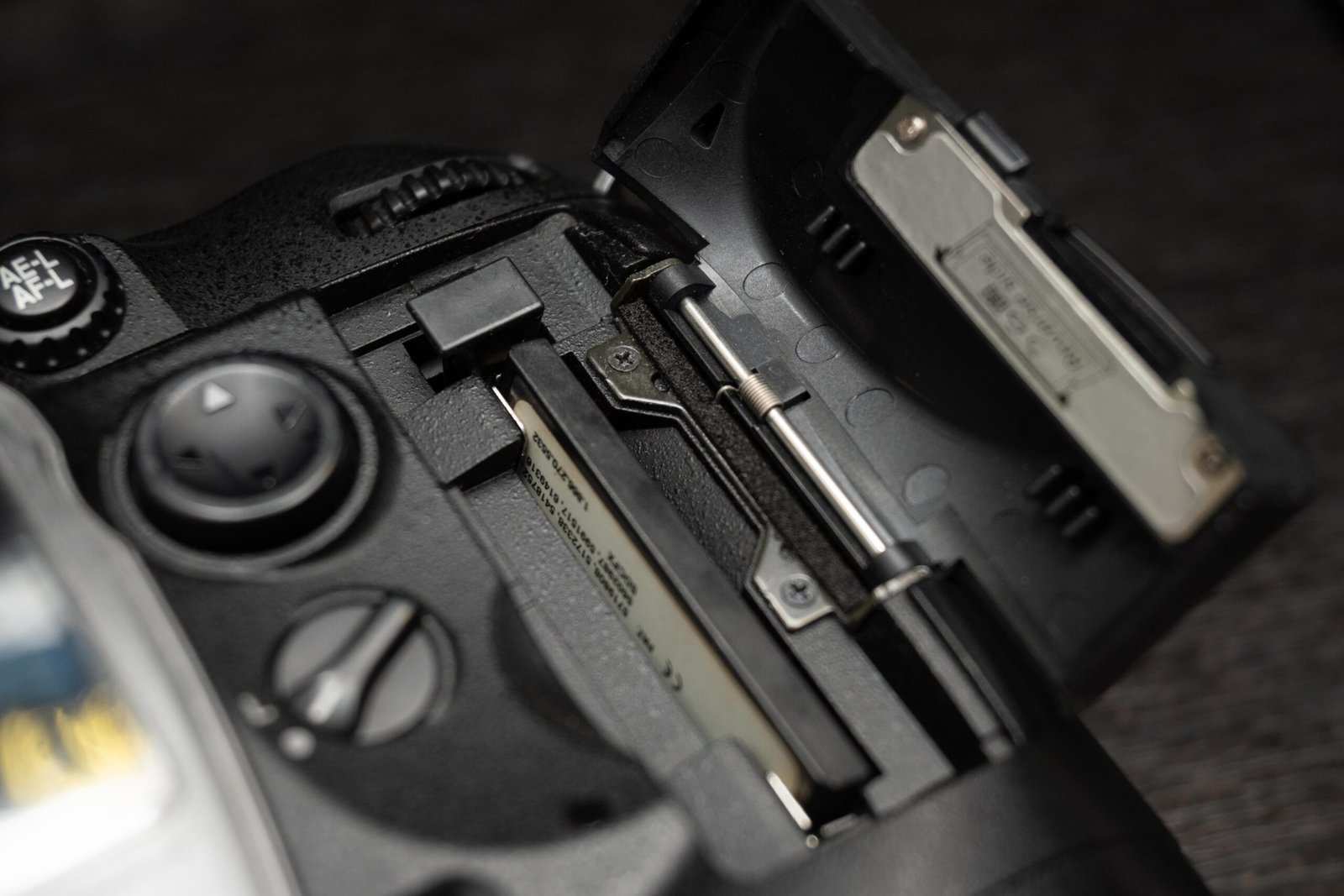
    The card slot remains a single CF card slot, but the position has now been shifted to the now familiar right side of the camera, with the release button there as well. The slot is opened from the lever at the back, visible in the top left of the picture.

    There is built in weather sealing, with rubber gaskets around the card slot to prevent or slow entry of water.

    Sensor/ Image quality on the Nikon D200

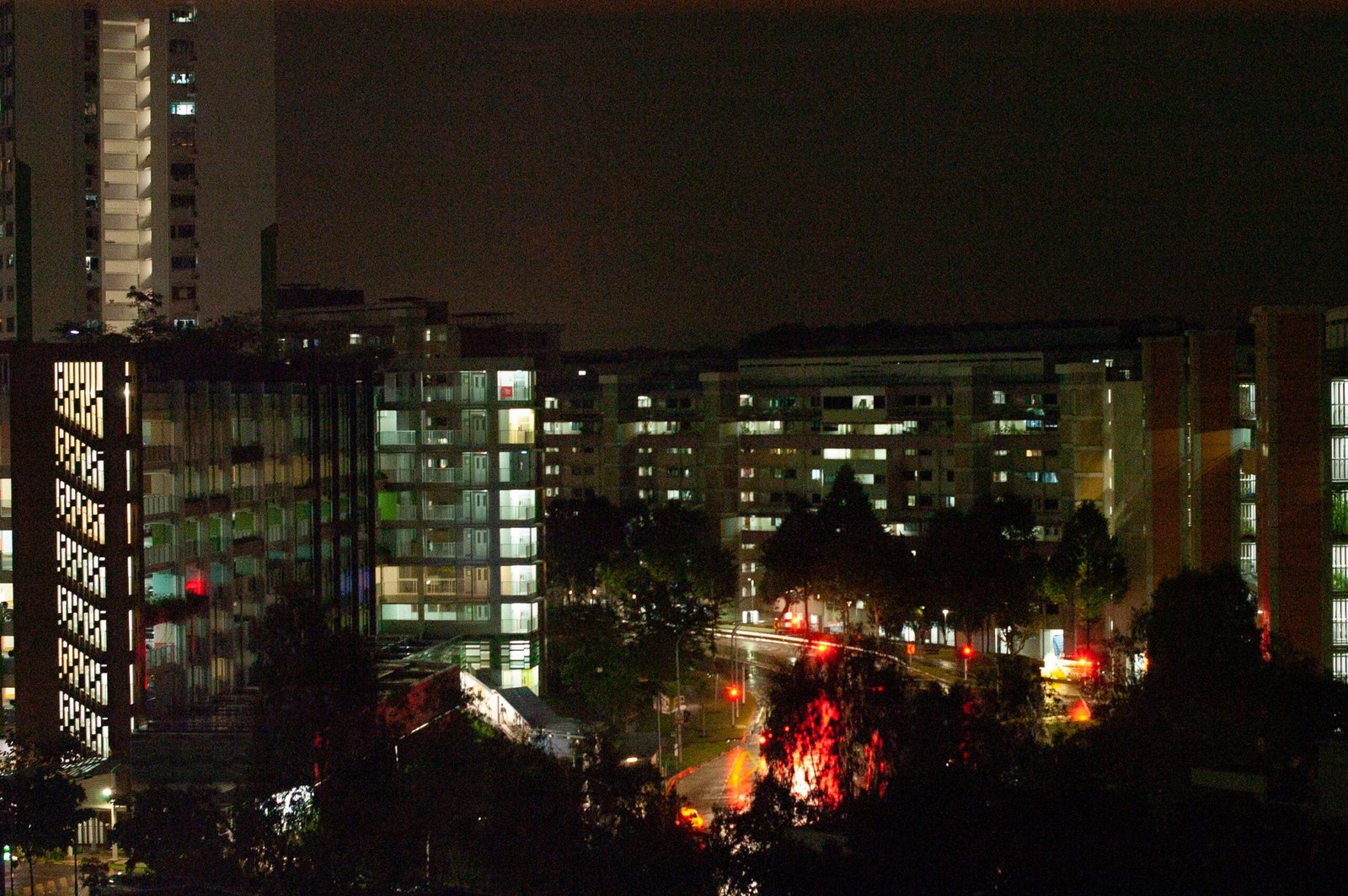
    landscape image of housing in singapore, shot on nikon d200
    Color edits added, but the original image wasn’t bad to begin with

    As I mentioned in the D100, sensor tech has advanced rapidly over the years. A sensor from 15 years ago, even one that is of APS-C size, can barely keep up even with smartphone cameras, especially those from high end phones such as iPhone Maxes and the Samsung S2xs with optimised software and hardware.

    With a decent prime lens like the Nikon AF-S 50mm 1.4G, however, one can still get some pretty good pictures that are sufficient for small prints and smartphone screens.

    Nikon D200 Resolution

    The D200 CCD sensor offers only about 10.2MP, nothing much to shout about now, but back in 2005 this was pretty much state of the art. At this MP count, one can expect to print images of 13 by 9 inches ( 1inch = 2.54 cm) at 300ppi. This means we could print A4 sizes comfortably.

    Image quality comparisons

    During shooting, I noticed that the ISO options in the D200 are leaning more towards the exposing brighter situations compared to the D100, given that the base ISO has been reduced to 100 instead of 200 and the maximum ISO (Hi-1) is now only 3200 instead of the D6400 in the D100.

    Both images shot at 50mm, f5.6. Left image is at ISO 100, right image is at Hi 1 (3200)

    At base ISO up to ISO 400, I would have no issues with image quality. After 800, though, the grain starts becoming more prominent. At Hi 1 (ISO 3200), the image is extremely grainy and there is reddish/ purple color noise in the dark areas. As you can see from the comparison above, there is a yellowish/reddish tinge to the image shot at ISO 3200.

    I won’t say the image is rubbish, but if you zoom in, the image falls apart.

    Dynamic Range

    sunset in singapore, woodlands, shot on nikon d200 and adjusted in lightroom
    Raw image shot at ISO 125, adjusted in Lightroom

    The image above was adjusted in Lightroom and had shadows boosted and highlights recovered. Apologies for the lacklustre sunset image but I was more interested in testing the sensor of the camera. Shooting in raw at base ISOs yield very decent image quality with good dynamic range. Definitely useable even by 2021 standards.

    The D200’s Autofocus
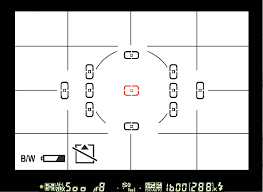
    nikon multi cam 1000 used in the d200 and beyond
    Nikon Multi-CAM 1000 used in the D200

    The D200 uses the 11 point Multi cam 1000 which was later used for more than a decade even until the D3500. Whether Nikon made improvements on the module over the years remains to be seen. The AF system worked reasonable well during the tests, albeit on relatively non challenging subjects such as slow moving animals.

    Single point speed

    Using the camera in single point was fast and snappy, but the AF speed also depends largely on the lens being used. Third party lenses with weaker AF motors will naturally be slower, while the pro grade 2.8 zooms will be blazing fast.

    Tracking
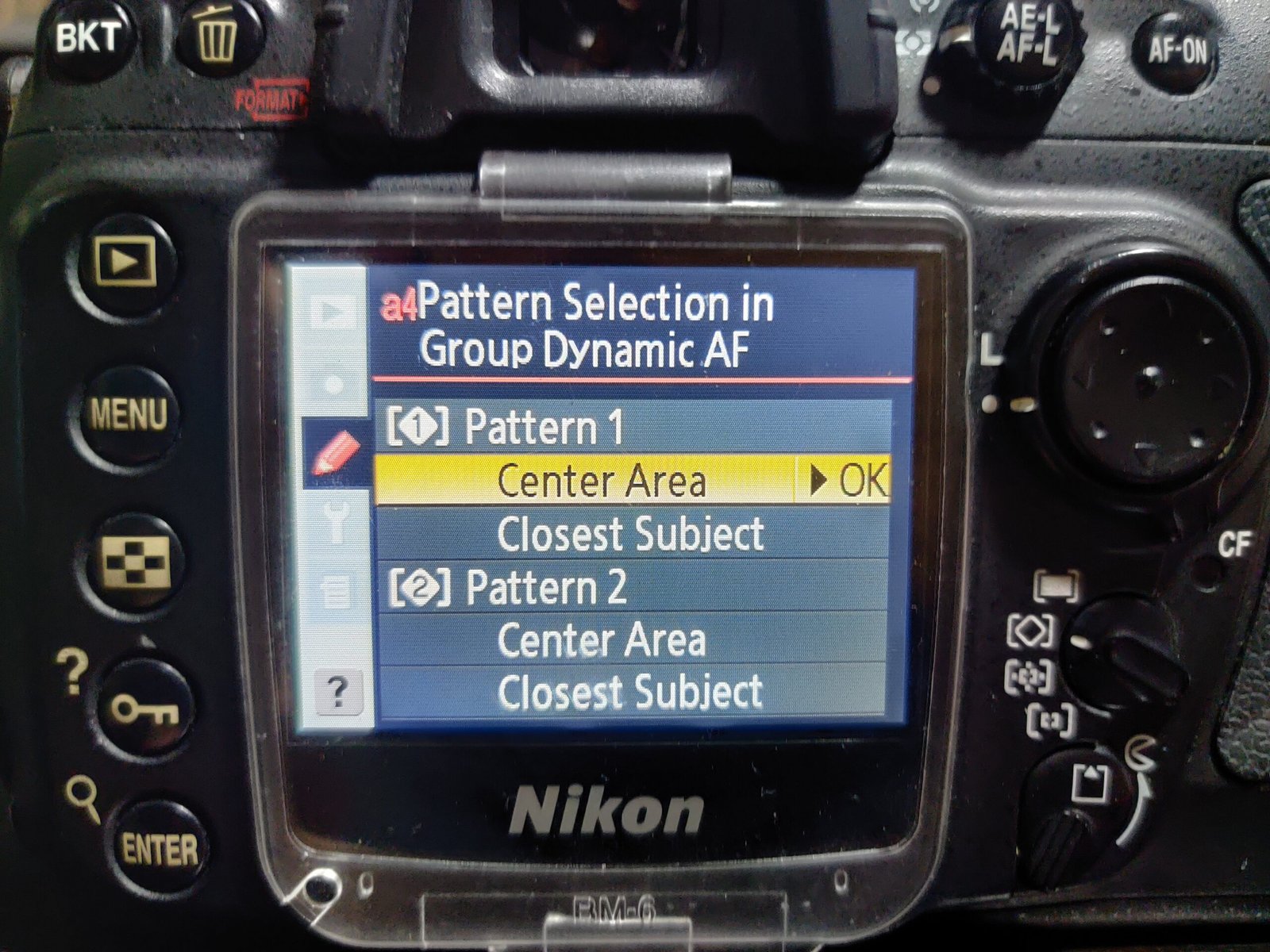
    nikon d200 tracking AF in menu
    Tracking using Group Dynamic AF Modes

    When the camera is set to continuous focus mode, using the AF mode dial at the back set at group AF, I was able to achieve reasonably fast tracking speeds using the Nikon 24-70 2.8 zoom.

    Video

    Similar to the D100, this generation of Nikon Dxxx series has yet to implement a video taking mode. Naturally, you can take “videos” by building a time lapse from the photos shot on the D200, if you consider that videography 😉

    Concluding thoughts

    image shot on D200 and adjusted in lightroom
    Image quality is objectively decent but lacking somewhat in 2021

    The jump from D100 to D200 was staggering. The D200 felt familiar in so many ways, from the custom menu layouts to the dials and button placements. The top left dial last all the way even til the D850, one of the most advanced DSLRs ever made (at least as of 2021). The button placements at the back and the AF switch remained at the locations introduced in the D200. The AF module was used all the way until the present, in the entry level bodies.

    Ergonomics and useability wise, there were very few complaints from me in the D200.

    Image quality was an issue, however. The age of the sensor is showing, and the lack of megapixels is an issue in the age of 4k displays in TVs, monitors and smartphones. At base ISO, shooting raw files, one is still able to recover some highlights and shadows. Above ISO 1600, however image quality starts to fall apart.

    Would I recommend anyone buy a used D200?
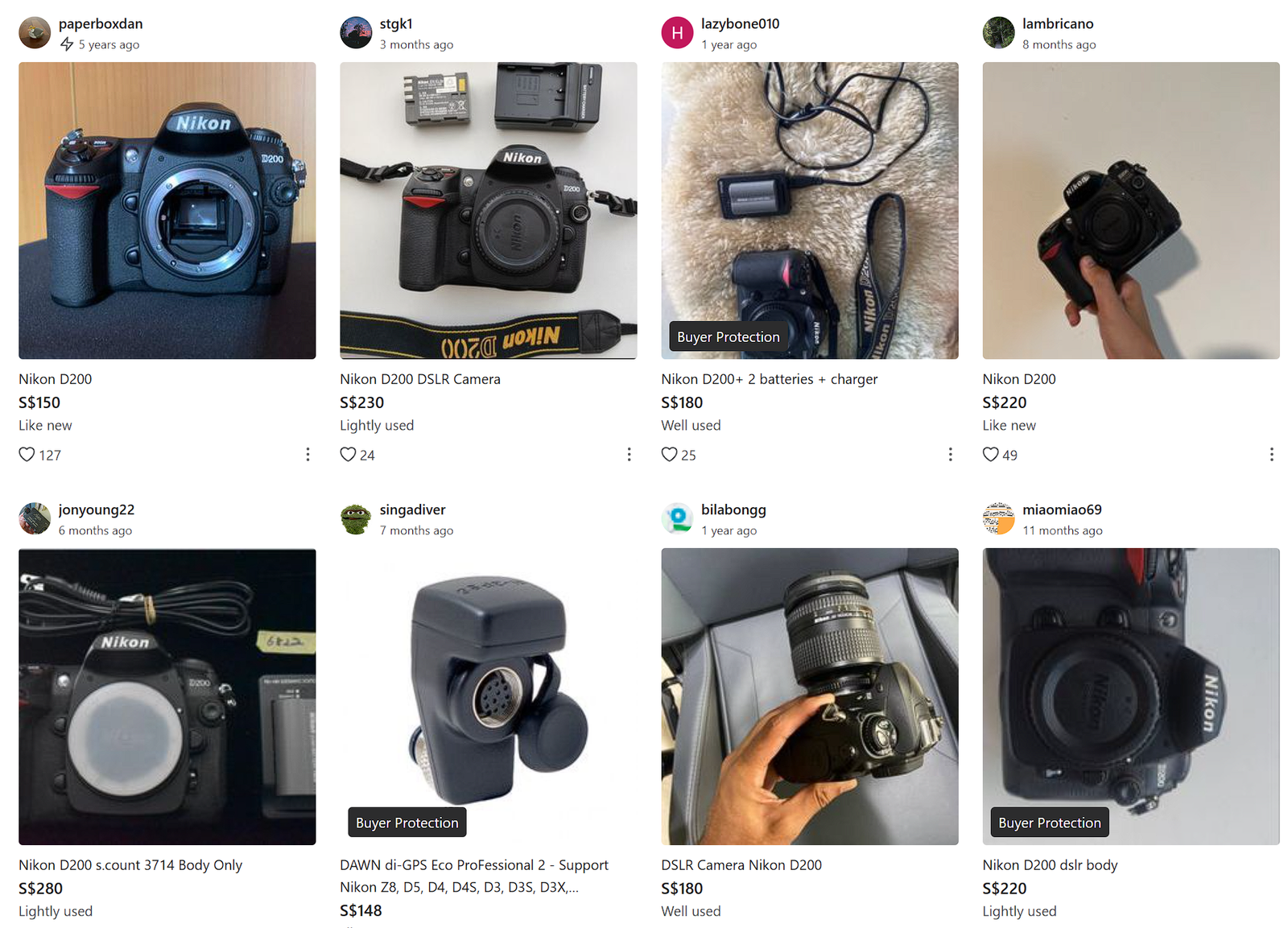
    nikon d200 prices in singapore, used
    Used prices in Singapore in 2026

    Even if you’re yearning for nostalgia, to be honest, there’s better value to be had in getting a used D300 over this. The older sensor, relatively weak AF system and the pricing of the D300 (in Singapore, you can get a beater set for under SG$150) means that the D200 has well and truly been rendered obsolete.

    Collectors, of course, would buy it just for the sake of getting one. Otherwise, your money is better spent elsewhere.

    Note: From 2025, because of social media, there is a trend of getting a “CCD look”. Many older cameras with a CCD sensor has been getting a second look from the social media crowd, as such, D200s with their CCD has been getting a better price than ones with CMOS like the D300 even though the specs are better.

    For more content, you can read about my thoughts on the D100 and the D300s too 🙂

    Personal Plug by Chris Puan

    If you enjoy my blog content, please consider supporting the website by buying me a coffee here. Thanks for your support! 😀
    https://www.buymeacoffee.com/Chrispuan

  • Nikon D100 Review in 2021, after 20 years

    Nikon D100 Review in 2021, after 20 years

    The Nikon D100 was released in 2001, back when digital photography was still in it’s nascent stages and film was still reigning. The professional grade D1, D1X and D1H have already been released on the Nikon roster alongside the Nikon F5 (film pro grade body).

    According to DPReview, the D100 started a new camera segment in the under $2000 USD range, and was potentially a game changer as it made enthusiast grade DSLRs even more approachable for professionals and enthusiasts alike.

    Now, in 2021, 20 years after it’s entry into the market, I would like to revisit it to see how the camera has aged over the years. Coming on the back of a Nikon Z6 (my primary camera), I am under no illusion that the D100 can compete, but it would be an interesting look to see how the digital photographer technology has progressed over the years and see what has changed.

    The D100’s Ergonomics

    Grip

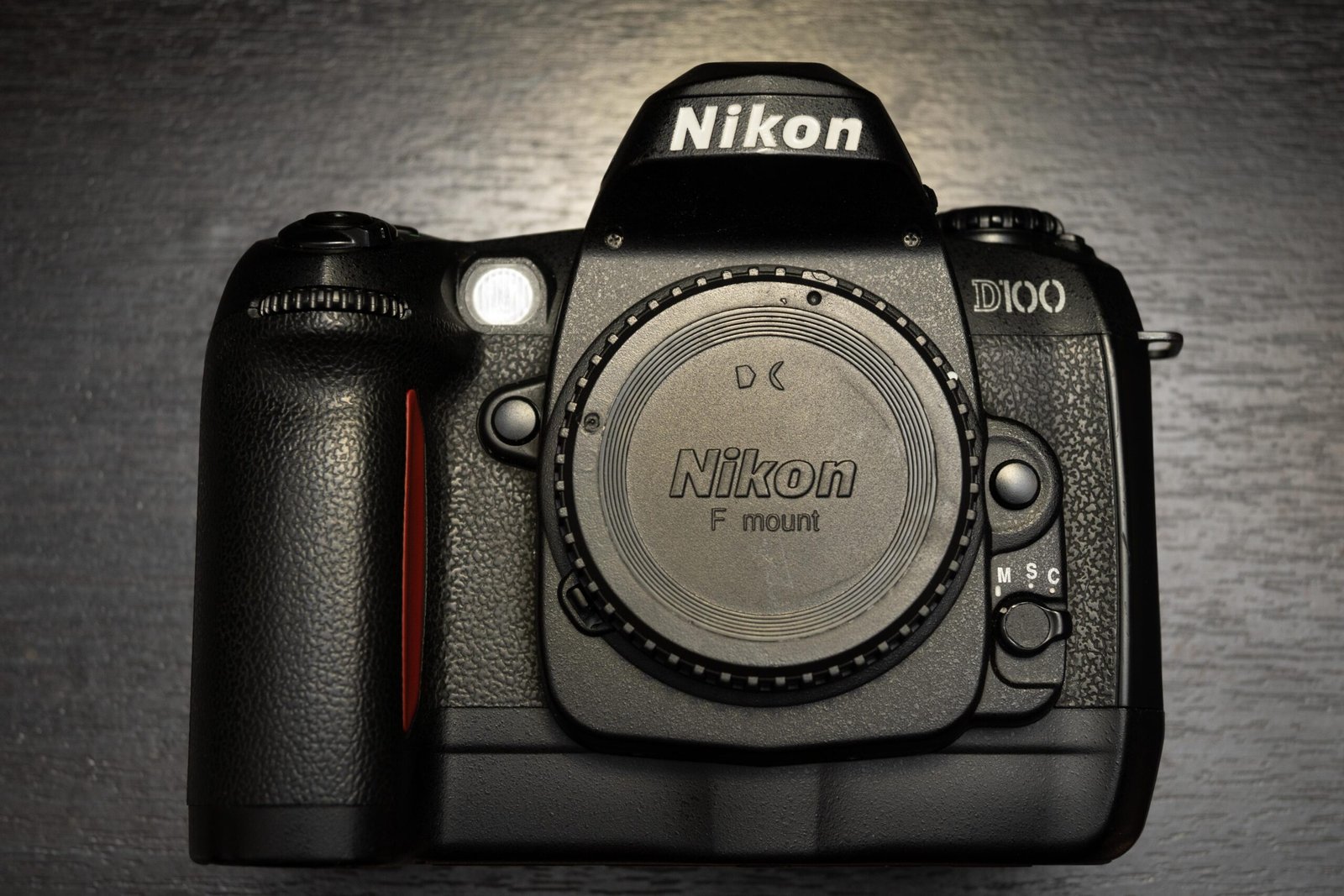
    nikon d100 from the front, showing the badge and the grip

    One thing that has made improvements over the years is definitely grip design. When I first held the D100, I noticed that the grip felt distinctly different from what I was used to. It wasn’t as rounded as the D3 and not as good a fit as the D750. However, I would say that the grip still allowed me to carry the Nikon AF-S 300mm f/4 with no major issues.

    Top LCD

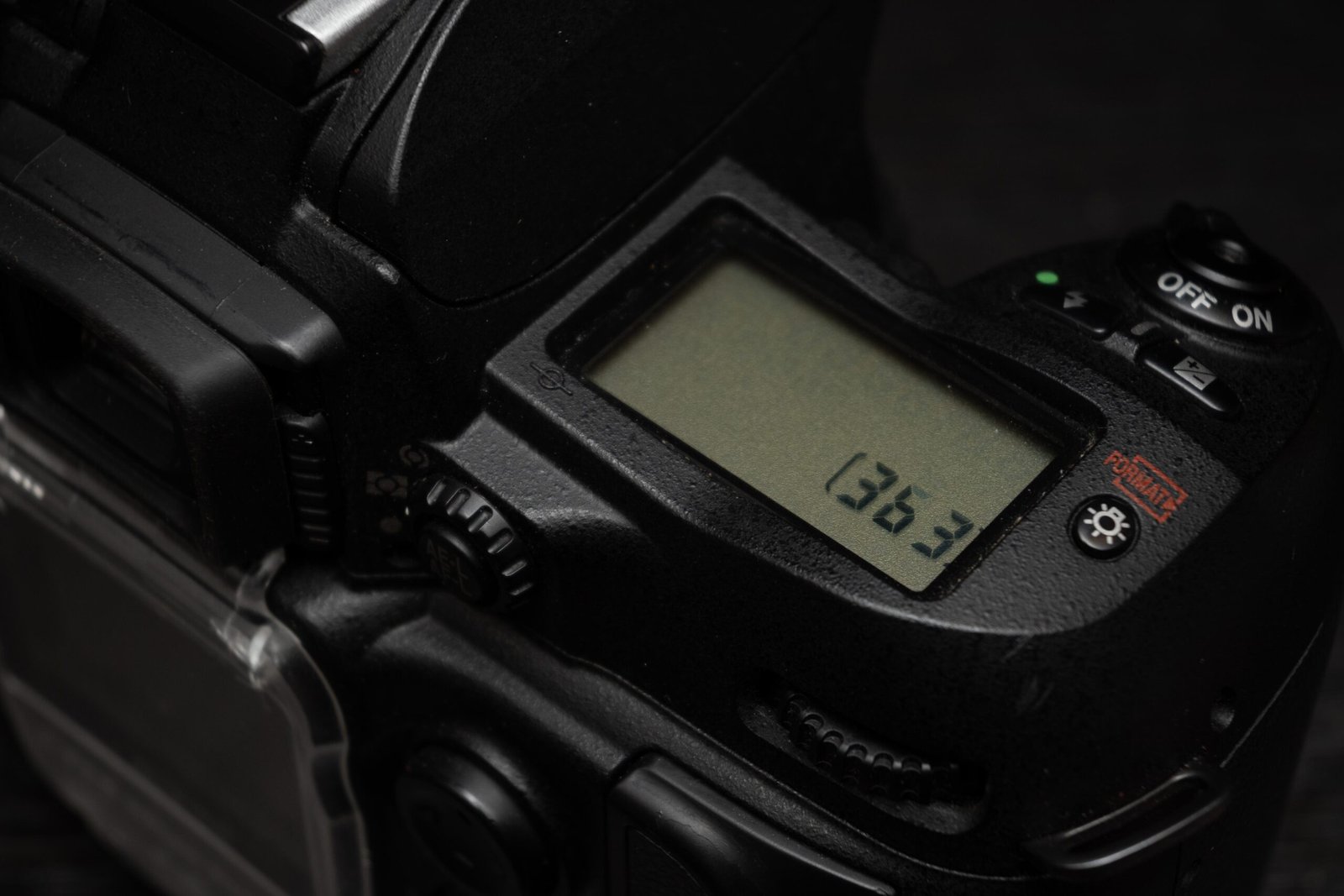
    nikon d100 top plate, showing the small LCD panel

    One piece of technology that did not change for about 17 years (until the Z6) was the top plate LCD. Seems like the same type of LCD panel was used to display shooting information all the way until the OLED was used in the Z6 mirrorless bodies.

    On the other hand, as we only need to see the essential shooting information, the fact that it’s there at all was already very good for my shooting experience.

    Back LCD

    nikon d100 back plate

    One thing that struck me, as in REALLY hit me, was the size of the LCD. Being used to modern smartphones and tablets with their humongous, high resolution screens really made the viewing experience of the LCD on the D100 a chore.

    It was very hard to verify focus with the small, 1.8 inch screen when I’m trying to zoom in, and the dynamic range of the screen is so poor that I can’t be sure that I have exposed the shot properly.

    Still, looking at it from the 2001 perspective, it definitely one ups film cameras in that you can at least verify the rough exposure and composition of the picture you took as compared to a film camera.

    Menus

    When I opened the menus for the first time, I was speechless. This odd sense of nostalgia hit me as I was transported momentarily back to the early days of Windows 98 and Windows 2000, playing my Nintendo Gameboy and watching TV on those fat cathode ray TVs.

    Going through the menu also has a slight lag.

    The menus have gone through a huge change over the years, with UI/UX improving leaps and bounds. Still, the simple/spartan menus made it easy to navigate camera functions.

    Buttons

    nikon d100 back plate
    nikon d100 back plate, LCD

    Throughout the years, Nikon has had a bad habit of moving the button layout from generation to generation. Imagine my chagrin, then at having to relearn the button presses for quite a few functions.

    Firstly, the image review button is not a “play” arrow, but rather that monitor like display button at the top left of the camera. To magnify the image during review, you have to first press enter at the bottom to select the image, then press the middle button in conjunction with the rear dial in order to punch in.

    Way too many button presses in my opinion, I’m so glad they improved on this in their next iteration of the 3 digit DSLRs.

    Card Slot

    nikon d100 storage cover

    This was the era of small CF cards, and back then, using digital storage was already a big deal, let alone dual card slots. The card slot door is locked by a catch on the side, simply pull open the door, no button presses required. Removing the card requires the small rectangular button to be pressed, however.

    Sensor/ Image quality on the D100

    Time has not been kind to sensor tech. A sensor from 20 years ago can barely keep up even with smartphone cameras, especially those from high end phones such as iPhone Maxes and the Samsung S20s.

    With a decent prime lens like the Nikon AF-S 50mm 1.4G, one can still get some pretty good pictures that are sufficient for small prints and smartphone screens.

    Taken in the late afternoon in good light. Color was edited in post.

    Informal image quality tests

    I took a few shots in night with the camera locked off on a tripod. All images were shot at f/4 on a Nikon AF-S 50mm 1.4G for better lens sharpness.

    Base ISO 200

    At base ISO, if you pixel peep, you can already see luminance noise/ grainyness. However, I wouldn’t worry too much about it. The image is definitely useable at base ISO.

    ISO 1600

    Excuse the ghosting. ISO 1600 is noisy but I would say is useable in very low requirement scenarios like viewing on a small screen or for small prints.

    ISO H1 (3200)

    Banding in the shadows and color noise appearing as well. Modern cameras have no problem handling ISO3200 but this is 2001 tech after all.

    ISO H2(6400)

    Severe banding in the shadows as well as color noise everywhere, basically, H2 is for emergencies when you just need the shot regardless of the image quality.

    Dynamic range

    I was able to get detail from the shadow areas of the image by pushing the shadow slider in Lightroom CC to about +66. I could also recover some highlight detail from the sky by lowering the highlight slider to about -15. The image was shot at base ISO of 200. Not a bad performance from a 20 year old camera, for sure. However, modern sensors, especially the Sony made 24 MP ones, will blow this out of the water.

    Resolution

    The shot of the collared kingfisher is uncropped, but to be honest, at 6MP, there wasn’t much room for cropping anyway. I’m using a 28 inch 4k monitor and the image barely fills up the entire display. Nevertheless, I personally found the quality of the image acceptable, despite the lack of resolution.

    sample shot

    Autofocus system

    5 point Autofocus system of the D100
    Copyright @Mir D100 Article

    The D100 uses one of the first generations of AF systems developed by Nikon. The 5 point AF system worked well for it’s time, with decent single AF speed and could even track moving subjects in relatively simple scenarios.

    AF Tracking

    I was able to track a bird in flight using the 5 point autofocus system. Granted, it was taken against a cloudless sky with extremely high contrast, so I wouldn’t say that the AF system was pushed here to any extent. While we have been spoilt silly by the newest AF systems with more than 200 AF points, the 5 point system here worked to get the pigeon in focus.

    Single point speed

    I was able to grab a shot of the pigeon flying in over the water using single focus. I was using the centre point of the system but the speed was still good enough for me to get the pigeon sharp. Any blur was due to motion blur as I did not prepare for the pigeon to suddenly swoop in and was using a relatively slow shutter speed of 1/400s.

    Video

    Nothing to see here, you can take “videos” by building a time lapse from the photos shot on the D100, that’s all 😉

    Concluding thoughts

    This has not been a traditional review.

    No one in their right mind would recommend someone to buy a 20 year old camera to shoot professionally. In many cases, even your smartphone may be better than what the D100 can offer in terms of image quality.

    Still, this has been an interesting look at how technology has progressed in the digital photography realm. I’m definitely thankful to be loaned this unit by a friend who collects old cameras and keeps them in working condition.

    I’ll be looking at it’s next iteration, the Nikon D200 in the next review. if you’ve enjoyed this blast from the past look , keep a look out for the next review.

    Until next time.

    Personal Plug by Chris Puan

    If you enjoy my blog content, please consider supporting the website by buying me a coffee here. Thanks for your support! 😀

    https://www.buymeacoffee.com/Chrispuan

  • Buying used, “Outdated” full frame DSLR cameras (updated 2025)

    Buying used, “Outdated” full frame DSLR cameras (updated 2025)

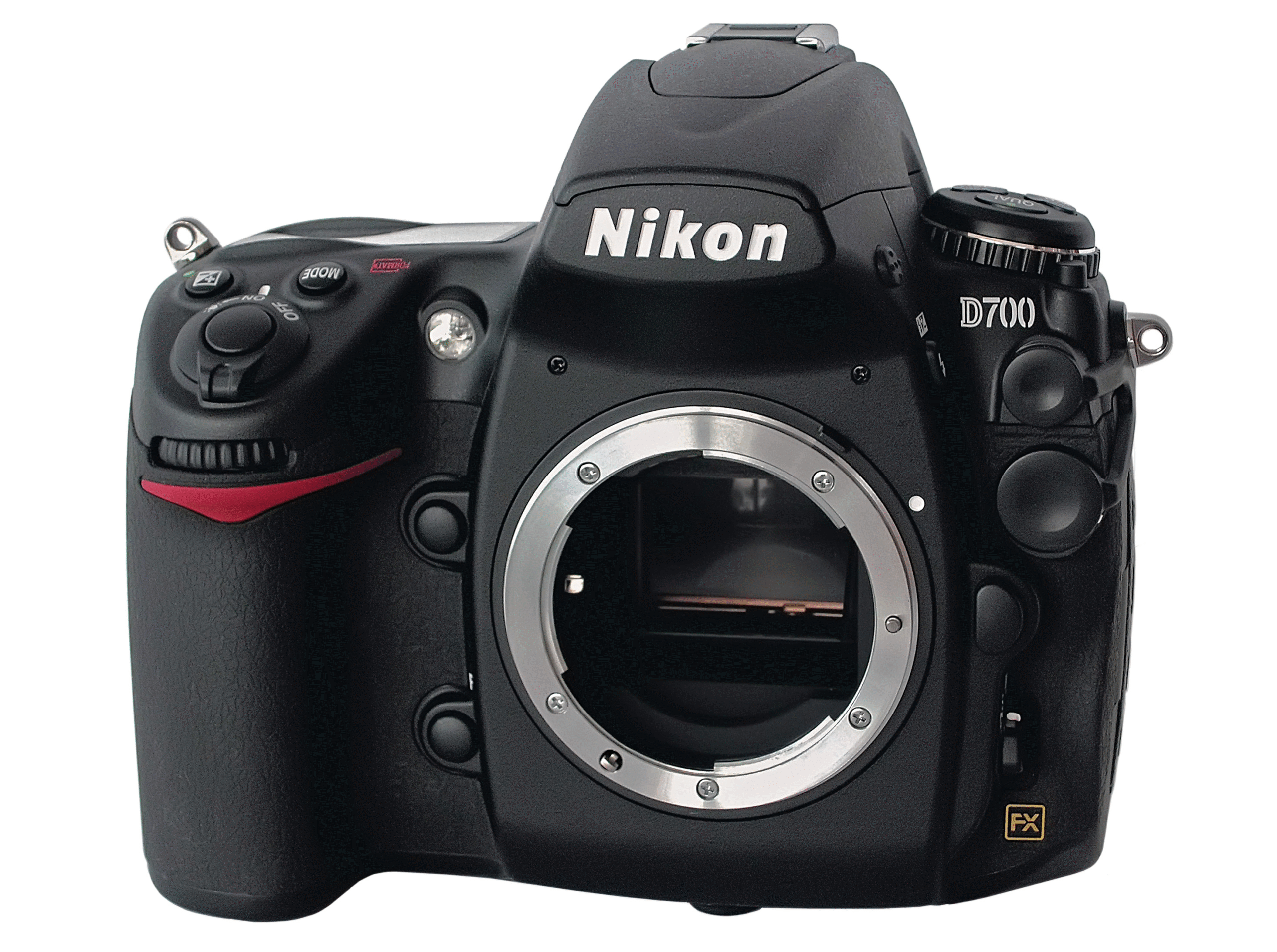
    nikon d700 in mint condition
    A mint condition Nikon D700, image courtesy of Wikipedia Commons

    *This article was originally posted in 2014, but updated in 2025 to reflect some newer cameras.

    Sensor technology is advancing at breakneck speeds. High ISO performance is improving so fast that stratospheric speeds previously unheard of are now reality (it goes into the millions now!).

    But really; do people really need such high sensitivities? Professionals might, but for consumers, ISO 6400 is plenty for most shooting conditions, especially when using prime lenses.

    This is where buying older full frame DSLRs come in for photography buffs looking to get the full frame look (smoother out of focus transition, if you have no idea what this is, you probably won’t care about it).

    Full Frame DSLR Developments

    With the recent surge of full frame bodies available from Canikon, including the so called consumer typed full frame bodies, there are 15 bodies from 2007 til now. Canon1D-X, 1Ds III, 5D MK III, 5D MK II, 5D MK I, 6D, Nikon D4s, Nikon D4, Nikon D3x, D3S, D3, D810, D800, D 700, D610, D600.

    In the last 10 years after 2014, almost every camera manufacturer has stepped up in their camera offerings for full frame cameras on both DSLRs and Mirrorless Cameras. I focus on DSLRs here since they are “older”.

    There are now sufficient full frame bodies, both new and pre-loved, to satisfy almost every photographic niche.
    So, what would be a good choice for you to step into the full frame world?

    System choice aside, stick with something you are familiar with. Most importantly, get something you are comfortable with lugging about on shoots. Any of the cameras above will do the job for many situations that people face, though some will do better than others in specific situations.

    Personal Experience Using an Older Camera

    Personally, I bought the Nikon D3 sometime in 2013, and I have never been let down by it, except in the most challenging of situations (think near darkness where even your naked eyes have trouble discerning anything).

    I can say that using a D3 released me from any perceived limitations, any shot missed is truly my own fault. The speed and capabilities of the flagship body is such that the camera takes the shot at the slightest of touches and reacts as fast as you can.

    The D3’s soul was carried on by other cameras since then, and the closest replacement camera I have now is the D500 (used), but that is a story for another day.

    Take note that with the accompanying large sensor size, compatible lenses will necessarily be large and heavy. Barring technological advancement, this is how it will be for the coming few years ahead. Hence, think about what you intend to shoot. Will it be fast paced sports, portraits, landscapes?

    2 Common Used DSLRs People Recommend

    I will be listing 2 of the original “old but accessible” full frame cameras under several general shooting categories for the uninitiated.

    The Nikon D700 and Canon 5D Mark II remain capable, somewhat fun cameras to use at a budget for budding photographers looking for something cheap, durable but very much still capable (even in 2025).

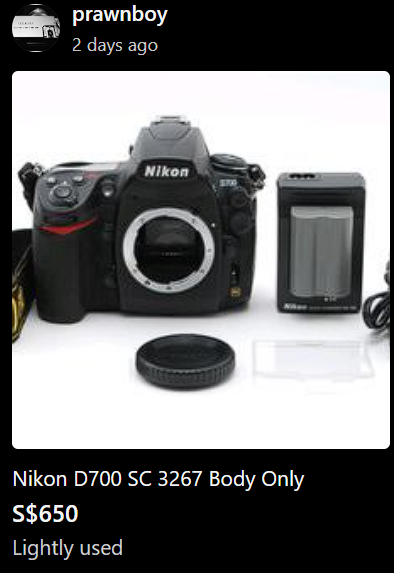
    used nikon d700 DSLR
    A lightly used Nikon D700 in Singapore can be bought for S$650 or less.
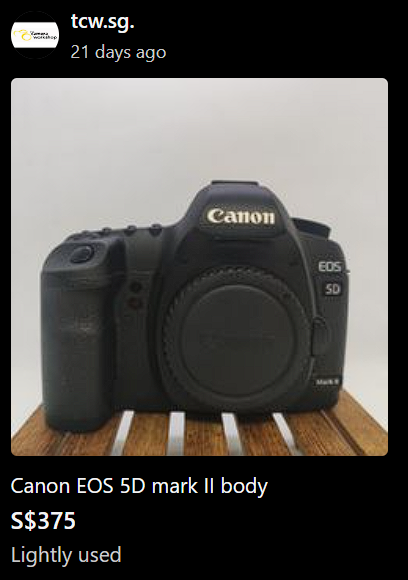
    used Canon 5D Mark II DSLR
    A lightly used Canon 5D mark II can be had for S$375

    Of course, each camera can be used for any purpose that you deem fit, the grouping simply makes the choice slightly more “optimised” for that usage.

    Here goes:

    Landscape: Canon 5D Mark II

    The high megapixel count of 21 MP definitely works in the 5DMark II’s favour over its Nikon equivalent (12MP). The relatively poor autofocus is not critical given that your static landscape photo op isn’t exactly going to test the agility of the AF system.

    Macro: Canon 5D Mark II

    Once more, the high megapixel count will work in its favour. Macro shots favour detail above all, more  megapixels should, all things being equal (light availability, for instance), mean more detailed photos. Another big plus for the Canon lies in the form of the MP-E 65mm, a specialty Macro lens that has no equal (to my knowledge) in the Nikon or Sony lens lineup.

    Canon_MP-E65mm

    Having the MP-E with a 5D Mark II will set you back quite a fair sum, be prepared to feel some pain in the wallet. Of course, if you are on a budget, the 100mm USM Macro will fulfill your purposes just fine.

    Sports: Nikon D700

    Qualities valued in sports is responsiveness, autofocus speed and high frame rates per second (FPS). Short of going all the way to the former flagship D3, the D700 will be the camera that gives Nikon users all they need for sports. 8 FPS (with grip), 51 point AF system, excellent buffer capacity and superb high ISO performance ensures that the D700 will serve you well in a sports shooting situation.


    Street shooting: Nikon D700

    Again, qualities to look out for are similar to that of sports. High ISO performance during night shoots (from past experience, the raw file is forgiving at ISOs of up to 3200), responsiveness (instant on, ready to shoot), quick and accurate AF (the Nikon 51 point AF system is still so good), all help with capturing “the Moment”.

    Video: Canon 5D Mark II

    This is a no brainer. Short of going to Sony Mirrorless bodies, the venerable Canon 5D Mark II was the camera to go to (pre-2010) for video shooting and the one that made HD DSLR Filmmaking mainstream. Excellent bit rate, decent filming ergonomics make the 5D Mark II a superb performer on the video arena.

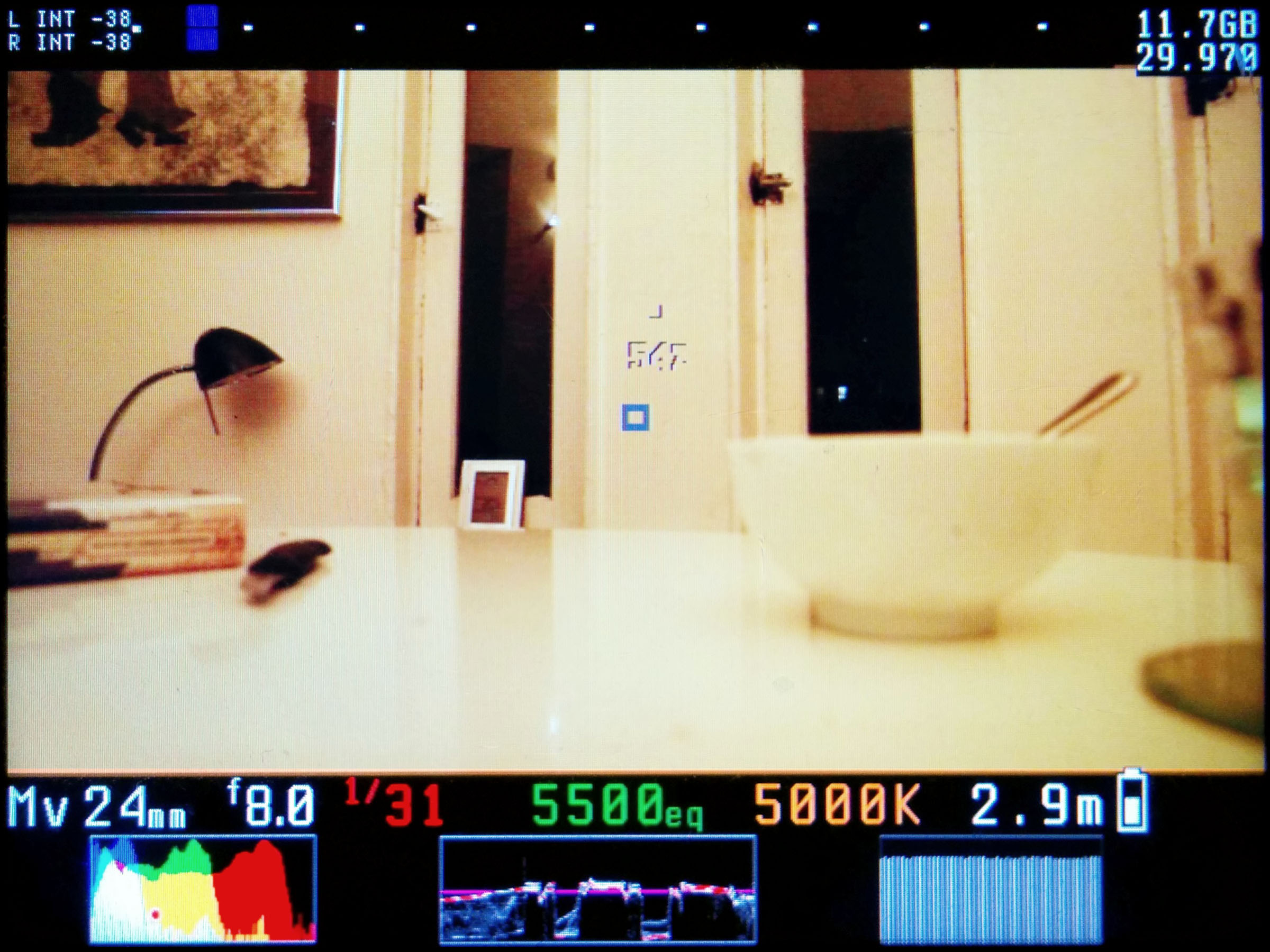
    For people willing to tinker with the camera’s firmware, Magic Lantern has an excellent update for the 5D Mark II that opens up many useful features, and for free as well.

    Magic Lantern Liveview Overlay on the 5D Mark II, image from Wikimedia Commons

    General shooting: D700

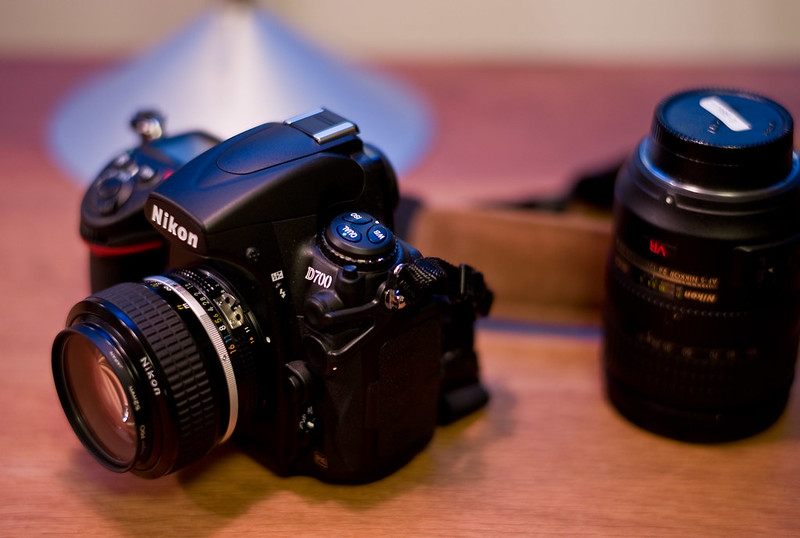
    Nikon D700 with a Nikkor 50mm 1.2 prime lens
    Image Courtesy of Nokton (https://www.flickr.com/photos/nokton/2994927246)

    Call me biased here, but I favor the D700 simply due to the very manageable 12 Megapixel files. Quite simply, smaller but still very malleable raw files make it a pleasure to edit the files in either Lightroom, Capture Pro or your raw processor of choice.

    Also, don’t forget storage (either on your computer or on the go) is much easier with smaller files. Storage may be cheap, but hey, whatever helps right?

    This article may go outdated very quickly, given how fast new full frame models are being thrown out of factories .

    Nevertheless, if you are on a budget but still want the full frame look and older high specification performance, older DSLRs are definitely worth a look. If you’re looking for a prime lens to go with your camera, I review the Sigma 85mm 1.4 HSM.

    Which one you choose will likely depend on your personal preference and pricing and availability.

    PS. Looking for something smaller? I talk about the entry level Nikon D3200 vs the Olympus OMD EM5 here.

  • Nikon D3200 vs Olympus OMD EM5 for General Photography (updated in 2025)

    Nikon D3200 vs Olympus OMD EM5 for General Photography (updated in 2025)

    I personally own a Nikon System with Olympus being my sub system. Back in 2014, my D3200 was mainly for high MP work while the OMD was for street and general shooting.

    Nevertheless, this period in the early 2010s still remained the age of DSLRs, though the revolution of mirrorless cameras is currently under-way. There are times when I still favour a DSLR and here are some reasons I do bring my DSLR out.

    1. Ergonomics, the bigger Nikon D3200 or the smaller OMD EM5

    Somehow,  I still feel that handling on the Nikon D3200 is better,  despite the it being an entry level body.

    Being able to tweak everything on an OMD is nice,  but the small body with the strap lugs digging into my palm or fingers really don’t cut it.
    A Nikon D3200 with a small prime like the 35mm or the 50mm is still a very compact package. Somehow,  this set just sits in my hand really comfortably. Even if you do have large hands, the pinkie can be tucked under the camera for a 3 fingered right hand grip.

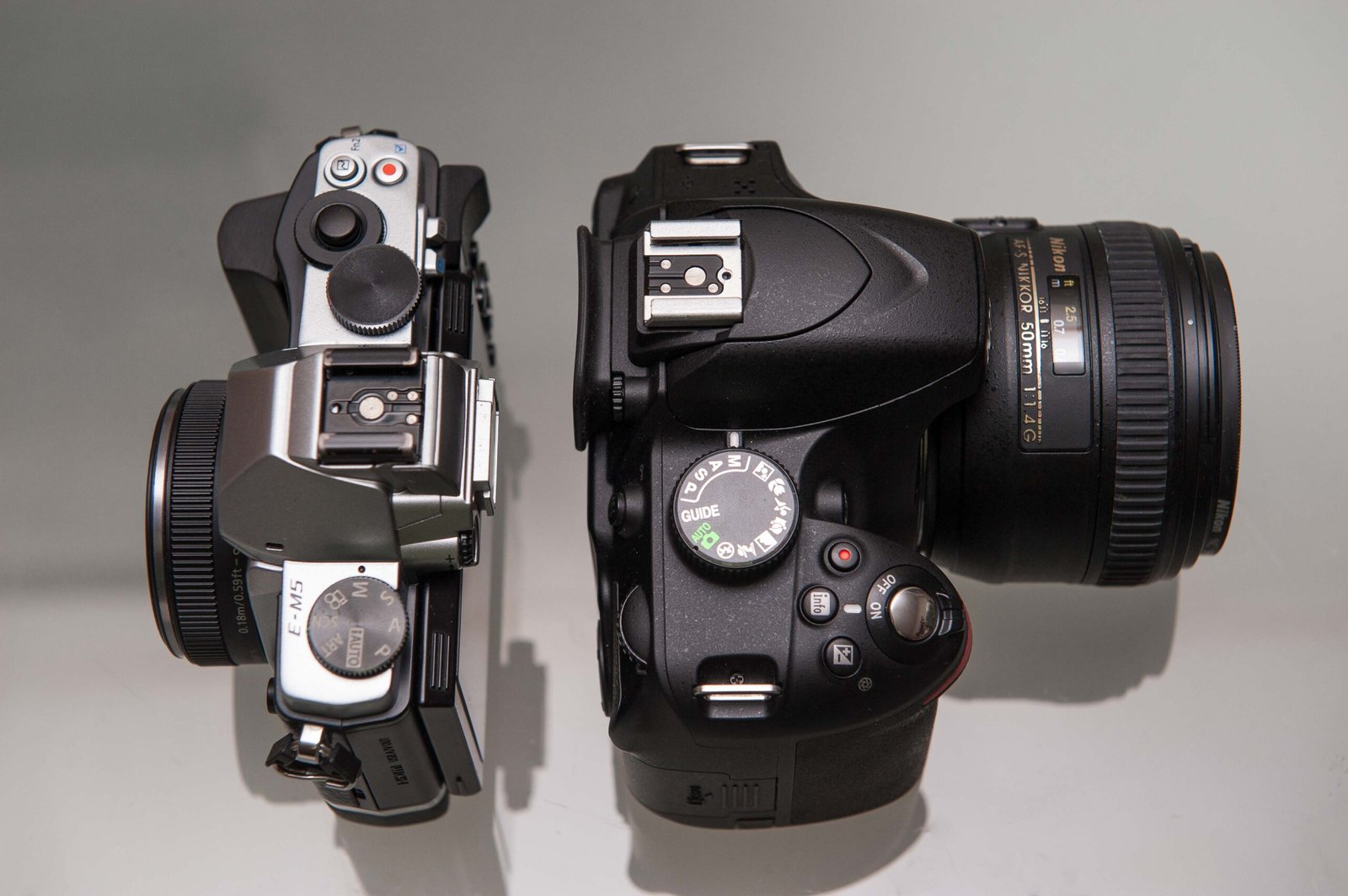
    difference in size between the OMD EM5 with a grip and Panasonic Pancake Lens vs the Nikon D3200 and Nikon AFS 50mm 1.4G
    Note the difference in size, the OMD EM5 with a grip and Panasonic Pancake Lens vs the Nikon D3200 and Nikon AFS 50mm 1.4G

    2. Pixel count, 16 in the EM5 vs 24 in the D3200

    Say all you want about high megapixels being terrible in light, but when you can shoot in good light, having more MP is rarely a bad thing. If not, why do people bother with high MP medium format? That extra 8 MP meant that extra bit of cropping allowance. Also, i do have the lenses which allow me to resolve that extra bit of detail. This brings me to my next point.

    100% crop from photo taken with D3200 with diffused strobes
    100% crop from photo taken with D3200 using 50mm at f4 with diffused strobes at ISO 100, note the amount of detail even at this level of magnification.

    3. Lenses, Nikon F Mount vs Olympus M4/3

    I was already a serious Nikon shooter for some time before I dived into M4/3. As it stands,  I own a small arsenal of FX lenses and quality primes for the F mount, compared to 2 small primes for the Olympus,  the Panasonic 14mm 2.5 and the 45mm 1.8.

    The AF on the OMD and the two primes are fast enough for most people, but nothing beats the feel of the lightning fast AF of the Nikon AF-S 24-70 f/2.8, even on the entry level D3200, and the images that pop out of the camera. However, I doubt if most people really need that extra burst of AF speed offered by the professional grade lens.

    Finally, take note of the tremendous price difference between just the 24-70mm ($1800 second hand) and the two primes($450 for both). *Take note this was back in 2014, in 2025, based on checks on Carousell, Singapore’s second hand market.

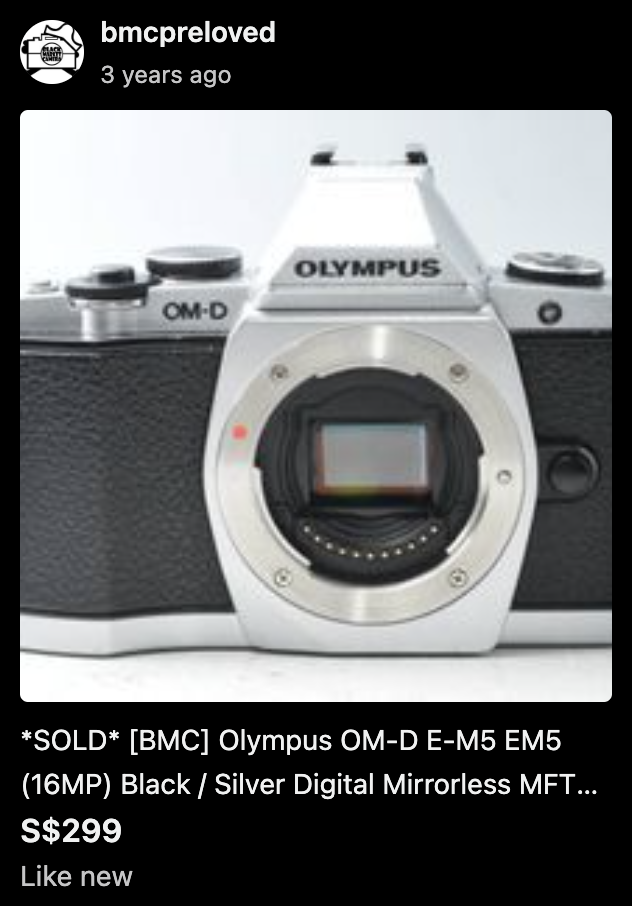
    Olympus OMD EM5, showing pricing in Singapore
    this set was sold at S$299 in 2021.
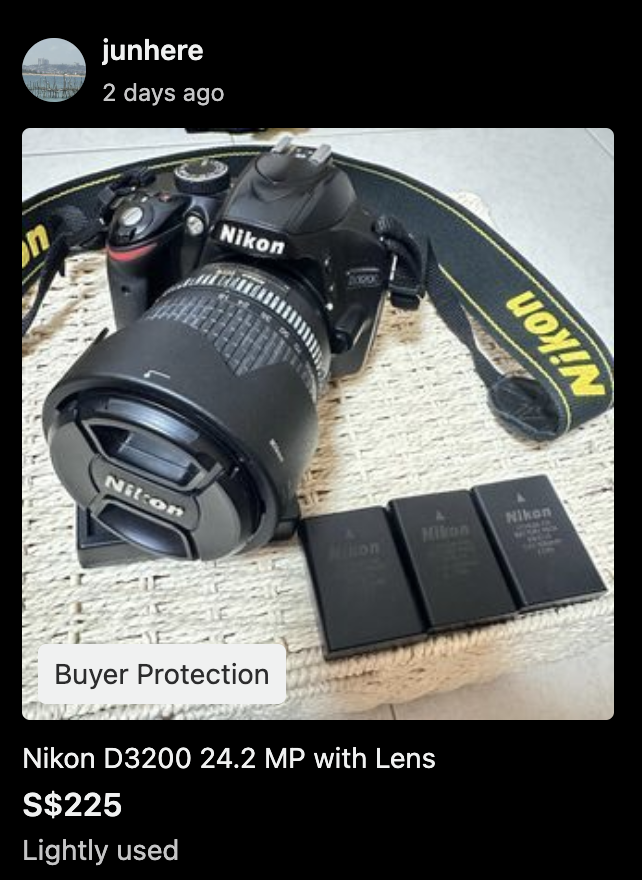
    Nikon D3200 with lens to show pricing in Singapore
    This D3200 set with lens is being sold at S$225 in Jul 2025

    Camera Recommendation

    Personally, in 2025, I’d recommend the lighter combination especially for people doing this as a hobby. Given a choice, most people will like prefer something small and lightweight despite the minor image quality compromises.

    PS. Prefer something bigger? I talk about the Nikon D700 vs the Canon 5D Mark II here.

  • Adapting Nikon Telephoto Lenses to Micro Four Thirds Cameras

    Adapting Nikon Telephoto Lenses to Micro Four Thirds Cameras

    Getting a longer reach using full frame lenses on Micro Four Thirds

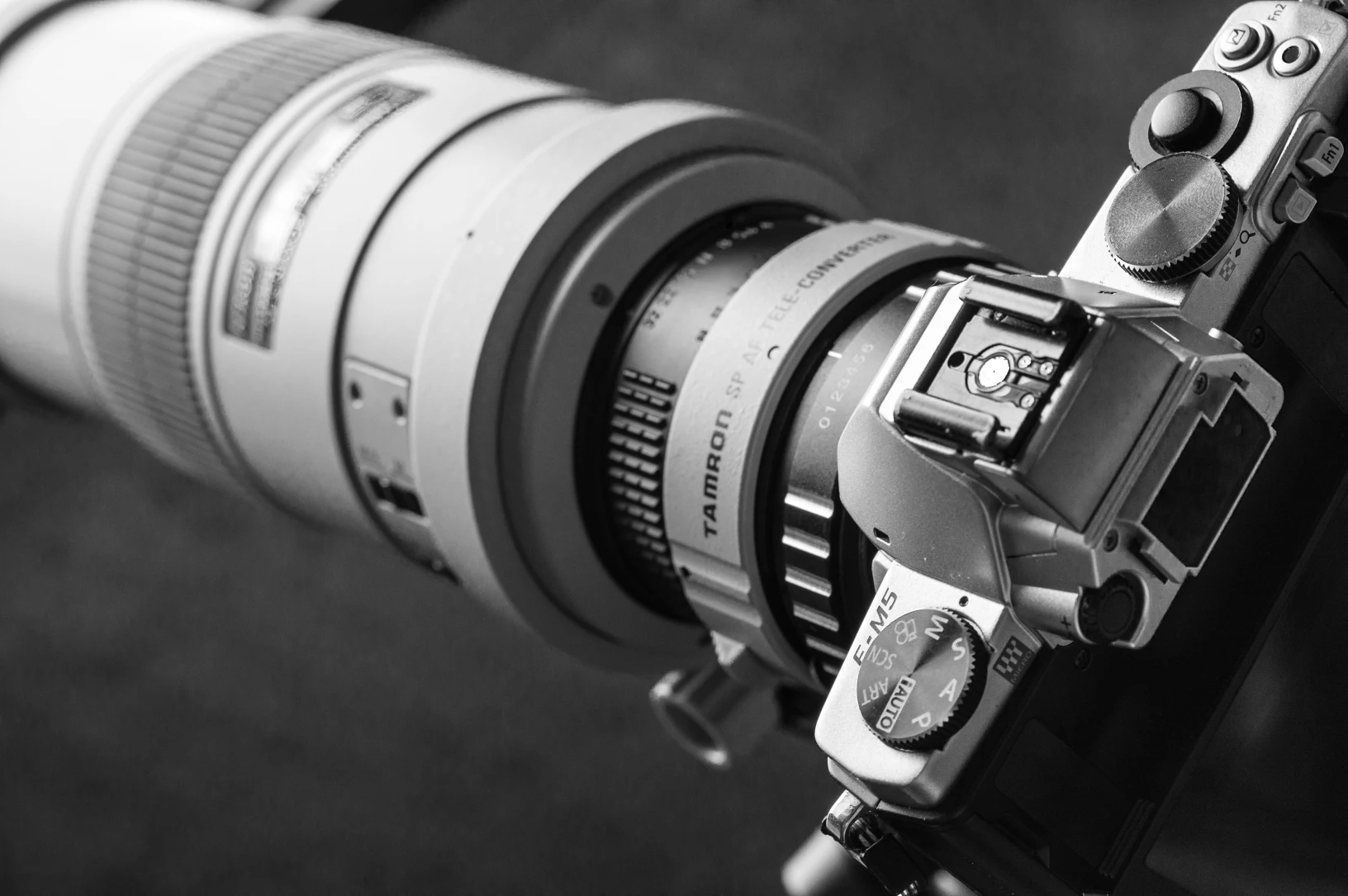
    An Micro Four Thirds adaptor costing just SGD$30 was used to mount the lens onto my Olympus OMD EM5. The full combination included the adaptor, a Tamron 1.4x Teleconverter and the Nikon AF-S 300mm f/4.

    This gave a set up that had an 840mm effective focal length, albeit with full manual operations, including focus and aperture adjustments.

    This effective focal length would no doubt be very appealing to bird photographers on a budget, also to those looking for long reach without the accompanying bulk and weight.

    Controlling the adapted full frame lens on the Micro Four Thirds camera

    Operating the set up required patience, lots of it. The adaptor allowed the control of aperture, with some clicking heard when adjustments are made.

    Focus is done manually, by activating the magnification feature of Olympus cameras using one of several customisable buttons found on the OMD.

    I personally use Fn1, but anybody can choose to customise the OMD operation using another Fn button.

    It must be noted that the focus is made harder due to the physical stopping down of the aperture blades, making for a darker viewfinder image. This is partially offset by the fact that the OMD has an EVF, allowing the artificial brightening of the image preview to some extent.

    Image quality is decent, I find that the lens performs better on native cameras like the D3 and even the D3200 with its high pixel density. This is only natural since lenses are generally optimised for their own system.

    The hassle of having to use this lens on a tripod in field conditions together with full manual operation may restrict its effectiveness for birding, which will no doubt be its primary application.

    During a birding trip to the Chinese Gardens in Singapore, I was able to get some shots of stationary birds like perching Kingfishers only.

    Jittery ones such as the Ashy Tailorbird proved impossible to capture using this setup. Some sample shots of my birding trip have been included for illustration purposes.

    Image Quality of the adapted telephoto prime on the Micro Four Thirds camera

    plaintain squirrel shot using Nikon AF-S 300mm f4 on m4/3
    Plaintain squirrel shot using Nikon AF-S 300mm f4 on m4/3

    This plantain squirrel seemed to be fetching straw for its shelter. It was rather still and gave me ample time to set up and take a few shots before it scampered off.

    water monitor lizard shot using Nikon AF-S 300mm f4 on m4/3
    Water monitor lizard shot using Nikon AF-S 300mm f4 on m4/3

    I managed to snap a Malayan Water Monitor Basking by the pondside. I could have done better justice to this particular scene with the magnificent backlighting, pardon my poor skills.

    common kingfisher shot using a nikon 300mm adapted to m4/3 camera

    Here is a common Kingfisher observing fish from its perch, which later dived into the water. The set up was too cumbersome to track the bird with as it flew off.

    There was no issues with image quality regarding sharpness for the lens adaptation. Another thing was that the IBIS of the Olympus EM5 helped with hand holding, though the long focal length and the need to manual focus meant that you will likely be using the entire set up using a tripod.

    Should you adapt a full frame telephoto lens onto a micro four thirds camera?

    Your mileage may vary with both your skill and luck. Some users may simply use the lens on a Nikon D7100 or the new D7200, with their built in 2x crop factor mode which allows the entire viewfinder to be covered with the 51 AF points, allowing for superb tracking ability.

    Nevertheless, one may find this combination suitable for their use, since a cheap adaptor can be had easily and the native x2 crop factor of the Micro Four Thirds system is useful for extending telephoto purposes.