Tag: Camera

  • Nikon Z50 field review (short term)

    Nikon Z50 field review (short term)

    The Nikon Z50 was released in November 2019, about 1 year after the initial release of the full frame mirrorless cameras Z6 and Z7.

    Initially, upon the spec leaks, many Nikon fans groaned at the lacklustre specs, at that time, an APS-C sensor that was already in use for several years in the D500, no dual card slots, no AF joystick, no in-body image stabilization (IBIS). Many were already calling the Nikon Z50 a failure even before it was released.

    Now, coming on 2 years after the release, I was able to get a used set in near mint condition and put it through it’s paces. I have been shooting with Nikon ever since I started on my photography journey more than 10 years ago, and have gone through a slew of consumer and pro grade DSLRs in my quest to find value for money cameras that will serve me well in my work.

    Here are my thoughts on the Z50 from both a work and casual usage viewpoint.

    Revision: As I am writing this article, the Nikon Zfc has just been released. To some extent, some of the comments here also apply to the Zfc since the two cameras largely share the same specs such as sensor, viewfinder, single card slot and battery (EN-EN25) etc.

    The Nikon Z50’s Ergonomics

    Weight

    The first thing that struck me when I picked up the camera was the weight. One of the original arguments for choosing mirrorless over a DSLR was that mirrorless cameras are lighter. Definitely the case here.

    The Z50 weighs 450g. It’s a small, compact, lightweight camera that one can throw into a small bag and carry around with no issues, assuming you pair it with the kit lens or a small third party lens like the Meike 25mm 1.8 prime.

    Grip

    Meike 25mm 1.8 lens mounted on a nikon z50
    The small body matches a small prime like the Meike 25mm perfectly

    Usually, cameras that are built to be as small as possible may sacrifice grip comfort to minimise weight, the old Olympus EP-Minis come to mind.

    Here, I feel that the grip is sufficient for small to medium lenses mounted on the camera. The sculpted grip still allows enough finger room for small and medium sized hands.

    Nevertheless, people with large hands might feel this camera is a little cramped, with your pinky hanging out while gripping the camera.

    If you need more vertical room, you may want to invest in a Smallrig L plate, which adds grip room as well as additional tripod mounting options to even allow side mounting for your to see the screen even with a tripod.

    As you can see from the pictures above, the body is tiny on any of the larger telephoto lenses, like the older version of the 300mm f/4 that I have here.

    I would definitely advise holding the combination by the lens rather than the body so as not to stress the mount. It’s unlikely that the lens mount will break or snap, but better safe than sorry yeah?

    Battery / Memory card slot

    The battery used here is a new EN-EL25. The battery doesn’t last as long as the EN-EL15 used in the bigger brothers Z6/Z7. Luckily, the Z50 is able to charge the battery using the micro USB port on the side and attaching a power bank.

    Charging can therefore be done in camera as well as using the external charger (provided). When charging using a power bank, there will be a small red LED lighting up to let you know that charging is on.

    Charging using a generic power bank using micro USB port.

    Unfortunately, the single memory card slot can only accept UHS-I SD cards. While these cards are generally cheaper, they are also slower.

    For my purposes, I have yet to encounter any issues with transfer speed. I would imagine someone who does a lot of burst shots needing a faster card, however.

    Top dial

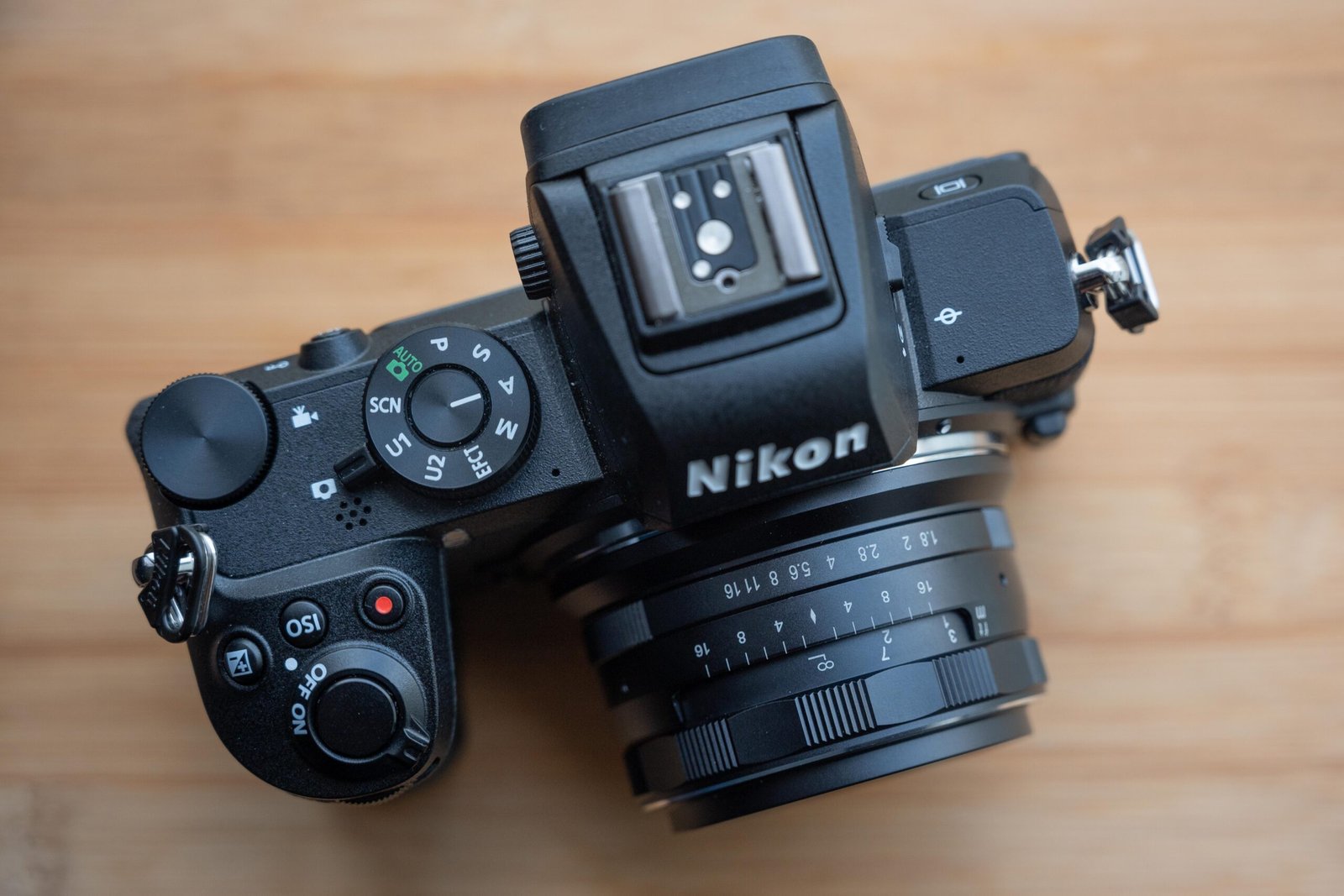
    nikon z50 with kit lens, top plate right

    The top dial will be familiar with anyone who has used a consumer grade Nikon DSLR. That’s not to say this is bad.

    The consumer grade dial comes with the U1 and U2 memory bank functions, which I personally prefer over the menu bank system in the older pro grade bodies.

    Maybe it’s a user issue, but hey, I find this system easier to use, save the settings to either U1 or U2, and once you switch to that setting, presto, all your settings are there. I usually leave U1 for low light settings without flash, and U2 for flash settings indoors when I am covering events.

    Back buttons | Screen | Viewfinder

    The back of the screen is dominated by the LCD panel which only flips down and up, but not to the side like quite a few other brands.

    I’m not sure why Nikon has designed it as such but I would personally prefer a full articulated screen for ease of use, especially when using the screen in a vertical manner (I’ve previously tried this with the D5100, which I found extremely convenient).

    The touch screen zoom and display buttons are an interesting implementation, some people would have preferred physical buttons since you can actually feel them, especially with gloved hands.

    In Singapore, with tropical, warm weather, this is not an issue for me. Luckily, the centre “OK” button still works as a one button zoom during playback.

    One thing about the Z50 is that most of the back panel functions can be accessed with your right hand, so if you’re someone who likes to operate the camera one handed, you can do it here.

    The viewfinder is large enough, sharp and has a decent refresh rate. In photo mode, I never had an issue looking through the viewfinder to frame my image, even for wildlife photography.

    In video mode, however, there is a slight lag when looking through the viewfinder which I found reflects your settings in video. Personally, I am not a fan of this but there may be some people who like working like this.

    Flash

    The in-built flash on the Z50 is tiny. Unfortunately, its power is lacking for all but the closest subjects. Using it for fill is fine, but don’t expect it to light up subjects if they are standing more than 1m away, especially at ISO 100.

    Using the flash in conjunction with a higher ISO will yield better results at night if you simply want to see your subjects (eg. you are taking a holiday shot at night and want to see someone’s face).

    Still, having the flash means you have a means of controlling external flashes remotely if you so desire. I personally use the in-built flash in manual mode and then control my two manual flashes using S1 receiver mode.

    Image Quality on the Nikon Z50’s 20.9MP sensor

    Resolution

    scarlet backed flower pecker shot on nikon z50 using 300mm f4
    Scarlet Backed Flower shot using Nikon Z50 and 300 mm f4 lens

    Officially, the Nikon Z50 has 20.9MP of resolution. I was able to crop in to the image to focus more on the flowerpecker here.

    In Lightroom, I was still able to see individual feathers and tons of detail despite already cropping in. I believe there are no issues with resolution for normal purposes (like posting for social media) though I imagine you may be able to get better results with wildlife photography if the resolution were to be higher.

    For wildlife though, I use a 300mm lens paired with a 1.4x teleconverter (pictured earlier) on this crop-sensored body to get a 630mm equivalent (300 x 1.4 x 1.5) field of view. Article of the combo here.

    monitor lizard shot with a 300mm prime on the nikon z50
    Shot using the Z50 with the Nikon AF-S 300mm f/4
    monitor lizard shot with a 300mm prime on the nikon z50
    Shot using the Z50 with the Nikon AF-S 300mm f/4

    Base ISO Image Quality

    night shot on the nikon z50 using iso 100
    Shot at Based ISO on Nikon Z50

    At base ISO, as seen from the image above, shots are clean and detail, again, no issues. I would definitely be able to get good shots for both my own projects and for clients at base ISO, since I’ve not had the need for 45 MP pictures (at least not had the request from clients yet).

    Shadows are extremely clean, and there is a lot of detail in the raw photo for a 20MP image.

    High ISO

    night shot on the nikon z50 using iso 6400
    Shot at ISO 6400 on Nikon Z50

    Taking pictures in low light is an issue with the kit lens due to the small max aperture of f/6.3. However, as stated by DPReview, this 20.9 MP sensor from Nikon is potentially a tried and proven sensor (used in the D500 and the D7500) with very good dynamic range and low light performance.

    Using it at up to ISO 6400 is definitely not an issue. Thankfully, one does not need full frame just to shoot useable images at ISO 6400 these days 🙂

    From the sample shot here, despite being shot at ISO 6400, I noticed very little banding or color noise in the shadows. Highlight recovery was possible as well, I was able to pull the highlight slider to -82 in Lightroom to recover detail from the overexposed areas (in the lit areas in the apartment blocks).

    The only issue is that as the image is quite grainy, some noise reduction will need to be applied depending on your personal preference.

    Autofocus on the Nikon Z50

    Single AF

    Female scarlet backed flowerpecker below it’s nest (top left)

    In single AF mode, you can control the specific point to focus on. In this case, this was the best setting for a small birding hiding in the middle of foliage. The single point AF was reasonable quick and accurate.

    Continuous AF

    This is very lens dependent, but using a pro grade 2.8 zoom lens will help a lot with the speed of continuous AF. Using the accompanying kit lens is a hit and miss affair.

    In good light, even the kit lens will give you good results, with fast, accurate continuous AF assuming that you are landing the AF point on an area of contrast (basically not a plain white wall). In low light, the small f/6.3 may be affecting the speed of focus to some extent.

    More testing will be doing when I bring this lens out for a birding trip, keep a look out for that!

    Video on the Nikon Z50

    I primarily use the camera for casual photography, but from my light usage regarding video, I realised that the video specs are largely the same as the Z6, of course without the full frame sensor.

    Another issue would be the lack of raw video output over HDMI and also no 10-bit footage when recording using an external recorder like the Atomos.

    My experience with the Flat profile in video is pretty good. The footage grades quite easily in Da Vinci Resolve and offers decent results.

    Using adapted lenses with the FTZ Adaptor

    I have mixed feelings using the Z50 with F mount lenses using the FTZ adaptor. I’m glad that the adaptor allows me to use all my F mount AF-S lenses, no issues at all.

    Third party lenses work fine on the FTZ adaptor. Lenses with a built in motor, basically those that used to work on the D5xxx series of cameras, will work. For example, my beloved Sigma Art 35mm f/1.4 works just fine.

    Your mileage may vary depending on the age and whether the third party lens has a built in motor.

    Conclusion

    So, do I regret the purchase after 2 months?

    No.

    Why I like the Nikon Z50

    I enjoyed the small size of the camera, especially since I also have a small, third party, manual Meike 25mm f/1.8 prime lens. The entire kit can basically fit in a small camera bag and weighs less than my 300mm f/4 telephoto prime.

    The single point autofocus is definitely snappy and accurate, especially when using higher grade lenses with better AF systems such as the 2.8 zooms and of course the native Z mount lenses.

    I also enjoy the ability to autofocus quickly in video, plus there is no additional crop on top of the existing crop from the sensor size compared to the Nikon D7500 and the D500. Hence, feel free to shoot wide angle footage in 4K using the kit lens (not possible in the two aforementioned DSLRs)

    Cons of the camera

    My issues were regarding ergonomics. Coming from the Z6, I was used to the large grip and had some trouble with pressing some buttons sometimes, especially since I much prefer using back button autofocus.

    Another issue is with the zoom buttons and the back panel display switch being touch buttons on the LCD itself. I would much prefer physical buttons, especially if I happen to be wearing gloves.

    My final beef was that there is no sensor based stabilisation in the APS-C bodies. After getting used to it in the Z6, dealing with shaky images in the viewfinder was not very pleasant with unstabilised lenses (most of my lenses are unstabilised, F mount lenses).

    Still, the Z50 serves it’s purposes, as a reliable, second camera in case I need a backup for my Z6 during paid shoots. The smaller sensor also helps me when I’m out shooting wildlife.

    Finally, having a camera using SD card as storage is good for me if i ever travel again (after this entire Covid situation is over) since I can get SD cards quite easily if I need one in a pinch.

    If you’re able to get one used for a good price, take note of some of the issues here, but rest assured this camera is still a capable one that offers the user a lot of features for the price.

    If you’re looking to improve the ergonomics of the Z50, check out this grip by Smallrig.

    Also, check out my comparison of the Z50 and the Z30.

    Personal Plug by Chris Puan

    If you found this article useful, please consider supporting me here to help pay the bills. Thanks in advance 🙂
    https://www.buymeacoffee.com/Chrispuan

  • Meike 25mm f/1.8 lens review on the Nikon Z50

    Meike 25mm f/1.8 lens review on the Nikon Z50

    When the Nikon Z50 (my thoughts here) was released in 2019, many Nikon photographers were dismayed when there were only 2 native lenses at launch and even now in 2021 there is only one more additional DX lens in the Nikon roadmap. It was then up to 3rd party lens manufacturers to fill the void, and one the players that stepped up was Meike.

    *2025 update, there are now many third party lenses from Sigma, Viltrox and TTArtisan to fill in the gap of crop sensored lenses.

    Meike launched a cheap, manual 25mm f/1.8 prime lens for the APS-C Z mount that was listed at US$99.45 at the time of writing. It then begs the question, does the lens deliver sufficient quality for use on the Nikon Z50? How is it in use?

    Is it rubbish since it is after all a cheap lens at less than a 100 USD?

    Let’s dive into these questions in this mini review.

    *This lens was bought using my own money, no one sent me a free item or paid me to do this. All views are my own.

    Lens Aesthetics and Ergonomics

    meike 25mm on the nikon z50

    When I first handled the lens, I was pleasantly surprised at how dense and well built the lens is despite the wallet friendly price tag. Meike (美科) is a Hong Kong company previously known for making knock off products such as battery grips and flashes, they didn’t have a name for making pricey, premium items in the past (but their brand is now making cinelenses!).

    The feeling in hand and first impressions of the lens is definitely above my expectations.

    While I wouldn’t drop this lens for no reason to test it’s sturdiness, I can say that since this is a manual lens, it should survive impact to some degree since there are no electronics to be damaged.

    The front optical element is nestled somewhat within the front of the lens, thus negating the need for a lens hood to shield the element from side light.

    For those who may need a filter when using the lens, it uses a 49mm diameter filter, slightly bigger than the 46mm of the native Nikon 16-50mm f/3.5-6.3 lens.

    Focus and aperture ring

    meike 25mm lens in the hand, lens body

    The focus and aperture rings are both smooth, as expected from a fully manual lens.

    For video shooters especially, the de-clicked aperture ring will be a godsend when you are worried about the lens affecting the audio for your video as you are adjusting the aperture either for creative purposes or simple for exposure control.

    Focusing on the Nikon Z50 is not ideal. While I have enabled focus peaking, for critical sharpness, i still prefer a zoomed in view of the subject in order to verify that I have exact focus. This is especially if you are shooting wide open at f/1.8.

    For stationary subjects, this should not be an issue. For moving subjects in street photography for example, this would be something you might want to plan ahead for.

    Lens Mount

    meike 25mm lens in the hand, lnes rear element
    A very welcome metal lens mount

    Unlike the kit lens, this manual lens, despite being cheap, uses a metal mount. Not a big issue for both lenses since they are so light anyway, but I personally prefer metal mounts since I have seen the old nifty 50mm f/1.8 Canon lenses break at the mount.

    Image Quality from the Meike 25mm f/1.8

    Lens Sharpness

    I did several test shots using the marked apertures on the lens. The sample images below:

    meike 25mm 1.8 at f1.8
    f/1.8
    meike 25mm 1.8 at f2
    f/2
    meike 25mm 1.8 at f2.8
    f/2.8
    meike 25mm 1.8 at f4
    f/4
    meike 25mm 1.8 at f5.6
    f/5.6
    meike 25mm 1.8 at f8
    f/8
    meike 25mm 1.8 at f11
    f/11
    meike 25mm 1.8 at f16
    f/16

    Basically, while shooting the sample images, I would say that sharpness is not an issue, especially in the centre of from the frame. For best results, I would shoot at apertures of between f/2.8 to f/5.6 for maximum sharpness.

    In low light conditions, to be honest, shooting wide open is not really an issue for me. However, for landscape shooters or for people who require edge to edge sharpness, you’re barking up the wrong tree here with this lens.

    The corners are quite soft and you can really tell the difference in image sharpness when comparing it to the centre.

    image from meike 25mm showing potential field curvature
    Potential evidence of field curvature, note the floors on the centre right seems blurry even though the left side is sharp

    During one of the tests, while taking a shot at infinity and at f/4 I noticed an anomaly with my copy of the lens. It appeared that there was some field curvature or optical element misalignment.

    Normally you would expect that the image is sharp across the plane at infinity focus, but there was one patch of the image near the centre of the frame where the image is obviously soft.

    More testing is needed but I would recommend that potential buyers of the lens test if they can or check their return / exchange policies before buying.

    One might also say that I am being too picky since this is only a cheap lens, but I would say that you are paying good money for it so you should expect some degree of quality from the lens and not put up with a defect.

    Lens Vignetting

    meike-25mm-sample-bokeh
    Taken wide open at f/1.8

    As you can see from the image above, there is little or no vignetting/ light fall off on the crop sensored Z50. Even at wide open, without any correction in post, I felt that this was not an issue at all for normal usage.

    For fun, I’ve mounted the lens on the full frame Nikon Z6, here’s how it looks at f5.6
    Another shot, this time on Z6 again at f/1.8, wide open

    For those looking to try mounting the Meike 25mm 1.8 on the full frame Z cameras, unfortunately, the lens does not work well because it was not designed to fit the larger full frame sensor.

    As can be seen from the sample images above, there will be a circle when you try to shoot using the lens at no crop on the Z6 (or other full frame Z cameras).

    Flare

    Meike 25mm 1.8 Image quality check flaring

    I would say that flare is controlled in this lens. Shooting directly into a light backlighting my subject, there was only one spot of green flare to the opposite direction of the light, with some loss of contrast.

    In a real life shooting situation with the morning or evening sun backlighting your subject, I believe the loss of contrast may actually be beneficial to the overall feel of the photo.

    Bokeh

    meike 25mm taken at close up
    Close up bokeh

    Personally, I have no issues with the bokeh rendered by the lens. This was taken at near minimum distance (about 25cm).

    meike 25mm portrait, 1-2 m away
    Shot wide open on the Z50
    dsc_0154 meike 25mm portrait, 3-4m away
    again, shot wide open on the Z50, the background is about 3-4m away from the subject

    As this is a 25mm lens on an APS-C body, you would not expect extreme bokeh from it. Nevertheless, I felt that the lens will suffice for an environmental portrait lens in a pinch. You can even detect a slight circular bokeh going on here. Bokeh quality is a personal preference. I have no issues with the bokeh produced by this lens.

    Conclusion

    Meike 25mm 1.8 lens mounted on a nikon z50
    The Meike 25mm lens on the Nikon Z50, a very compact combination for street photos

    So, would I recommend the Meike 25mm f/1.8 lens as a purchase? If you are looking at the Z50 as a primary camera for some reason, and you need a cheap and easy way to get into the APS-C prime game, then this lens is a no brainer at about US$100 (cheaper used!).

    The sharpness in the centre, good performance in terms of vignetting makes this a good buy as long as you are someone who doesn’t mind taking things slow and using manual controls.

    The small, lightweight nature of the lens complements the Z50 as a travel camera as well. A wide-ish field of view at about 37.5mm full frame equivalent, bright aperture of f/1.8 will serve you well at night in your travels.

    For people needing absolute sharpness edge to edge, look elsewhere. For someone needing a cheap and cheerful lens for your Z50? A solid recommendation from me here.

    If you’re looking to pair this camera and lens set with a grip, check out my thoughts on the Smallrig Grip here.

    Personal Plug by Chris Puan

    If you found this article useful, please consider supporting me here to help pay the bills. Thanks in advance 🙂

    https://www.buymeacoffee.com/Chrispuan

  • Nikon D200 throwback review, 15 years later in 2021

    Nikon D200 throwback review, 15 years later in 2021

    The Nikon D200 was released in 2005, back when digital photography was still in it’s nascent stages and film was still reigning. The professional grade D1, D1X and D1H have already been released on the Nikon roster alongside the Nikon F5 (film pro grade body).

    According to DPRreview, the D100 (my thoughts on the D100 here) started a new camera segment in the under $2000 USD range, and was a game changer as it made enthusiast grade DSLRs approachable for professionals and enthusiasts alike. The D200 looked to continue that trend.

    Now, in 2021, about 15 years after it’s entry into the market, I wanted to revisit it to see how the camera has aged over the years. I’m certainly not going to change my primary camera (Nikon Z6 Mark I) to the D200, but it would be an interesting look at how far camera tech advances have progressed since the early 2000s.

    Ergonomics of the D200

    In hand, the grip immediately feels familiar to anyone who has used a Nikon DSLR in the last 10 years. Instead of the straight, film camera like grip from the D100, we now have the curved grip. Looking at the camera as a whole, it definitely looks as though the D200 would set the tone for the rest of the its descendants to come.

    The camera is weighty, but I would describe it as a reassuring heft rather than simply heavy. The entire chassis inspires confidence, though people who have since moved on to mirrorless, like me, will feel the additional weight after a few hours.

    The D200’s top left dial

    nikon d200 back plate top showing control dial
    A very familiar dial with all Nikon shooters

    The now familiar top left dial used commonly in pro grade Nikon DSLRs is used in the D200, as compared to the older dial format used in the D100. Having shot tens of thousands of shots with Nikon Pro grade bodies from D3 onwards, my muscle memory did not fail me and I was able to use the D200 quite smoothly to change my settings.

    The D200 Back LCD

    nikon d200 back plate showing the button layout
    A bigger LCD panel compared to the D100, but still lacking by modern standards

    The bigger rear LCD panel is a welcome change compared to the tiny one on the D100. I could comfortably check my shots on the panel. Color accuracy and portrayal was also no longer an issue. The only complaint I had was that the panel itself wasn’t very high resolution. Trying to zoom in to check critical sharpness was not useful. The display size and resolution upgrade came eventually in the D300.

    D200 Top LCD

    nikon d200 top plate lcd and shutter button area
    The top LCD panel is quite large

    The top LCD panels show the shooting information such as ISO, shutter speed and aperture settings, as well as the number of shots remaining if you need it. The large panel is welcome since all the information is laid out clearly and easy to see.

    Nikon D200 Menus

    The familiar custom menus have appeared here, and most modern Nikon users will be right at home using these menus, a massive upgrade from the archaic menus in the D100. There are quite a few custom functions to be used here as well, controlling the AF system, the playback and shooting as well.

    Nikon D200 Buttons Layout

    You may have noticed already, but the 2 button card formatting short cut had already been implemented in the D200 (one of the buttons is the mode button as shown in the picture above, with the red text beside it).

    This is definitely one of the functions in Nikon DSLRs that I personally found useful, since it allows me to quickly format and prepare my storage cards before a shoot instead of going through a series of menus to do so. The current batch of mirrorless cameras do not have this shortcut (i mapped it to function buttons myself.)

    nikon d200 AF modes switch and card door lever
    Note the AF control and the card release lever

    On the back of the D200, 2 important levers stand out. The lever controlling the release of the CF card slot and other controlling the AF system, whether it be single AF point or the very intuitive group AF point detection, which I found in practice to be rather accurate for tracking large subjects.

    Card slot

    nikon d200 storage cover
    1 CF card slot, but the slot is weather sealed

    The card slot remains a single CF card slot, but the position has now been shifted to the now familiar right side of the camera, with the release button there as well. The slot is opened from the lever at the back, visible in the top left of the picture.

    There is built in weather sealing, with rubber gaskets around the card slot to prevent or slow entry of water.

    Sensor/ Image quality on the Nikon D200

    landscape image of housing in singapore, shot on nikon d200
    Color edits added, but the original image wasn’t bad to begin with

    As I mentioned in the D100, sensor tech has advanced rapidly over the years. A sensor from 15 years ago, even one that is of APS-C size, can barely keep up even with smartphone cameras, especially those from high end phones such as iPhone Maxes and the Samsung S2xs with optimised software and hardware.

    With a decent prime lens like the Nikon AF-S 50mm 1.4G, however, one can still get some pretty good pictures that are sufficient for small prints and smartphone screens.

    Nikon D200 Resolution

    The D200 CCD sensor offers only about 10.2MP, nothing much to shout about now, but back in 2005 this was pretty much state of the art. At this MP count, one can expect to print images of 13 by 9 inches ( 1inch = 2.54 cm) at 300ppi. This means we could print A4 sizes comfortably.

    Image quality comparisons

    During shooting, I noticed that the ISO options in the D200 are leaning more towards the exposing brighter situations compared to the D100, given that the base ISO has been reduced to 100 instead of 200 and the maximum ISO (Hi-1) is now only 3200 instead of the D6400 in the D100.

    Both images shot at 50mm, f5.6. Left image is at ISO 100, right image is at Hi 1 (3200)

    At base ISO up to ISO 400, I would have no issues with image quality. After 800, though, the grain starts becoming more prominent. At Hi 1 (ISO 3200), the image is extremely grainy and there is reddish/ purple color noise in the dark areas. As you can see from the comparison above, there is a yellowish/reddish tinge to the image shot at ISO 3200.

    I won’t say the image is rubbish, but if you zoom in, the image falls apart.

    Dynamic Range

    sunset in singapore, woodlands, shot on nikon d200 and adjusted in lightroom
    Raw image shot at ISO 125, adjusted in Lightroom

    The image above was adjusted in Lightroom and had shadows boosted and highlights recovered. Apologies for the lacklustre sunset image but I was more interested in testing the sensor of the camera. Shooting in raw at base ISOs yield very decent image quality with good dynamic range. Definitely useable even by 2021 standards.

    The D200’s Autofocus

    nikon multi cam 1000 used in the d200 and beyond
    Nikon Multi-CAM 1000 used in the D200

    The D200 uses the 11 point Multi cam 1000 which was later used for more than a decade even until the D3500. Whether Nikon made improvements on the module over the years remains to be seen. The AF system worked reasonable well during the tests, albeit on relatively non challenging subjects such as slow moving animals.

    Single point speed

    Using the camera in single point was fast and snappy, but the AF speed also depends largely on the lens being used. Third party lenses with weaker AF motors will naturally be slower, while the pro grade 2.8 zooms will be blazing fast.

    Tracking

    nikon d200 tracking AF in menu
    Tracking using Group Dynamic AF Modes

    When the camera is set to continuous focus mode, using the AF mode dial at the back set at group AF, I was able to achieve reasonably fast tracking speeds using the Nikon 24-70 2.8 zoom.

    Video

    Similar to the D100, this generation of Nikon Dxxx series has yet to implement a video taking mode. Naturally, you can take “videos” by building a time lapse from the photos shot on the D200, if you consider that videography 😉

    Concluding thoughts

    image shot on D200 and adjusted in lightroom
    Image quality is objectively decent but lacking somewhat in 2021

    The jump from D100 to D200 was staggering. The D200 felt familiar in so many ways, from the custom menu layouts to the dials and button placements. The top left dial last all the way even til the D850, one of the most advanced DSLRs ever made (at least as of 2021). The button placements at the back and the AF switch remained at the locations introduced in the D200. The AF module was used all the way until the present, in the entry level bodies.

    Ergonomics and useability wise, there were very few complaints from me in the D200.

    Image quality was an issue, however. The age of the sensor is showing, and the lack of megapixels is an issue in the age of 4k displays in TVs, monitors and smartphones. At base ISO, shooting raw files, one is still able to recover some highlights and shadows. Above ISO 1600, however image quality starts to fall apart.

    Would I recommend anyone buy a used D200?

    nikon d200 prices in singapore, used
    Used prices in Singapore in 2026

    Even if you’re yearning for nostalgia, to be honest, there’s better value to be had in getting a used D300 over this. The older sensor, relatively weak AF system and the pricing of the D300 (in Singapore, you can get a beater set for under SG$150) means that the D200 has well and truly been rendered obsolete.

    Collectors, of course, would buy it just for the sake of getting one. Otherwise, your money is better spent elsewhere.

    Note: From 2025, because of social media, there is a trend of getting a “CCD look”. Many older cameras with a CCD sensor has been getting a second look from the social media crowd, as such, D200s with their CCD has been getting a better price than ones with CMOS like the D300 even though the specs are better.

    For more content, you can read about my thoughts on the D100 and the D300s too 🙂

    Personal Plug by Chris Puan

    If you enjoy my blog content, please consider supporting the website by buying me a coffee here. Thanks for your support! 😀

    https://www.buymeacoffee.com/Chrispuan