Tag: old camera reviews

  • Nikon D200 throwback review, 15 years later in 2021

    Nikon D200 throwback review, 15 years later in 2021

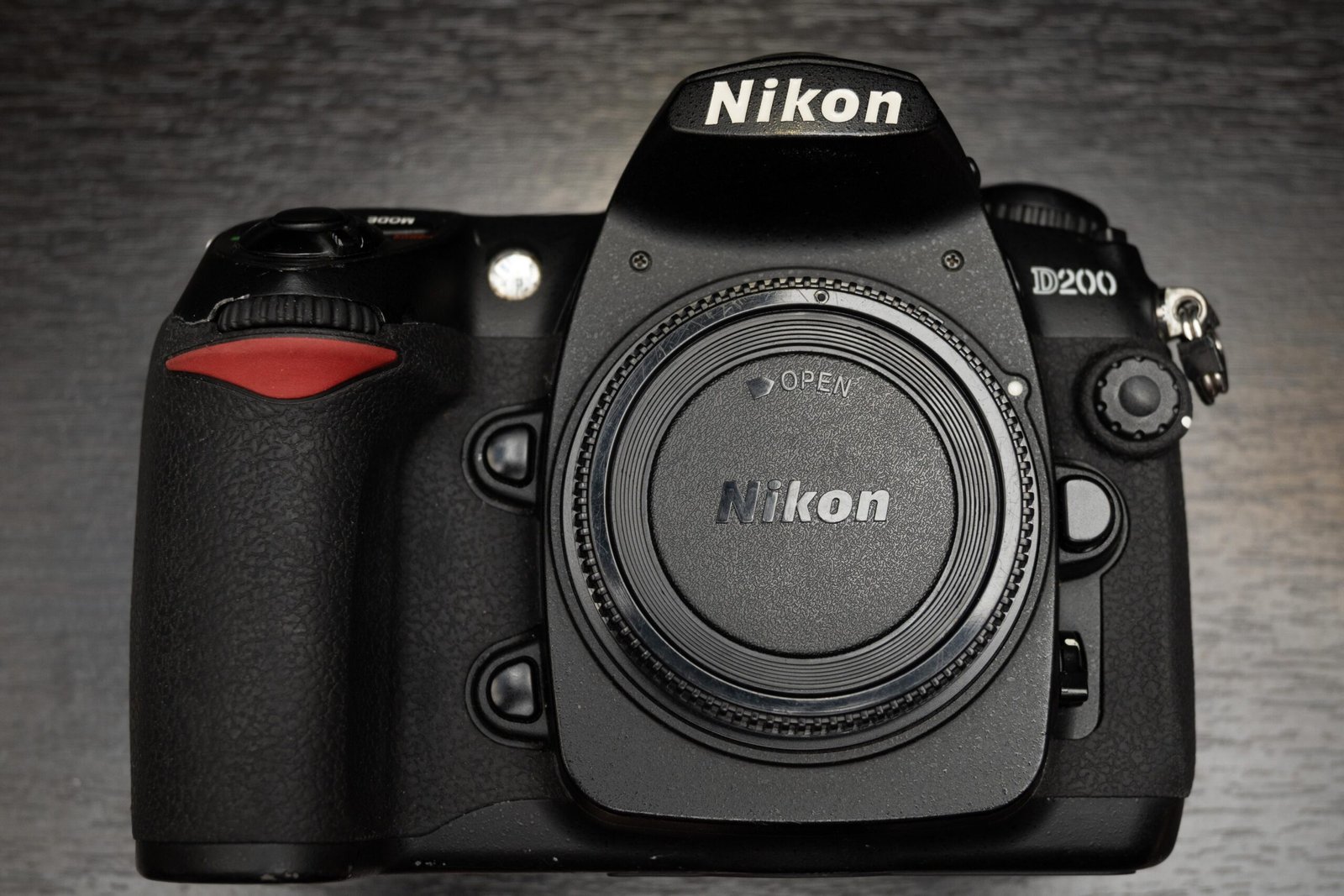
    The Nikon D200 was released in 2005, back when digital photography was still in it’s nascent stages and film was still reigning. The professional grade D1, D1X and D1H have already been released on the Nikon roster alongside the Nikon F5 (film pro grade body).

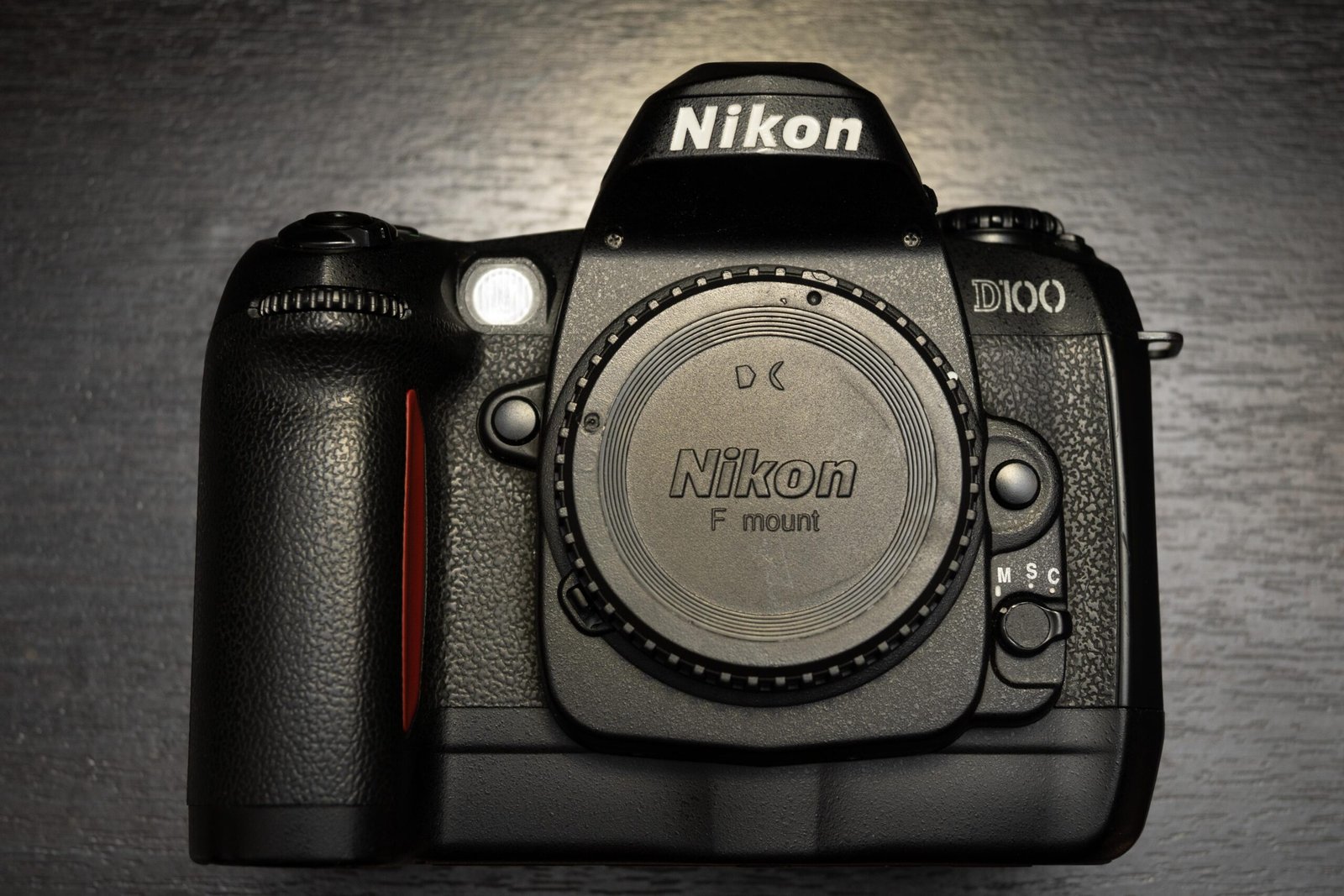
    According to DPRreview, the D100 (my thoughts on the D100 here) started a new camera segment in the under $2000 USD range, and was a game changer as it made enthusiast grade DSLRs approachable for professionals and enthusiasts alike. The D200 looked to continue that trend.

    Now, in 2021, about 15 years after it’s entry into the market, I wanted to revisit it to see how the camera has aged over the years. I’m certainly not going to change my primary camera (Nikon Z6 Mark I) to the D200, but it would be an interesting look at how far camera tech advances have progressed since the early 2000s.

    Ergonomics of the D200

    In hand, the grip immediately feels familiar to anyone who has used a Nikon DSLR in the last 10 years. Instead of the straight, film camera like grip from the D100, we now have the curved grip. Looking at the camera as a whole, it definitely looks as though the D200 would set the tone for the rest of the its descendants to come.

    The camera is weighty, but I would describe it as a reassuring heft rather than simply heavy. The entire chassis inspires confidence, though people who have since moved on to mirrorless, like me, will feel the additional weight after a few hours.

    The D200’s top left dial

    nikon d200 back plate top showing control dial
    A very familiar dial with all Nikon shooters

    The now familiar top left dial used commonly in pro grade Nikon DSLRs is used in the D200, as compared to the older dial format used in the D100. Having shot tens of thousands of shots with Nikon Pro grade bodies from D3 onwards, my muscle memory did not fail me and I was able to use the D200 quite smoothly to change my settings.

    The D200 Back LCD

    nikon d200 back plate showing the button layout
    A bigger LCD panel compared to the D100, but still lacking by modern standards

    The bigger rear LCD panel is a welcome change compared to the tiny one on the D100. I could comfortably check my shots on the panel. Color accuracy and portrayal was also no longer an issue. The only complaint I had was that the panel itself wasn’t very high resolution. Trying to zoom in to check critical sharpness was not useful. The display size and resolution upgrade came eventually in the D300.

    D200 Top LCD

    nikon d200 top plate lcd and shutter button area
    The top LCD panel is quite large

    The top LCD panels show the shooting information such as ISO, shutter speed and aperture settings, as well as the number of shots remaining if you need it. The large panel is welcome since all the information is laid out clearly and easy to see.

    Nikon D200 Menus

    The familiar custom menus have appeared here, and most modern Nikon users will be right at home using these menus, a massive upgrade from the archaic menus in the D100. There are quite a few custom functions to be used here as well, controlling the AF system, the playback and shooting as well.

    Nikon D200 Buttons Layout

    You may have noticed already, but the 2 button card formatting short cut had already been implemented in the D200 (one of the buttons is the mode button as shown in the picture above, with the red text beside it).

    This is definitely one of the functions in Nikon DSLRs that I personally found useful, since it allows me to quickly format and prepare my storage cards before a shoot instead of going through a series of menus to do so. The current batch of mirrorless cameras do not have this shortcut (i mapped it to function buttons myself.)

    nikon d200 AF modes switch and card door lever
    Note the AF control and the card release lever

    On the back of the D200, 2 important levers stand out. The lever controlling the release of the CF card slot and other controlling the AF system, whether it be single AF point or the very intuitive group AF point detection, which I found in practice to be rather accurate for tracking large subjects.

    Card slot

    nikon d200 storage cover
    1 CF card slot, but the slot is weather sealed

    The card slot remains a single CF card slot, but the position has now been shifted to the now familiar right side of the camera, with the release button there as well. The slot is opened from the lever at the back, visible in the top left of the picture.

    There is built in weather sealing, with rubber gaskets around the card slot to prevent or slow entry of water.

    Sensor/ Image quality on the Nikon D200

    landscape image of housing in singapore, shot on nikon d200
    Color edits added, but the original image wasn’t bad to begin with

    As I mentioned in the D100, sensor tech has advanced rapidly over the years. A sensor from 15 years ago, even one that is of APS-C size, can barely keep up even with smartphone cameras, especially those from high end phones such as iPhone Maxes and the Samsung S2xs with optimised software and hardware.

    With a decent prime lens like the Nikon AF-S 50mm 1.4G, however, one can still get some pretty good pictures that are sufficient for small prints and smartphone screens.

    Nikon D200 Resolution

    The D200 CCD sensor offers only about 10.2MP, nothing much to shout about now, but back in 2005 this was pretty much state of the art. At this MP count, one can expect to print images of 13 by 9 inches ( 1inch = 2.54 cm) at 300ppi. This means we could print A4 sizes comfortably.

    Image quality comparisons

    During shooting, I noticed that the ISO options in the D200 are leaning more towards the exposing brighter situations compared to the D100, given that the base ISO has been reduced to 100 instead of 200 and the maximum ISO (Hi-1) is now only 3200 instead of the D6400 in the D100.

    Both images shot at 50mm, f5.6. Left image is at ISO 100, right image is at Hi 1 (3200)

    At base ISO up to ISO 400, I would have no issues with image quality. After 800, though, the grain starts becoming more prominent. At Hi 1 (ISO 3200), the image is extremely grainy and there is reddish/ purple color noise in the dark areas. As you can see from the comparison above, there is a yellowish/reddish tinge to the image shot at ISO 3200.

    I won’t say the image is rubbish, but if you zoom in, the image falls apart.

    Dynamic Range

    sunset in singapore, woodlands, shot on nikon d200 and adjusted in lightroom
    Raw image shot at ISO 125, adjusted in Lightroom

    The image above was adjusted in Lightroom and had shadows boosted and highlights recovered. Apologies for the lacklustre sunset image but I was more interested in testing the sensor of the camera. Shooting in raw at base ISOs yield very decent image quality with good dynamic range. Definitely useable even by 2021 standards.

    The D200’s Autofocus

    nikon multi cam 1000 used in the d200 and beyond
    Nikon Multi-CAM 1000 used in the D200

    The D200 uses the 11 point Multi cam 1000 which was later used for more than a decade even until the D3500. Whether Nikon made improvements on the module over the years remains to be seen. The AF system worked reasonable well during the tests, albeit on relatively non challenging subjects such as slow moving animals.

    Single point speed

    Using the camera in single point was fast and snappy, but the AF speed also depends largely on the lens being used. Third party lenses with weaker AF motors will naturally be slower, while the pro grade 2.8 zooms will be blazing fast.

    Tracking

    nikon d200 tracking AF in menu
    Tracking using Group Dynamic AF Modes

    When the camera is set to continuous focus mode, using the AF mode dial at the back set at group AF, I was able to achieve reasonably fast tracking speeds using the Nikon 24-70 2.8 zoom.

    Video

    Similar to the D100, this generation of Nikon Dxxx series has yet to implement a video taking mode. Naturally, you can take “videos” by building a time lapse from the photos shot on the D200, if you consider that videography 😉

    Concluding thoughts

    image shot on D200 and adjusted in lightroom
    Image quality is objectively decent but lacking somewhat in 2021

    The jump from D100 to D200 was staggering. The D200 felt familiar in so many ways, from the custom menu layouts to the dials and button placements. The top left dial last all the way even til the D850, one of the most advanced DSLRs ever made (at least as of 2021). The button placements at the back and the AF switch remained at the locations introduced in the D200. The AF module was used all the way until the present, in the entry level bodies.

    Ergonomics and useability wise, there were very few complaints from me in the D200.

    Image quality was an issue, however. The age of the sensor is showing, and the lack of megapixels is an issue in the age of 4k displays in TVs, monitors and smartphones. At base ISO, shooting raw files, one is still able to recover some highlights and shadows. Above ISO 1600, however image quality starts to fall apart.

    Would I recommend anyone buy a used D200?

    nikon d200 prices in singapore, used
    Used prices in Singapore in 2026

    Even if you’re yearning for nostalgia, to be honest, there’s better value to be had in getting a used D300 over this. The older sensor, relatively weak AF system and the pricing of the D300 (in Singapore, you can get a beater set for under SG$150) means that the D200 has well and truly been rendered obsolete.

    Collectors, of course, would buy it just for the sake of getting one. Otherwise, your money is better spent elsewhere.

    Note: From 2025, because of social media, there is a trend of getting a “CCD look”. Many older cameras with a CCD sensor has been getting a second look from the social media crowd, as such, D200s with their CCD has been getting a better price than ones with CMOS like the D300 even though the specs are better.

    For more content, you can read about my thoughts on the D100 and the D300s too 🙂

    Personal Plug by Chris Puan

    If you enjoy my blog content, please consider supporting the website by buying me a coffee here. Thanks for your support! 😀

    https://www.buymeacoffee.com/Chrispuan

  • Nikon D100 Review in 2021, after 20 years

    Nikon D100 Review in 2021, after 20 years

    The Nikon D100 was released in 2001, back when digital photography was still in it’s nascent stages and film was still reigning. The professional grade D1, D1X and D1H have already been released on the Nikon roster alongside the Nikon F5 (film pro grade body).

    According to DPReview, the D100 started a new camera segment in the under $2000 USD range, and was potentially a game changer as it made enthusiast grade DSLRs even more approachable for professionals and enthusiasts alike.

    Now, in 2021, 20 years after it’s entry into the market, I would like to revisit it to see how the camera has aged over the years. Coming on the back of a Nikon Z6 (my primary camera), I am under no illusion that the D100 can compete, but it would be an interesting look to see how the digital photographer technology has progressed over the years and see what has changed.

    The D100’s Ergonomics

    Grip

    nikon d100 from the front, showing the badge and the grip

    One thing that has made improvements over the years is definitely grip design. When I first held the D100, I noticed that the grip felt distinctly different from what I was used to. It wasn’t as rounded as the D3 and not as good a fit as the D750. However, I would say that the grip still allowed me to carry the Nikon AF-S 300mm f/4 with no major issues.

    Top LCD

    nikon d100 top plate, showing the small LCD panel

    One piece of technology that did not change for about 17 years (until the Z6) was the top plate LCD. Seems like the same type of LCD panel was used to display shooting information all the way until the OLED was used in the Z6 mirrorless bodies.

    On the other hand, as we only need to see the essential shooting information, the fact that it’s there at all was already very good for my shooting experience.

    Back LCD

    nikon d100 back plate

    One thing that struck me, as in REALLY hit me, was the size of the LCD. Being used to modern smartphones and tablets with their humongous, high resolution screens really made the viewing experience of the LCD on the D100 a chore.

    It was very hard to verify focus with the small, 1.8 inch screen when I’m trying to zoom in, and the dynamic range of the screen is so poor that I can’t be sure that I have exposed the shot properly.

    Still, looking at it from the 2001 perspective, it definitely one ups film cameras in that you can at least verify the rough exposure and composition of the picture you took as compared to a film camera.

    Menus

    When I opened the menus for the first time, I was speechless. This odd sense of nostalgia hit me as I was transported momentarily back to the early days of Windows 98 and Windows 2000, playing my Nintendo Gameboy and watching TV on those fat cathode ray TVs.

    Going through the menu also has a slight lag.

    The menus have gone through a huge change over the years, with UI/UX improving leaps and bounds. Still, the simple/spartan menus made it easy to navigate camera functions.

    Buttons

    nikon d100 back plate
    nikon d100 back plate, LCD

    Throughout the years, Nikon has had a bad habit of moving the button layout from generation to generation. Imagine my chagrin, then at having to relearn the button presses for quite a few functions.

    Firstly, the image review button is not a “play” arrow, but rather that monitor like display button at the top left of the camera. To magnify the image during review, you have to first press enter at the bottom to select the image, then press the middle button in conjunction with the rear dial in order to punch in.

    Way too many button presses in my opinion, I’m so glad they improved on this in their next iteration of the 3 digit DSLRs.

    Card Slot

    nikon d100 storage cover

    This was the era of small CF cards, and back then, using digital storage was already a big deal, let alone dual card slots. The card slot door is locked by a catch on the side, simply pull open the door, no button presses required. Removing the card requires the small rectangular button to be pressed, however.

    Sensor/ Image quality on the D100

    Time has not been kind to sensor tech. A sensor from 20 years ago can barely keep up even with smartphone cameras, especially those from high end phones such as iPhone Maxes and the Samsung S20s.

    With a decent prime lens like the Nikon AF-S 50mm 1.4G, one can still get some pretty good pictures that are sufficient for small prints and smartphone screens.

    Taken in the late afternoon in good light. Color was edited in post.

    Informal image quality tests

    I took a few shots in night with the camera locked off on a tripod. All images were shot at f/4 on a Nikon AF-S 50mm 1.4G for better lens sharpness.

    Base ISO 200

    At base ISO, if you pixel peep, you can already see luminance noise/ grainyness. However, I wouldn’t worry too much about it. The image is definitely useable at base ISO.

    ISO 1600

    Excuse the ghosting. ISO 1600 is noisy but I would say is useable in very low requirement scenarios like viewing on a small screen or for small prints.

    ISO H1 (3200)

    Banding in the shadows and color noise appearing as well. Modern cameras have no problem handling ISO3200 but this is 2001 tech after all.

    ISO H2(6400)

    Severe banding in the shadows as well as color noise everywhere, basically, H2 is for emergencies when you just need the shot regardless of the image quality.

    Dynamic range

    I was able to get detail from the shadow areas of the image by pushing the shadow slider in Lightroom CC to about +66. I could also recover some highlight detail from the sky by lowering the highlight slider to about -15. The image was shot at base ISO of 200. Not a bad performance from a 20 year old camera, for sure. However, modern sensors, especially the Sony made 24 MP ones, will blow this out of the water.

    Resolution

    The shot of the collared kingfisher is uncropped, but to be honest, at 6MP, there wasn’t much room for cropping anyway. I’m using a 28 inch 4k monitor and the image barely fills up the entire display. Nevertheless, I personally found the quality of the image acceptable, despite the lack of resolution.

    sample shot

    Autofocus system

    5 point Autofocus system of the D100
    Copyright @Mir D100 Article

    The D100 uses one of the first generations of AF systems developed by Nikon. The 5 point AF system worked well for it’s time, with decent single AF speed and could even track moving subjects in relatively simple scenarios.

    AF Tracking

    I was able to track a bird in flight using the 5 point autofocus system. Granted, it was taken against a cloudless sky with extremely high contrast, so I wouldn’t say that the AF system was pushed here to any extent. While we have been spoilt silly by the newest AF systems with more than 200 AF points, the 5 point system here worked to get the pigeon in focus.

    Single point speed

    I was able to grab a shot of the pigeon flying in over the water using single focus. I was using the centre point of the system but the speed was still good enough for me to get the pigeon sharp. Any blur was due to motion blur as I did not prepare for the pigeon to suddenly swoop in and was using a relatively slow shutter speed of 1/400s.

    Video

    Nothing to see here, you can take “videos” by building a time lapse from the photos shot on the D100, that’s all 😉

    Concluding thoughts

    This has not been a traditional review.

    No one in their right mind would recommend someone to buy a 20 year old camera to shoot professionally. In many cases, even your smartphone may be better than what the D100 can offer in terms of image quality.

    Still, this has been an interesting look at how technology has progressed in the digital photography realm. I’m definitely thankful to be loaned this unit by a friend who collects old cameras and keeps them in working condition.

    I’ll be looking at it’s next iteration, the Nikon D200 in the next review. if you’ve enjoyed this blast from the past look , keep a look out for the next review.

    Until next time.

    Personal Plug by Chris Puan

    If you enjoy my blog content, please consider supporting the website by buying me a coffee here. Thanks for your support! 😀

    https://www.buymeacoffee.com/Chrispuan