Author: Chris Puan

  • Still a great buy: A Nikon D750 long term review in 2025 and beyond

    Still a great buy: A Nikon D750 long term review in 2025 and beyond

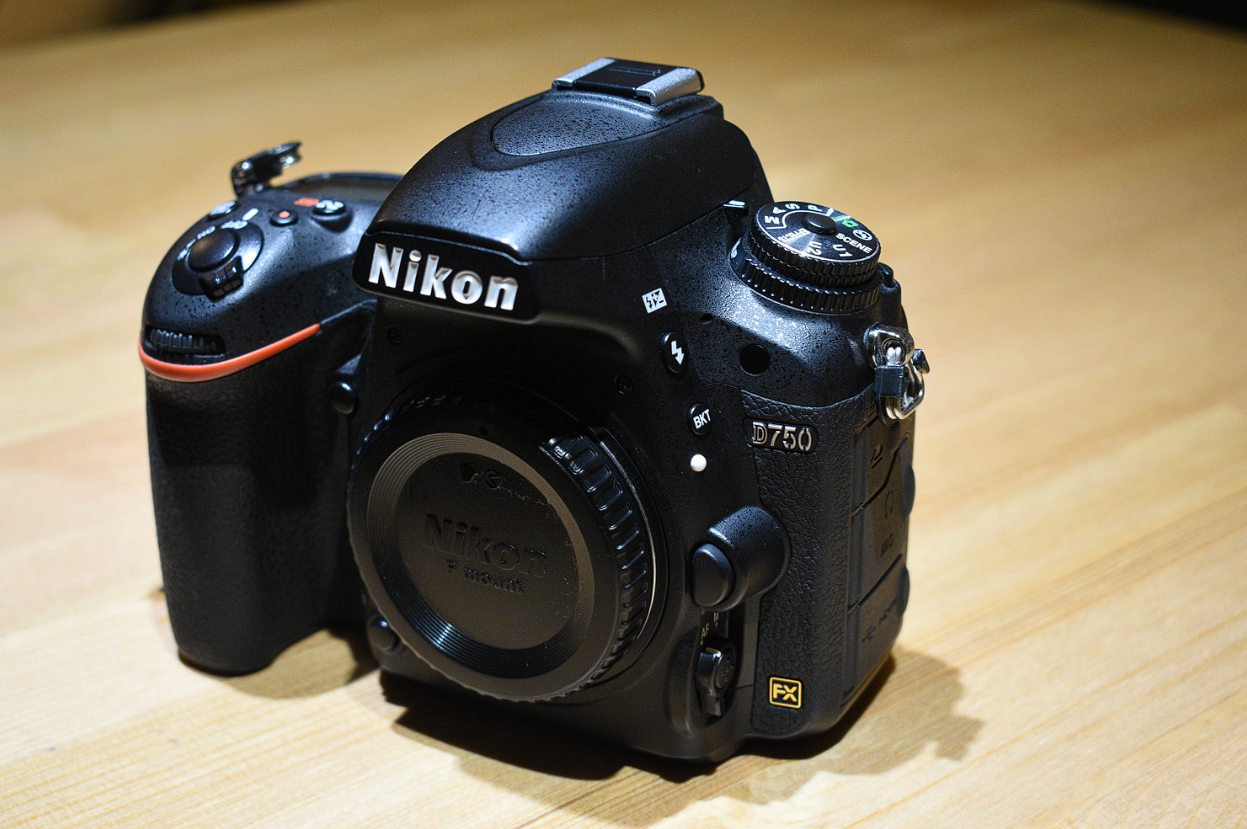
    The Nikon D750 released to great fanfare in 2014 due to the long delay with releasing a proper Nikon D700 replacement. There had not been a light (small body) full frame with similar capabilities to the current flagship bodies as had the D700 been to the D3.

    I was thrilled to be able to purchase one a year ago as I had already “poisoned” myself into buying one some time back. It was meant to be used alongside my D3S, replacing the D610 that I had been using previously.

    After having used it for more than 2 years (and more than 25k shutter actuations later through events, portrait shoots and birding), I feel that I can comment properly on it from both an enthusiast grade photographer and a freelancer.

    Note: I have already moved on to the Nikon Z system and these opinions were from the past.

    Ergonomics

    Grip

    Those who dabble regularly in event photography, or anybody who has to hold on to a DSLR for a long period will appreciate the relatively light camera body (compared to a conventional Full-frame DSLR). This, coupled with the excellent grip, allows for great ergonomics.

    Personally, having used it with long lenses (70-200mm, Nikon AF-S 300mm f/4D), I feel that the grip will definitely please the user.

    nikon d750 showing back LCD
    The Nikon D750 was one of the first full frame cameras to introduce a tilting LCD monitor

    The introduction of a tilting LCD monitor was truly a boon for myself. Having used the D3 and the D700 extensively, sometimes, I yearn for an easy way to get shots from unusual angles without having to contort my ageing body into strange positions or adopt un-glamourous positions in public.

    One personal anecdote was during a photowalk with other photo enthusiasts, I could get a ground level shot of a cat (yes, another cat photo adding to the billions already out there) simply by tilting the screen and shooting.

    The other photographers (using Leicas I might add) had to make do with guesswork or viewing the LCD from an awkward angle.

    One concern was durability, since dropping it from an open position with the screen out will likely lead to severe damage. In that case, I recommend being disciplined and always storing the monitor after use.

    Speed (FPS)

    In an era of blazing fast cameras, the 6.5FPS of the D750 might seem paltry. Nevertheless, the speed is just enough for simple sports and action photography. Ideally, you should be timing your shot instead of spraying and praying anyway. Saves on your time deleting the shots you don’t want ๐Ÿ™‚

    I use it when birding and shooting some simple dance festivals in Japan. Nothing hardcore but most people buying this probably won’t need anything particularly powerful.

    If you do, the D500 will suit you better.

    nikon d750 showing top left command dial

    Some people may felt that the mode dial on the D750 is a prosumer dial instead of the pro grade dial on the D800 series. I feel that it is a matter of personal preference, since I do prefer the added user friendliness of the U1 and U2 modes. It’s easy to use in my opinion. For events, I set them to match the ambient light (U1) and toย  match my flash settings (U2) respectively.

    Nikon D750 Autofocus

    AF Point spread

    51 point Autofocus system from Nikon DSLRs
    51 AF point on the D750

    One of the complaints of the D610 was the CAM4800 Autofocus seemingly brought in wholesale from the D7000 without being adjusted for the full frame coverage.

    The CAM 3500 AF system in the D750 sort of fixes this with a larger number of AF points (51 points) but one might still miss the larger spread as seen on the D3 series and the D800 series (I may be wrong about the similarities between the two).

    For reference, please check the excellent comparison table from: https://nikonrumors.com/2014/10/20/nikon-confirms-the-51-af-points-in-the-d750-are-narrower-compared-to-the-d810.aspx/

    Still, the amount of AF point spread should suffice except for the most extreme of photo composers (in which case centre-point focus-recompose might deliver great mileage.)

    Autofocus speed

    The AF speed is sufficient for most purposes, even for light sporting events. I was fortunate to cover a sports event using this and with some prediction of events, I was able to get some decent shots.

    Also, as you can expect, the tested and proven 3D tracking system has worked its magic in many situations such that many photographer swear by it. For the beginner, putting the initial AF point on the subject and then allowing the camera to track the subject will result in the camera automatically following the subject.

    As a caveat, the AF accuracy is dependent on lens calibration and compatibility. I have had no issues with most lenses that cannot be resolved with a tweak of the AF calibration settings.

    Nikon D750 Lens compatibility

    The D750, with its screw drive autofocus system, will drive the AF gears of my AF-D lenses with no issue.

    There appears to be no problems with mounting old lenses (AI/ AIS) as well except for the lack of optimisation due to old lens designs and coatings (ie you cannot expect sharpness and flare performance of comparable to modern lens designs)

    For reference, check the Nikon USA link.

    Sensorย and Image Quality on the Nikon D750

    Resolution

    24 megapixels will suffice for most purposes. You can get a decent amount of detail yet not have to worry about huge files clogging up your hard drive. The megapixel war that’s happening nowadays (seemingly still going on in 2025) is making disk space capacity a problem for many photographers. The quality of the image will most likely be decided by the lens you choose rather than the sensor itself.

    ISO invariance

    The concept of ISO invariance started when the Nikon D800, with its then incredible sensor, was release. One could shoot at ISO 100 and from a near black photo uncover an astounding amount of details from the shadows.

    Continuing the trend, the D750 is not slouch in this area. It has huge amounts of details in the shadow areas when shot at ISO 100. The implication is that you could shoot at low ISOs to maintain the maximum possible dynamic range. In my experience, you can shoot in raw and push the exposure by 5 stops in the raw processor.

    Simply magnificent.

    Landscape photographers will love this camera for this.

    Video on the Nikon D750

    The powered aperture makes an appearance again, very much welcome by videographers. Nowadays, people take this for granted, but this feature was something the broke free from the usual Nikon crippling of their cameras in the past (pre-mirrorless) by not being able to switch apertures of G lenses while recording.

    The tiling screen is especially useful. I usually take videos at waist level with my arms cradling the camera in a stable position.

    Conclusion

    Is it still a good buy now in 2025?

    Sure, why not.

    This is despite newer bodies being introduced that has taken the shine off the older models. This in no way renders the D750 an obsolete model since it can still take outstanding pictures (at 24MP) and videos (albeit FHD instead of 4K). Another plus is that old AF-D lenses with the screw drive AF mechanism can be used with no issues (perfect for those on a budget!)

    Second hand pricing of Nikon D750 in 2025

    If you can score unit pre-loved for a good price in 2025(currently SG$750 onwards), go for it and don’t look back. The D750 is a trusty camera that will serve you well.

    I also talk about Z mount cameras like the Nikon Z50.

    I used a the Sigma 85mm 1.4 in the past on this camera as well.

    Personal Plug by Chris Puan

    If you enjoy my blog content, please consider supporting the website by buying me a coffee here. Thanks for your support! ๐Ÿ˜€

  • 10 years on, Nikon D7000 review in 2021 (updated 2026)

    10 years on, Nikon D7000 review in 2021 (updated 2026)

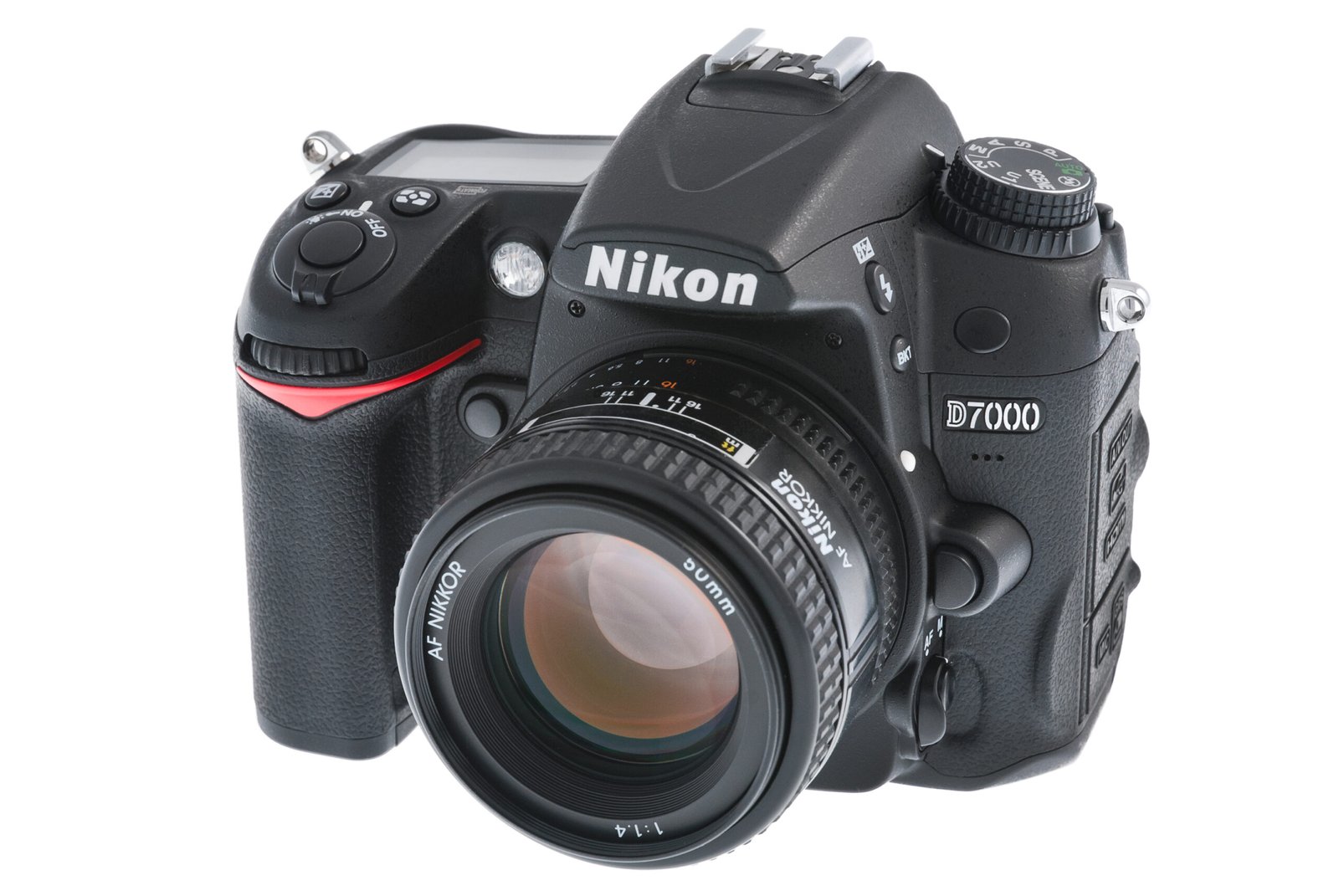
    The venerable Nikon D7000 was released to much fanfare back in 2010, on the back of the excellent D90. The D7000 came with a sensor upgrade from 12MP to 16 MP, plus an improvement to the autofocus system to boot (from 11 points to 39 points).

    It never really replaced the “pro” grade D300s, but rather existed alongside it to provide users with a choice of a higher grade sensor with better video, or a better built body with a better autofocus system.

    Now, in 2021, as a digital media manager in charge of photography, videography, design and basic web development, I’ve been using the old but gold Nikon D7000 for the past few months for work (it was the only camera available on company premises, I personally own the Nikon Z6 Mark I).

    In my work, I am required to create marketing collaterals for my company’s website as well as for the e-commerce platform.

    This is therefore a review of the Nikon D7000 in 2021, from a working professional’s point of view. Some questions addressed here:

    Is a 10 year old camera still relevant in 2021 and beyond?

    Would I get better results from the latest cameras or even smartphones?

    If you have one, should you upgrade from your D7000, even if it is still working?

    Nikon D7000’s ergonomics, same old feeling

    Nikon D7000 Back Panel, showing layout of buttons and LCD screen
    Nikon D7000 Back Panel, showing layout of buttons and LCD screen

    I was first handed the company Nikon D7000 to use for the creation of our company’s latest venture, using an e-commerce platform to sell hampers and landscaping/gardening goods (the company is a landscaping company).

    ย 

    Nikon D7000 top view, showing the control dial and top panel LCD
    Nikon D7000 top view, showing the control dial and top panel LCD

    Having used the D7000 a decade before, the controls all came back to me in a jiffy. The viewfinder, layout and grip felt intuitive, just as I remembered. Certainly, no one will complain about the build quality of Nikon’s enthusiast grade DSLR offerings in general use cases. In any case, this unit was working fine, except for the LCD screen which failing and had severe vignetting.

    In this age of smartphones, people might wonder why we even need dedicated cameras. A lot can be said about the feeling of a sturdily built camera in hand. Granted, the weight of a DSLR may not be for everyone, but the tactile feel of the camera, allowing the user to “switch” into photo shooting mode, is something intangible that must be experienced first hand.

    Image Quality from the D7000

    Pairing it with the Nikon 18-105mm VR f/3.5-5.6 kit lens, I set about taking some shots of the goods that we will be selling. I understood that the older sensors did not have the ISO invariance that became rather famous after the release of the 24MP sensors by Sony. I therefore knew that the raw files could not withstand as much pushing as the ones from the newer sensors.

    shot on D7000 under bright sunlight and shade
    Image quality is good at low ISOs (image “cloudiness” caused by the lens, not the sensor)
    shot on D7000 under bright sunlight
    Taken under bright conditions, ISO under 400

    Generally, the raw files cleaned up very well in Lightroom when taken in good lighting, this shots were taken in the late morning or late afternoon. The first image had some flaring issues, this was lens based and had nothing to do with the D7000 sensor.

    charset=Ascii

    I then took photos using speedlights, and here the ISO values were kept below 400. Images were clean and full of detail.

    One usability factor to raise is that the pop up flash on the D7000 is extremely useful for controlling external flashes under S1 receiver mode (ie. the external flashes will strobe in response to the on board camera flash). This made my workflow much faster.

    I generally had no complaints for the image quality for the work that I was doing (studio lighting with little need for a massive dynamic range) and amount of details that I could get from the raw files below ISO 400. I was able to push the shadow details in Lightroom somewhat.

    I would, however, recommend not pushing the shadow slider above 50 if you don’t want to see a lot of noise in the shadow portions of of the image.

    How’s the D7000’s Image quality compared to a smartphone?

    Smartphone camera image quality has seen astounding improvements over the years. One might wonder if DSLRs have any image quality advantages over computational photography offered by phones like the Google Pixel and the iPhone.

    Again, it depends.

    If you’re willing to take the time and effort to take a picture using proper technique and also process the raw photos, you realise you may have a lot of more creative control over how your picture will turn out compared to the “pre-baked” photos spit out by an iPhone, for example.

    Getting a D7000 second hand in 2021

    Nikon D7000 prices in Singapore for used bodies, with pricing ranging from 100s to 300s including the lens.

    In 2026, a brief check on Carousell, one of the main platforms for selling second hand items, showed that a D7000 without a lens can be had for under SGD300.If you’re lucky, you may find a beater set (well used) for under $300 including the lens to start you off.

    Should you get a second hand Nikon D7000? (update 2025)

    Whether a second hand D7000 is still a good purchase depends a lot on your use case.

    -If you are on a budget

    -You would prefer an enthusiast grade camera with sufficient manual controls

    – You want to use Nikon AF-D lenses which use the screw drive for autofocus

    – You need a built in flash for external flash control

    For:

    People on a budget but need a dedicated camera for casual sports, birding, everyday situations, simple studio work not requiring high resolution output.

    Not for:

    People who need superior image quality, the 16 Megapixel sensor is outdated and the image quality shows, especially when you push it under extreme lighting conditions

    People who want very nice and smooth bokeh, especially with the kit lens (one will need to make the jump to full frame)

    People who want the instant ability share a photo or video taken (just stick to your smartphone :D)

    Check out my other reviews on the D100, D200 and D300s.

    Personal Plug by Chris Puan

    If you enjoy my blog content, please consider buying me a coffee here.

    https://www.buymeacoffee.com/Chrispuan

    Thanks for your support!

  • Review of the Manfrotto 055C Tripod with 329 Tripod Head

    Review of the Manfrotto 055C Tripod with 329 Tripod Head

    Originally, I wanted to do some research on this tripod to make an informed decision to buy the Manfrotto 055C Tripod (also called 055CB).

    During my attempt to find more information about this tripod, I realised to my surprise I could find scant information even on the internet. The only information I could unearth was some basic specs and the rough age of this particular series (more than 20 years from 2016, apparently.)

    Hence, here is a modern review of the Manfrotto 055C (Art 055C or 055CB) tripod with the 329 3-way Pan Tilt Head, mainly for landscapes and basic product shoots.

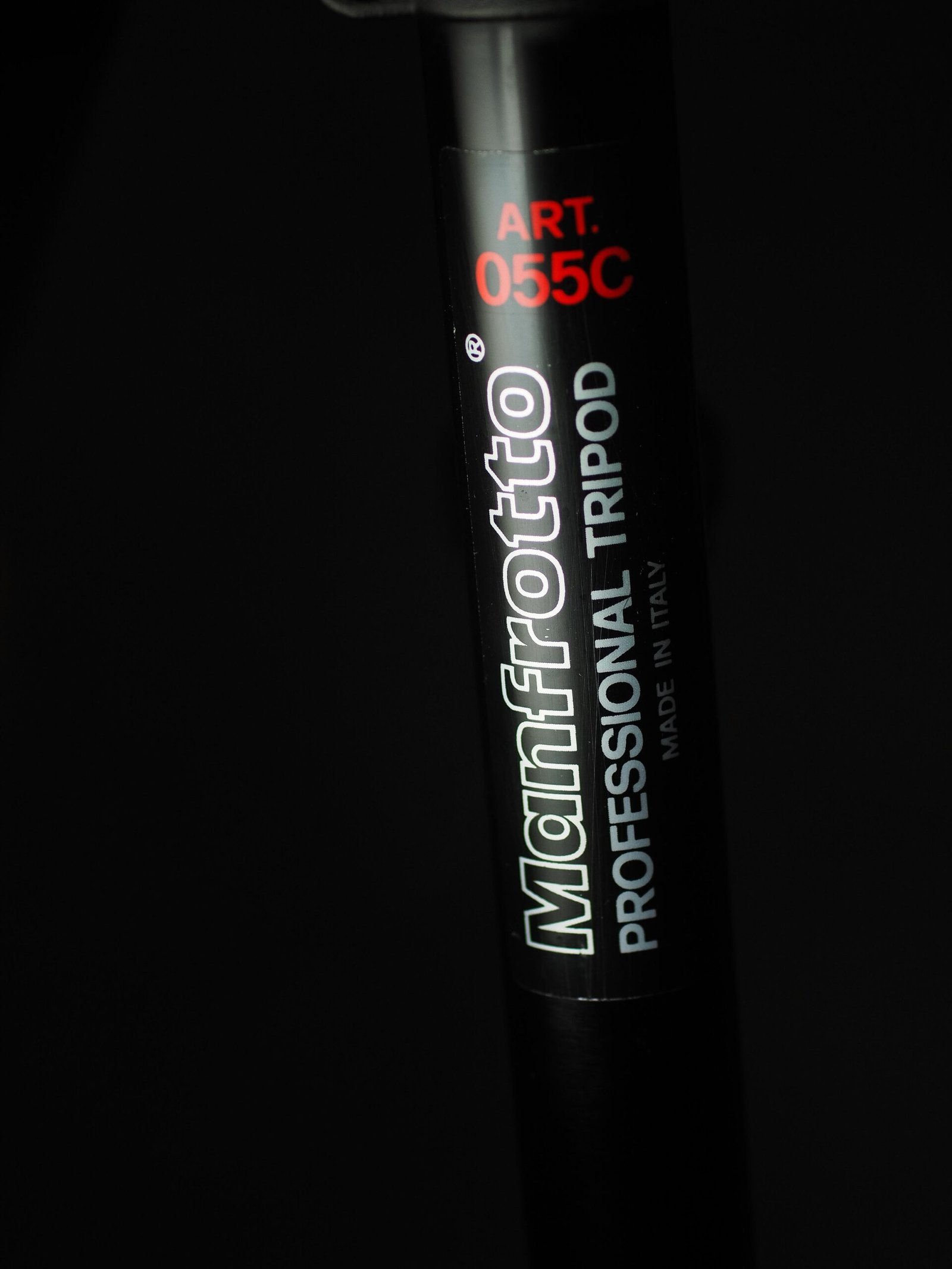
    Manfrotto 055C Aluminium Tripod, they don’t make em like they use to anymore

    Overview of the Manfrotto 055C Tripod

    The 055C is an aluminium, 3 segment tripod. It goes up to a height of about slightly under 6 ft (182cm) when fully extended without including the height of the tripod head ( this is a rough estimate only).

    The leg locks are not the modern closing locks, but an older twist design. They are very sturdy, I find that they are pretty stiff during my attempts to unlock the legs when adjusting the tripod height for my landscape shoot. The stiffness does contribute to the rock solid feel of the tripod. Still, if it is an issue, you may wish to loosen the bolts of the leg locks for ease of use in the field.

    Old version of the leg locks. These are extremely sturdy but hard to adjust.

    Despite being a very old model of the 055 series, it already features the adjustable leg angle. This allows the tripod to go low to the ground for macro or a low angle view for your chosen composition.

    Leg adjusters for the Manfrotto 055C

    The 329 3 Way Tripod Head

    The 329 Head that came with the tripod allowed me very precise adjustments for my composition. It has dual bubble levels, 2 handles for adjusting tilt and one lock for adjusting the smoothness of panning.

    manfrotto 329 3 way head, front view
    329 3 Way Tripod Head

    The Manfrotto 3 way head allows for superb control of camera movements. You can control the horizontal, vertical and diagonal movements, allowing for pretty precise positioning and framing of the camera. The head is also very dampened, allowing for precision. This will be greatly appreciated by photographers who do not like cropping or making adjustments in angle in post processing.

    For those who need the additional height, you can also extend the central column by another 10-12cm thereabouts. The entire combination becomes pretty tall, about 180cm when deployed with legs fully opened. With the tripod being so sturdy, there is no wobble even fully opened.

    manfrotto 329 3 way head, side view
    Marked gradation of the 329 Head

    The head is also operated by loosening and tightening the levers. When you need to adjust the position, you would loosen the corresponding levers and shift the head. After that, you can tighten the lever by rotating it the opposite direction. Again, once you’ve tightened all the levers, the head will be extremely stable and you can count on it not to move and interfere with your camera framing.

    I like that some of the movements allowed are also marked in case you need to remember the positioning of the camera on the tripod head.

    Weight Issues

    The issue is that the head itself is a rather heavy beast, coupled with the heft of the tripod itself, and we’re looking at a package easily exceeding 2 kg in weight (the 055C alone weighs 2.67kgs/5.9lbs).

    If you are using a long lens with a DSLR, the entire combination will be make for excellent arm training. ๐Ÿ˜‰

    Conclusion

    I bought this tripod and head combination for about SGD$160 in 2012. The tripod has served me well in the studio and during shoots where I need a taller tripod. This was especially useful in crowds where I need to shoot over the heads of others since it is a heavy and stable tripod even when raised to the maximum height.

    Weight and size is an issue, especially when I am lugging this around on a hike or taking public transport.

    Despite being an old piece of gear, this is something that will last you many years with good care and maintenance, and if you can pick it up cheap, definitely worth it if you can handle the weight.

    (Article update in 2023 for weight and usage notes.)

    An article about the camera and lens combination I used with this tripod here.

    Personal Plug by Chris Puan

    If you enjoy my blog content, please consider supporting the website by buying me a coffee here. Thanks for your support! ๐Ÿ˜€

    https://www.buymeacoffee.com/Chrispuan

  • Lens comparison: Nikon AF-S 50mm f/1.4 G vs Nikon Z 50mm f/1.8 S lens

    Lens comparison: Nikon AF-S 50mm f/1.4 G vs Nikon Z 50mm f/1.8 S lens

    I recently got my hands on a copy of the Nikon Z 50mm f/1.8 S lens (hereby called the 50mm 1.8 S). Having made the transition to Nikon Z series cameras after almost 10 years with the DSLRs, I have been slowly but surely transiting to the Z system, including lenses.

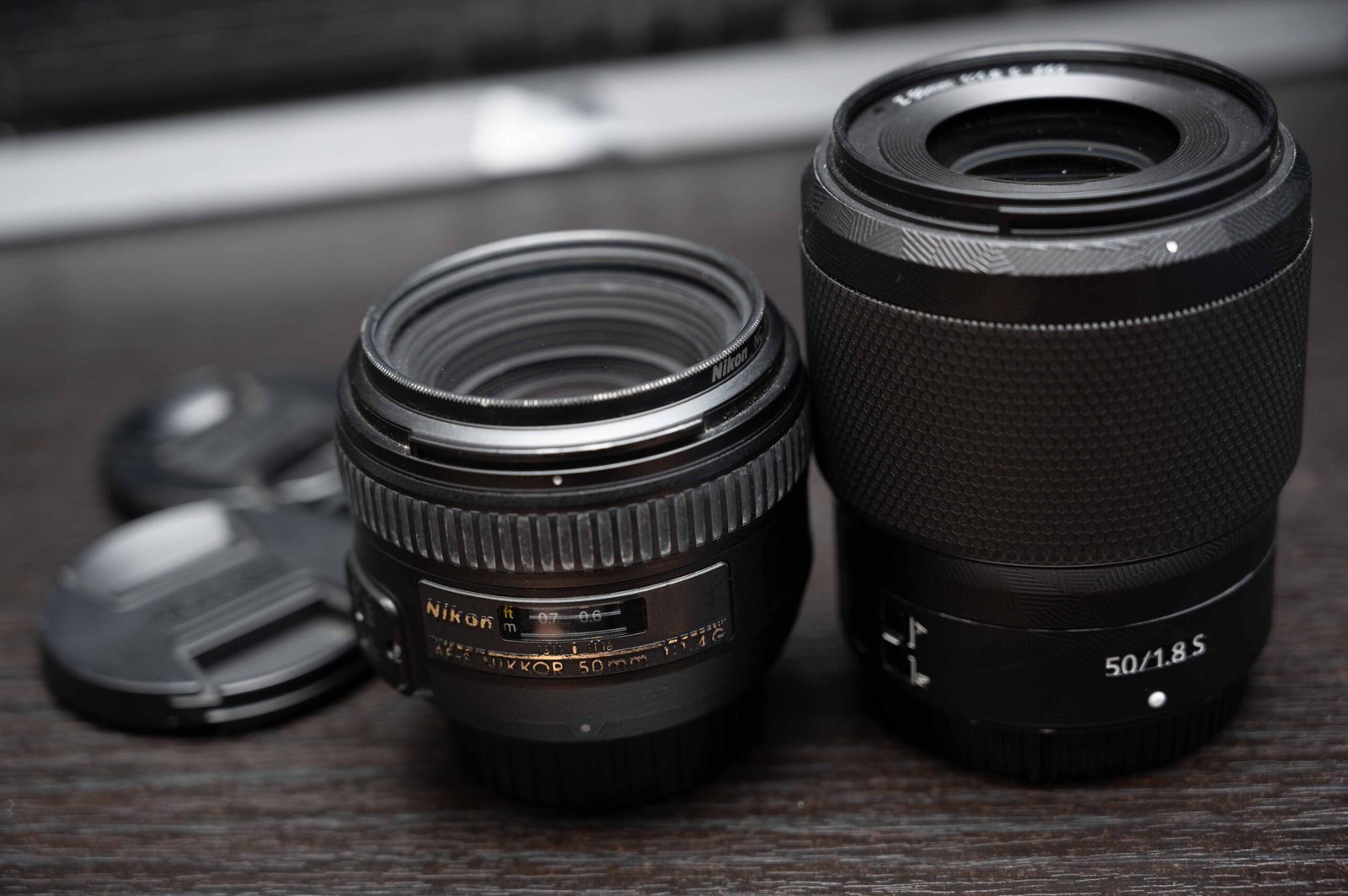
    I was curious as to how it compared to my stalwart companion of coming 10 years, the Nikon AF-S 50mm f/1.4 G, here called the 50mm 1.4 G. I was able to do some comparisons of the two lenses’ image quality plus anecdotal comparisons of usage experience.

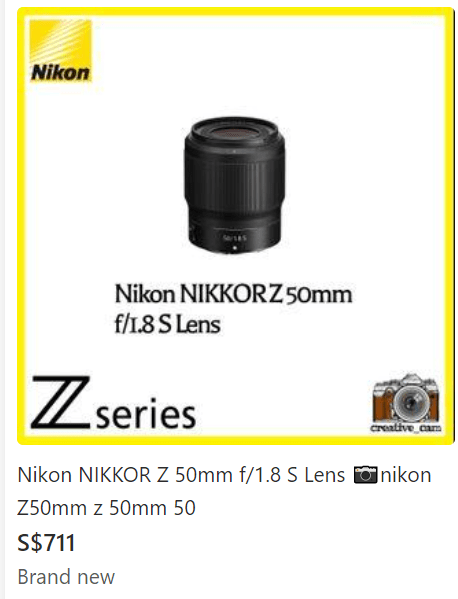
    The Nikon Z 50mm f/1.8 Price in Singapore

    listing of the Nikon Z 50mm f1.8 on carousell in Singapore, a second hand platform
    Listing from camera stores on Carousell, a 2nd hand platform

    I was always a fan of getting used gear as I had the confidence in being able to check them before making the purchase. I got my Nikon 50mm G at SGD$400 almost 10 years ago on a used gear forum in Singapore.

    Recently, I bought the Nikon Z 50mm 1.8 S at a reasonable price of SGD $450 (a hefty 37% discount from the street price of about $711). While I am looking to offload the G lens (still going strong!) to cover some of the cost of the S lens, readers may wish to look out for a similar deal in your home country and get this lens if you can (spoiler alert!)

    Comparing the Weight and Size of the 50mm 1.4G vs the 50mm f/1.8 S

    nikon 50mm 1.4g with FTZ adaptor and nikon 50mm 1.8S
    The 50mm G and FTZ combo is about the same size as the 50mm S

    The Nikon 50mm S f1.8 weighs 415g, basically the same as the G lens and FTZ combined (G lens at 280g + FTZ at 135g = 415g). One issue that held me back with getting the lens initially was the weight. I was far to accustomed handling the Nikon D750 and 50mm G lens and that was such a compact combo.

    However, having shot with the 50mm S on assignment and also during my cruise trip, I must say that the 50mm S balances very well with the Nikon Z6 Mk I and I had no major issues with handling.

    Filter thread

    filter thread comparison, 58mm for the G lens and 62mm filter thread for the S lens
    filter thread comparison, 58mm for the G lens and 62mm filter thread for the S lens

    Unfortunately, upgraders will need to get new filters for the 50mm 1.8 S if you use them. The filter thread is now 62mm instead of the old and somewhat more common(?) 58mm. Not a big issue if you don’t use them at all though.

    Image Quality differences between the 50mm G and Z lens

    Sharpness and contrast

    Centre crop: Nikon 50mm f/1.8S on the left | Nikon 50mm f/1.4G on the right
    Centre crop: 50mm f/1.8S on the left | 50mm f/1.4G on the right

    Lens optical designs have come a long way. Nikon was not kidding when they said that they designed the S series for professionals. This is a sharp lens.

    Above is a centre crop of the images taken with both lenses. In Lightroom, blown up 100%, I can still see individual brick details on the 50mm S. The 50mm 1.4G in comparison, looks like I misfocused (I didn’t, trust me). Both lenses were shot at f/1.8.

    Differences in contrast levels between the lenses is also like heaven and earth. The S lens has plenty of “bite” that the G lens simply lacks. In contrast (pun intended), the G lens looks blurry and hazy (like me after drinking too much whisky).

    Z mount on the left, F mount on the right. Showing blurriness for the F mount and sharp corners for the Z mount lens
    Z mount on the left, F mount on the right.

    The corners on the 1.4G lens was a mess, more blurriness and haziness in the corners. Granted, for my use case at f/1.8 or 1.4 on the G lens, I tend to position my subjects in the central area (not dead centre though). I don’t tend to care about corner performance much, but if I had to position my subjects in the corners shooting wide open, I would think twice.

    On the other hand, the 50mm S had no issues with corner sharpness whatsoever. Whatever engineering the lens designers had to do to provide this level of image quality on this lens, it was worth it.

    Image sharpness is through the roof. In Lightroom, I was able to zoom in 100% and see the individual leaves on the trees, even in the corners. The image will sharpen up as you stop down from 2.8 to 4, but to be honest, I would have no qualms positioning my subject anywhere on the frame.

    Fringing issues

    200mm crop of the Nikon 50mm 1.4G showing heavy purple fringing
    200% crop: 50mm G with heavy purple fringing
    200mm crop of the Nikon 50mm Z 1.8 showing little to no fringing
    200% crop: 50mm S with little to no fringing

    Fringing is an issue that is quite easily solved for Lightroom users, just tweaking the slider will help with removing the ugly purple fringing that usually pops up at high contrast areas.

    The performance from the S lens is stonkingly good, I don’t know what Nikon did when they made the lens or optimised the software in camera for the lens, but I hope they continue it!

    Bokeh

    Bokeh is always subjective, personally, I don’t mind the bokeh from the lens. Here are some sample shots of random food and drinks for reference.

    bokeh on the Nikon Z 50mm 1.8S
    shot at 1.8
    bokeh on the Nikon Z 50mm 1.8S

    Autofocus

    Large Focus ring on the Nikon Z 50mm 1.8S
    The focus ring is pretty wide, but focus by wire only. There is no AF distance marking (lens has been wrapped with carbon fibre)

    Right when it was released, the Nikon 50mm f/1.4G lens was never an award winning design for autofocus speed. Even compared to the original AF-S 50mm f1.8 G, AF speed wasn’t that fast or even slower.

    The original D lenses were way faster. Still, in terms of accuracy, I had no issues all these years with my D3, D800 and finally D750, even when I was using the outer AF points. On my Z6, the 50 G and the FTZ combo worked well for sure.

    The 50mm f/1.8 S, however, was noticeably faster on my tests and smoother. I suspect that the smoothness is due to the new stepping motor that has been implemented in the Nikon lenses recently. AF wise, this lens is a no brainer for hybrid shooters looking to upgrade. One issue, however, is that the focus ring on the S lens is fly by wire. This is one thing I don’t like.

    Call me an old fogey, but sometimes I do prefer to manual focus and in those situations, I would like to have precise control and know that me turning the ring will also move the elements in the lens. Not a dealbreaker, but people getting the lens should definitely take this into consideration.

    Should you upgrade from the 50mm 1.4G to the 50mm 1.8 S?

    The 50mm 1.4G lens has been a staple of Nikon photographers everywhere, from amateur right up to working professionals. I still remember when the Nikon Z 50mm 1.8S was announced, people were groaning everywhere as soon as they saw the 1.8 maximum aperture.

    I remember being somewhat disappointed myself at the announcement, since my perception of “pro-ness” usually meant a big, chunky lens with a large sexy aperture.

    Granted, the lens wasn’t that small, but it was a part of the S line prime lenses that were all more or less the same size and design aesthetics, so it looked pretty nice to me and handy too.

    When I finally was able to get a copy of my own (I’ve already used a few loaner lenses before), I was quite comfortable with the lens and it’s performance.

    I would buy it again if a similar deal came along, would you get one? ๐Ÿ™‚

    Key points:

    Pros

    -Somewhat light

    -Sharp wide open, shoot with impunity

    -Optically outstanding

    -Somewhat cheap (better prices for used gear)

    Cons

    -Not that cheap compared to traditional nifty fifties, especially brand new

    -No f/1.4 aperture (in 2024, there is a 1.4 vers!), there is also the massive and expensive f/1.2 lens if you need it

    Other articles:

    I also do a comparison of the F and Z mount 85mm lenses and review the Z mount 35mm 1.4.

    Personal Plug by Chris Puan

    If you enjoy my blog content, please consider supporting the website by buying me a coffee here. Thanks for your support! ๐Ÿ˜€

    https://www.buymeacoffee.com/Chrispuan

  • Review: Nikon AF-S 85mm f1.8G F mount vs Nikon 85mm f1.8S Z mount

    Review: Nikon AF-S 85mm f1.8G F mount vs Nikon 85mm f1.8S Z mount

    When Nikon made the jump from the F mount, with all it’s years of history, to the new Z mount, it promised that the larger mount and shorter flange distance would allow for better lens designs.

    I’ve had the Nikon AF-S 85mm 1.8G (hereafter 85mm 1.8G) for close to 10 years now, and I managed to get my hands on a loan copy of the Nikon 85mm 1.8S (85mm 1.8S) for the Z mount.

    The loan was from Nikon Experience Hub Singapore, but the thoughts are my own (I am not sponsored by anyone, would love to get a sponsorship though).

    Here, I wanted to compare the difference between the Nikon AF-S 85mm 1.8G F mount and the Nikon 85mm 1.8S Z mount, and see if it is worth upgrading when you already have the older lens.

    Bigger, better? Lens handling explored

    side by side comparison of the Nikon AF-S 85mm 1.8 G vs the Nikon 85mm 1.8S Z mount. Side view

    The 85mm 1.8S is longer than the 1.8G, but once you add the FTZ adaptor on the G lens, it becomes heavier and longer. The 1.8G is also fatter.

    Ergonomically, the 1.8G has a smaller focus ring, though for videographers, the focus ring is coupled to the mechanism, allowing for actual, precise manual focusing on the fly.

    The 1.8S has a larger focusing ring, it is smooth, but being focus by wire, some people may not like it. Personally, I prefer the focusing ring on the 1.8G but that’s just me being old fashioned. Focus by wire works fine in practice for my needs.

    side by side comparison of the Nikon AF-S 85mm 1.8 G vs the Nikon 85mm 1.8S Z mount, top view

    If you are using filters and you’re upgrading from the G to S version, there’s no issue here. Both lenses have a 67mm filter thread. Personally, I use a protective filter from B+W on the front of the lens just in case of dust or sand exposure in the field.

    Nikon Z7II with a 85mm 1.8G lens with FTZ adaptor

    On my Nikon Z7II, the AF-S 85mm 1.8G feels well balanced, even with the FTZ adaptor. According to online specs, the combined weight is 485g (350g + 135g). In comparison, the 85mm 1.8S weighs 470g just for the lens.

    In field usage, I doubt if anyone will really feel the weight difference.

    Nikon Z7II with a 85mm 1.8S lens

    In terms of overall handling, mounted on the same Nikon Z7II body, both lenses feel good in hand.

    Autofocus

    In this blog, I am not able to show the speed of the AF in both combinations, so you’ll need to take my word for it. I don’t see major differences in speed between the two. During work, the AF-S 85mm 1.8G suffices in terms of AF speed on my Nikon Z7II.

    The stepper motor on the 1.8S might be nice for people doing automatic focus pulling in camera (you can control the autofocus speed in the movie settings) but since I prefer manual focus when focus pulling anyway, there is no incentive here for me to upgrade.

    Image Quality Comparisons

    Sharpness

    Image Comparison of 85mm 1.8G vs 85mm 18.Z, image sharpness and chromatic aberration check
    85mm 1.8G on the left, 85mm 1.8S on the right, both shot wide open

    For my usage, the most important aspect of the lens is sharpness, contrast and bokeh.

    The screenshots are from lightroom at 100% zoom.

    You can see that there is an overall significant improvement in sharpness from the 85mm 1.8 S compared to the 1.8G. There is greater “bite” in the images, especially when you look at the outlines of the buildings.

    Also, I noticed that there is chromatic aberration along areas of high contrast in the 1.8G which is absent in the 1.8S.

    For the 1.8G, sharpness improves dramatically once you stop down beyond f/2.8. For the 1.8S the sharpness is already there wide open, the additional improvements won’t matter to most people in the field.

    Purple Fringing Present?

    Comparison of image quality between Nikon 85mm 1.8G and the Nikon 85mm 1.8S, color fringing

    In this image, you can see the difference even further. The leaves on the trees for the 1.8G shot are blurred, while the leaves remain crisp on the picture taken on the 1.8S. I am also noticing purple fringing on the edges of the white painted building.

    Bokeh

    Bokeh Comparison G on the left, S on the right

    When comparing the bokeh, I’m not seeing any major differences between the two. Ideally, I would prefer to have a model to shoot with but I will have to make do with my fat cat plushie. For my use, bokeh would not be something I would consider when thinking about whether to upgrade to the S version.

    Comparison of image quality between Nikon 85mm 1.8G and the Nikon 85mm 1.8S, bokeh
    1.8G on the left, 1.8S on the right

    Price

    In Singapore, as of July 2024, the price difference between the G and the S versions is about 2-2.5 times at pre-loved pricing. You might be able to get a 85mm 1.8S for about SG$750-800, while the 1.8G will cost you between SG$300-$450 depending on the condition. Brand new, shops are the selling the 85mm S lens for slightly under SG$1000.

    I would not buy the AF-S 85mm 1.8G new in 2024. If budget is a big issue but you still need to shoot native Z mount, the Viltrox 85mm 1.8 might also be worthy of consideration (I wish I had a copy to test though).

    Conclusion, Buy the Nikon 85mm 1.8G or Z 85mm 1.8S?

    For my own usage, given that I don’t need absolute sharpness in my work in corporate event shoots and casual photoshoots where the output is mainly social media, I’ll stick to the Nikon AF-S85mm 1.8G with the adaptor. The weight and size differences are minimal and acceptable for me.

    Being able to save the extra $400 bucks for other equipment that can make a significant difference in my services to clients (a drone, for eg.) rather than the much better sharpness and lower chromatic aberration, make more sense to me.

    However, if you need native Z mount, and can appreciate the superb sharpness, smooth focusing of the stepper motor and a less fiddly 85mm solution, go for the Nikon 85mm 1.8S, it’s an outstanding lens that is worth your money.

    Looking for a 50mm for your Z mount camera? Check out my thoughts on the 50mm 1.8S here.

    If you’re a fan of something wider, I also talk about the Nikon Z 35mm 1.4 here.

    The 85mm 1.8G pairs very well with the Nikon D750 though.

  • Nikon Z 35mm f1.4 Review. Is it Worth buying?

    Nikon Z 35mm f1.4 Review. Is it Worth buying?

    Nikon Z 35mm f1.4 mounted on a Nikon Z7II, top view

    When Nikon announced the Nikon Z 35mm 1.4 for their mirrorless bodies, I was pleasantly surprised.

    First, everything thought that the Nikon Z 35mm 1.2 would be the brighter lens of the 35mm series, after the excellent Nikon Z 35mm 1.8 S, known for its excellent sharpness wide open. Suddenly, we had a relatively affordable Nikon 35mm that was f1.4, even brighter than the S series lens!

    Naturally, I wanted to get one to replace my old Sigma 35mm f/1.4 Art for the F mount. I have been using that with the FTZ adaptor on my Nikon ZII. There will be a comparison article but it has been a heavy, unwieldy combination.

    Having bought one at the recently launch sale at SG$847 (with a free Nikon Creator Branded Hydro Flask as bonus), I was able to get my hands on one copy to try.

    Here are my thoughts.

    Ergonomics, the Nikon 35mm 1.4 Z in hand

    Weight and size

    The Z 35mm 1.4 weighs 415g. To me, this makes for a lightweight, well balanced combination with my Nikon Z7II, as shown in the top image. Most Z photographers will find this lens compact and easy to pack at 86.5mm in length (slightly bigger than my clenched fist). This lens balances quite well on the Z mount APSC cameras.

    Nikon Z 35mm f1.4 lens, top view of the control ring and focus rings

    Focusing and control ring

    The lens has 2 control rings. The larger one near the front is for focus, while the rear knurled ring is a control ring that you can customise to adjust a few settings.

    The three settings, aperture, exposure compensation and ISO are all things that I would want fast control over during a paid shoot. Personally, I set it to either aperture or ISO when I’m shooting manual, and exposure when I’m shooting A or S mode. The control ring is something I enjoy using especially compared to my Nikon Z 50mm f/1.8 S.

    Z 35mm 1.4 control ring customisations, aperture, exposure comp or ISO

    The Nikon Z 35mm 1.4 is similar to other Z mount lenses in the use of a silent, stepping motor. Autofocus is smooth during photo and video modes. You can set the AF speed in camera. I find it is fast enough for my paid event work, when I was testing the speed in focusing between near and far subjects.

    Nikon Z 35mm f1.4 view of the front element

    Nikon 35mm 1.4 Z Filter Size

    The front element is small. The lens takes a smallish 62mm filter. While I would have preferred the 67mm since I already have quite a few, if you’re buying new, the 62mm filters are not expensive.

    Image Quality from the Nikon 35mm 1.4 Z

    Shot on Z 35mm f1.4 at f/1.4, note the vignetting on the corners
    Shot on Z 35mm f1.4 at f/1.4, note the vignetting on the corners
    Shot on Z 35mm f1.4 100% crop at f/1.4
    Shot on Z 35mm f1.4 100% crop at f/1.4
    Shot on Z 35mm f1.4 at f/4.0
    Shot on Z 35mm f1.4 at f/4.0

    Vignetting on the 35mm 1.4Z

    In this shot, I was able to clearly see the vignetting in the image at f1.4. Some people might find this to be useful, especially when shooting environmental portraits.

    For landscape shooters, this is not a huge problem and lightroom solves it with a single click. To me vignetting is usually not an issue since it is easily fixed in software.

    Shot on Z 35mm f1.4 100% crop at f/4.0
    Shot on Z 35mm f1.4 100% crop at f/4.0
    Shot on Z 35mm 1.4 at 100% crop, focus on the white counterweight of the crane
    Shot on Z 35mm 1.4 at 100% crop, focus on the white counterweight of the crane
    Shot at f1.4 on the left, f4 on the right
    Shot at f1.4 on the left, f4 on the right

    Here is a side by side shot at 100%. When shooting wide open at f1.4 vs at f4, you can see a large difference in overall contrast and sharpness. Nikon wasn’t kidding with their marketing materials. I noted that Nikon stated that the lens was sharp when stopped down, with no mention about shooting wide open. To my eyes, even the 1.4 is fine.

    In a paid shoot, I would have no issues shooting the lens at any aperture. You will only see the difference in a side by side comparison wide open and stopped down to f4 or f5.6.

    Shot on Z 35mm f1.4 100% crop at f/1.4, note the chromatic aberration on the white edges of the rooftop on the right
    Shot on Z 35mm f1.4 100% crop at f/1.4, note the chromatic aberration on the white edges of the rooftop on the right
    Shot on Z 35mm f1.4 100% crop at f/5.6, there is no more chromatic aberration
    Shot on Z 35mm f1.4 100% crop at f/5.6, there is no more chromatic aberration

    Is Chromatic Abberation Present?

    Chromatic aberration to me usually is not a huge issue since it can be fixed in lightroom. Wide open, you will see purple fringing on the white edges of the rooftop on the right.

    When stopped down the f4, the fringing is no longer visible. If the 35mm 1.8S is the same as the 50mm, there is no fringing even wide open.

    But again, for my purposes, this is not a major issue since most of my paid work is indoors where the ability to shoot at 1.4 in low light is far more important than the fringing that my client may not notice.

    Shot wide open on the Z 35mm 1.4, focusing on the word Sigma
    Shot wide open on the Z 35mm 1.4, focusing on the word Sigma, purple fringing noticeable
    Shot wide open on the Z 35mm 1.4, focusing on the eyes
    Shot wide open on the Z 35mm 1.4, focusing on the eyes

    From the two sample shots above, the bokeh is smooth enough for my use. Being able to shoot wide open at 1.4 means that in most of my environmental portrait shoots, I should be able to blur out the background.

    Conclusion, do you get the Nikon Z 35mm 1.4?

    I bought this lens as a replacement for my Sigma 35mm 1.4 Art. Just based on the size and weight savings alone, as long as the Nikon Z 35mm 1.4 wasn’t a potato in terms of performance, I would have considered it a good buy. So far, in my usage, there has been no issues. I will continue to update this article as I use it in my shoots.

    It’s very rare that I buy a lens new, but Nikon has done very well with this surprising lens (in terms of price and performance). I think those who need a fast 35mm in the native Z mount will find this an excellent piece of kit to own.

    If you’re a fan of 50mm lenses, and wondering how the Z 50mm 1.8S performs, check out this article.

    If you’re a fan of the 85mm for portraits, you can read about my comparison of the Z and F mount 85mm 1.8 lenses.

  • Nikon Z30 vs Z50: Which APS-C Camera is Right for You?

    Nikon Z30 vs Z50: Which APS-C Camera is Right for You?

    nikon z30 and nikon z50 mark i side by side comparison
    The Nikon Z30 (left) and Z50 (right)

    The Nikon DX camera lineup started with the Nikon Z50, a capable APS-C camera using a similar 20 megapixel sensor as the DSLR D500, ie. a tried and trusted image machine.

    The Z50 was released way back in October 10th 2019, before the pandemic, and likely many Z camera users got one as a backup camera to their main full frame body.

    I got my Z50 in 2020 as a backup camera to my Z6 Mk I. It has proven to be a solid choice, accompanying me on holidays and small assignments alike because of the power packed into a small body.

    Fast forward 3 years, and the Z30 was released in August 5th 2022, targeted at video content creators and streamers. It was not marketed as an upgrade to the Z50, but are there enough quality of life improvements for you to replace the Z50 with the Z30?

    If you are looking to get an APS-C Z camera, which is better for you?

    In this comparison article, let’s try to answer these questions.

    Ergonomics

    Weight

    The Nikon Z30 weighs 405g while the Z50 weighs 450g, the difference is likely due to the lack of a viewfinder and flash unit on the Z30. Still, I doubt most people will notice the weight difference, especially when you have larger lenses (like a Nikon AF-S 300mm f/4D!) mounted.

    Both are light enough with small primes (like this Meike 25mm) and the included kit lens.

    Grip

    nikon z50 and nikon z30 side by side zoomed out
    Z30 on the left, Z50 on the right

    Both cameras have similar feeling grips. My hands are about average for an Asian male, and I have no issues holding the cameras with the kit lens.

    When the lens is bigger, say when I’ve adapted an F mount (especially telephoto)lens onto them, I tend to hold the lens rather than the camera anyway.

    Again, little differences between the two. I would say, however, I tend to hold the flip out screen of the Z30 and the grip when using the camera with 2 hands.

    Button Layout

    nikon z30 back layout showing the lcd screen
    Back button layout on the Z30 (all physical buttons)
    nikon z50 mark i back button layout and lcd screen
    Back button layout on the Z50 (the zoom and disp buttons are on the screen)

    One thing that continues to annoy me is the use of capacitative buttons on the back of the Z50 rather than physical buttons. In a warm place, there is no issue.

    In a cold environment, when I am wearing gloves, this is a major hindrance when I need to change display settings like level and zooming in and out of the picture.

    If you compare this to the Z30 back button layout in the picture on top, I personally prefer that, especially since most of the controls are physical and placed on the right side.

    The delete button on the left is fine, when i review or delete any unwanted pictures I tend to use 2 hands anyway.

    Top button layout on the Z30
    Top button layout on the Z50

    I had no issues with the top control layout on the Z50. The lever to switch between photo and video modes made a lot of sense to me, and I never had trouble reaching any of the buttons I wanted on the top.

    The Z30 made some changes to the top button layout.

    The video recording button has shifted down towards to the back and has become larger, a nod towards the more video centric purpose of the camera.

    The removal of the “Scene” mode is a surprise since I expected this camera to be more “entry” than the Z50, but personally, I welcome the simplification since I personally never used the “Scene” mode anyway. My main modes are M, A, S, then U1 and U2 for stored settings.

    Screen

    The flip out screen on the Z30 does not interfere with tripods
    The flip down screen on the Z50 is blocked by a mounted tripod

    Many people lambasted the screen on the Z50 for its odd movement downwards compared to a normal flip out screen. While I personally have no issues using it normally, especially during travel or even during event coverage, when mounted on a tripod, things are different.

    In my own usage, unless you used a workaround where you had the Smallrig bottom plate to mount the tripod on the side, you will never be able to see yourself when the camera is mounted on a tripod.

    The Z30 has a proper flip out screen where the tripod does not interfere with its usage. Content creators using the screen to check your own framing when shooting yourself will welcome this new screen for sure.

    Flash

    There is no flash on the Z30.

    Personally, I use the flash on the Z50 for a few things.

    I will use it for fill flash or to illuminate my subject at night when there is no other light source and I really just need a photo.

    I also use it to control my manual flashes for casual product photography.

    You’ll need a separate flash or controller for the Z30.

    Video recording

    A red tally light in front of the Z30 showing that it is recording
    Additionally, a green led on the back of Z30 showing that it is recording
    A green led on the back bottom right of Z50 showing that it is recording

    For Youtubers and solo content creators in general, the Z30 has a small but useful quality of life improvement. There is now a red tally light telling you when the camera is recording. It definitely saves time since I no longer have to go around the camera to double check the screen to see if I have pressed the recording button.

    Battery compartment

    Z30 battery compartment
    Z50 battery compartment

    Both the Z30 and the Z50 have battery compartments shared with the SD card slot. This is annoying, especially with the Z50 since I sometimes use the bottom plate to solve the screen blocking issue I mentioned just now.

    Both use the same small battery (EN-EL25) and charger. According to official CIPA ratings, Z30 offers 330 shots compared to the 320 shots on the Z50. The difference is minor and I feel battery life depends on your usage of the camera anyway.

    Charging and ports

    Z30 on USB charging, note the charging light indicator
    Z30 on left, Z50 on right
    nikon z50 mark i usb charging port on the left
    Nikon Z50 Mark I on USB charging, note the charging light indicator

    Improvements on charging have been made to the Z30 compared to the Z50.

    While the Z50 could already be charged via the Micro USB port on the left of the camera, the Z30 can now be used while it is charging as well when being charged by an external battery pack or outlet.

    Another change I appreciate is that charging can be done via USB C, meaning we can now share out smartphone chargers with the camera.

    One similarity is that both cameras will have a small red LED on the left to indicate that the camera is being charged when you plug in a power source.

    To me, charging via USB C is a big improvement since there is one less cable/ charger for me to bring when travelling.

    Image quality

    I will not go into details here since both cameras use similar sensors and you will be far better served on the big camera review websites like DPReview for image quality tests.

    I will say, however, both perform well enough for me during my travels and my light assignments (no dark conditions).

    Pricing in Singapore

    Currently, on Carousell (a platform for selling used items), both cameras are priced about the same at SG$850 for a body and kit lens set in 2023.

    Officially, the Z50 should be the more expensive camera but it is also older, so you might get better deals used.

    Conclusion

    Which should you buy then?

    If you’re buying new, unless you really need the flash or viewfinder, get the Z30.

    If you’re able to find both on the used market, I would lean towards whichever camera offers greater cost savings since they both have advantages over the other, Z50 for the viewfinder and the flash, Z30 for the USB C charging and better flip-out screen or if you are looking for a particular feature.

    Personally, if I can sell my Z50 and get a Z30 for the same or lower price, I’ll pull the trigger.

    If you need a 50mm equivalent and also a small compact lens, check out the Nikon 35mm 1.4.

    If you prefer the sharp Nikon 50mm 1.8 S, check this out.

  • Nikon Z50 field review (short term)

    Nikon Z50 field review (short term)

    The Nikon Z50 was released in November 2019, about 1 year after the initial release of the full frame mirrorless cameras Z6 and Z7.

    Initially, upon the spec leaks, many Nikon fans groaned at the lacklustre specs, at that time, an APS-C sensor that was already in use for several years in the D500, no dual card slots, no AF joystick, no in-body image stabilization (IBIS). Many were already calling the Nikon Z50 a failure even before it was released.

    Now, coming on 2 years after the release, I was able to get a used set in near mint condition and put it through it’s paces. I have been shooting with Nikon ever since I started on my photography journey more than 10 years ago, and have gone through a slew of consumer and pro grade DSLRs in my quest to find value for money cameras that will serve me well in my work.

    Here are my thoughts on the Z50 from both a work and casual usage viewpoint.

    Revision: As I am writing this article, the Nikon Zfc has just been released. To some extent, some of the comments here also apply to the Zfc since the two cameras largely share the same specs such as sensor, viewfinder, single card slot and battery (EN-EN25) etc.

    The Nikon Z50’s Ergonomics

    Weight

    The first thing that struck me when I picked up the camera was the weight. One of the original arguments for choosing mirrorless over a DSLR was that mirrorless cameras are lighter. Definitely the case here.

    The Z50 weighs 450g. It’s a small, compact, lightweight camera that one can throw into a small bag and carry around with no issues, assuming you pair it with the kit lens or a small third party lens like the Meike 25mm 1.8 prime.

    Grip

    Meike 25mm 1.8 lens mounted on a nikon z50
    The small body matches a small prime like the Meike 25mm perfectly

    Usually, cameras that are built to be as small as possible may sacrifice grip comfort to minimise weight, the old Olympus EP-Minis come to mind.

    Here, I feel that the grip is sufficient for small to medium lenses mounted on the camera. The sculpted grip still allows enough finger room for small and medium sized hands.

    Nevertheless, people with large hands might feel this camera is a little cramped, with your pinky hanging out while gripping the camera.

    If you need more vertical room, you may want to invest in a Smallrig L plate, which adds grip room as well as additional tripod mounting options to even allow side mounting for your to see the screen even with a tripod.

    As you can see from the pictures above, the body is tiny on any of the larger telephoto lenses, like the older version of the 300mm f/4 that I have here.

    I would definitely advise holding the combination by the lens rather than the body so as not to stress the mount. It’s unlikely that the lens mount will break or snap, but better safe than sorry yeah?

    Battery / Memory card slot

    The battery used here is a new EN-EL25. The battery doesn’t last as long as the EN-EL15 used in the bigger brothers Z6/Z7. Luckily, the Z50 is able to charge the battery using the micro USB port on the side and attaching a power bank.

    Charging can therefore be done in camera as well as using the external charger (provided). When charging using a power bank, there will be a small red LED lighting up to let you know that charging is on.

    Charging using a generic power bank using micro USB port.

    Unfortunately, the single memory card slot can only accept UHS-I SD cards. While these cards are generally cheaper, they are also slower.

    For my purposes, I have yet to encounter any issues with transfer speed. I would imagine someone who does a lot of burst shots needing a faster card, however.

    Top dial

    nikon z50 with kit lens, top plate right

    The top dial will be familiar with anyone who has used a consumer grade Nikon DSLR. That’s not to say this is bad.

    The consumer grade dial comes with the U1 and U2 memory bank functions, which I personally prefer over the menu bank system in the older pro grade bodies.

    Maybe it’s a user issue, but hey, I find this system easier to use, save the settings to either U1 or U2, and once you switch to that setting, presto, all your settings are there. I usually leave U1 for low light settings without flash, and U2 for flash settings indoors when I am covering events.

    Back buttons | Screen | Viewfinder

    The back of the screen is dominated by the LCD panel which only flips down and up, but not to the side like quite a few other brands.

    I’m not sure why Nikon has designed it as such but I would personally prefer a full articulated screen for ease of use, especially when using the screen in a vertical manner (I’ve previously tried this with the D5100, which I found extremely convenient).

    The touch screen zoom and display buttons are an interesting implementation, some people would have preferred physical buttons since you can actually feel them, especially with gloved hands.

    In Singapore, with tropical, warm weather, this is not an issue for me. Luckily, the centre “OK” button still works as a one button zoom during playback.

    One thing about the Z50 is that most of the back panel functions can be accessed with your right hand, so if you’re someone who likes to operate the camera one handed, you can do it here.

    The viewfinder is large enough, sharp and has a decent refresh rate. In photo mode, I never had an issue looking through the viewfinder to frame my image, even for wildlife photography.

    In video mode, however, there is a slight lag when looking through the viewfinder which I found reflects your settings in video. Personally, I am not a fan of this but there may be some people who like working like this.

    Flash

    The in-built flash on the Z50 is tiny. Unfortunately, its power is lacking for all but the closest subjects. Using it for fill is fine, but don’t expect it to light up subjects if they are standing more than 1m away, especially at ISO 100.

    Using the flash in conjunction with a higher ISO will yield better results at night if you simply want to see your subjects (eg. you are taking a holiday shot at night and want to see someone’s face).

    Still, having the flash means you have a means of controlling external flashes remotely if you so desire. I personally use the in-built flash in manual mode and then control my two manual flashes using S1 receiver mode.

    Image Quality on the Nikon Z50’s 20.9MP sensor

    Resolution

    scarlet backed flower pecker shot on nikon z50 using 300mm f4
    Scarlet Backed Flower shot using Nikon Z50 and 300 mm f4 lens

    Officially, the Nikon Z50 has 20.9MP of resolution. I was able to crop in to the image to focus more on the flowerpecker here.

    In Lightroom, I was still able to see individual feathers and tons of detail despite already cropping in. I believe there are no issues with resolution for normal purposes (like posting for social media) though I imagine you may be able to get better results with wildlife photography if the resolution were to be higher.

    For wildlife though, I use a 300mm lens paired with a 1.4x teleconverter (pictured earlier) on this crop-sensored body to get a 630mm equivalent (300 x 1.4 x 1.5) field of view. Article of the combo here.

    monitor lizard shot with a 300mm prime on the nikon z50
    Shot using the Z50 with the Nikon AF-S 300mm f/4
    monitor lizard shot with a 300mm prime on the nikon z50
    Shot using the Z50 with the Nikon AF-S 300mm f/4

    Base ISO Image Quality

    night shot on the nikon z50 using iso 100
    Shot at Based ISO on Nikon Z50

    At base ISO, as seen from the image above, shots are clean and detail, again, no issues. I would definitely be able to get good shots for both my own projects and for clients at base ISO, since I’ve not had the need for 45 MP pictures (at least not had the request from clients yet).

    Shadows are extremely clean, and there is a lot of detail in the raw photo for a 20MP image.

    High ISO

    night shot on the nikon z50 using iso 6400
    Shot at ISO 6400 on Nikon Z50

    Taking pictures in low light is an issue with the kit lens due to the small max aperture of f/6.3. However, as stated by DPReview, this 20.9 MP sensor from Nikon is potentially a tried and proven sensor (used in the D500 and the D7500) with very good dynamic range and low light performance.

    Using it at up to ISO 6400 is definitely not an issue. Thankfully, one does not need full frame just to shoot useable images at ISO 6400 these days ๐Ÿ™‚

    From the sample shot here, despite being shot at ISO 6400, I noticed very little banding or color noise in the shadows. Highlight recovery was possible as well, I was able to pull the highlight slider to -82 in Lightroom to recover detail from the overexposed areas (in the lit areas in the apartment blocks).

    The only issue is that as the image is quite grainy, some noise reduction will need to be applied depending on your personal preference.

    Autofocus on the Nikon Z50

    Single AF

    Female scarlet backed flowerpecker below it’s nest (top left)

    In single AF mode, you can control the specific point to focus on. In this case, this was the best setting for a small birding hiding in the middle of foliage. The single point AF was reasonable quick and accurate.

    Continuous AF

    This is very lens dependent, but using a pro grade 2.8 zoom lens will help a lot with the speed of continuous AF. Using the accompanying kit lens is a hit and miss affair.

    In good light, even the kit lens will give you good results, with fast, accurate continuous AF assuming that you are landing the AF point on an area of contrast (basically not a plain white wall). In low light, the small f/6.3 may be affecting the speed of focus to some extent.

    More testing will be doing when I bring this lens out for a birding trip, keep a look out for that!

    Video on the Nikon Z50

    I primarily use the camera for casual photography, but from my light usage regarding video, I realised that the video specs are largely the same as the Z6, of course without the full frame sensor.

    Another issue would be the lack of raw video output over HDMI and also no 10-bit footage when recording using an external recorder like the Atomos.

    My experience with the Flat profile in video is pretty good. The footage grades quite easily in Da Vinci Resolve and offers decent results.

    Using adapted lenses with the FTZ Adaptor

    I have mixed feelings using the Z50 with F mount lenses using the FTZ adaptor. I’m glad that the adaptor allows me to use all my F mount AF-S lenses, no issues at all.

    Third party lenses work fine on the FTZ adaptor. Lenses with a built in motor, basically those that used to work on the D5xxx series of cameras, will work. For example, my beloved Sigma Art 35mm f/1.4 works just fine.

    Your mileage may vary depending on the age and whether the third party lens has a built in motor.

    Conclusion

    So, do I regret the purchase after 2 months?

    No.

    Why I like the Nikon Z50

    I enjoyed the small size of the camera, especially since I also have a small, third party, manual Meike 25mm f/1.8 prime lens. The entire kit can basically fit in a small camera bag and weighs less than my 300mm f/4 telephoto prime.

    The single point autofocus is definitely snappy and accurate, especially when using higher grade lenses with better AF systems such as the 2.8 zooms and of course the native Z mount lenses.

    I also enjoy the ability to autofocus quickly in video, plus there is no additional crop on top of the existing crop from the sensor size compared to the Nikon D7500 and the D500. Hence, feel free to shoot wide angle footage in 4K using the kit lens (not possible in the two aforementioned DSLRs)

    Cons of the camera

    My issues were regarding ergonomics. Coming from the Z6, I was used to the large grip and had some trouble with pressing some buttons sometimes, especially since I much prefer using back button autofocus.

    Another issue is with the zoom buttons and the back panel display switch being touch buttons on the LCD itself. I would much prefer physical buttons, especially if I happen to be wearing gloves.

    My final beef was that there is no sensor based stabilisation in the APS-C bodies. After getting used to it in the Z6, dealing with shaky images in the viewfinder was not very pleasant with unstabilised lenses (most of my lenses are unstabilised, F mount lenses).

    Still, the Z50 serves it’s purposes, as a reliable, second camera in case I need a backup for my Z6 during paid shoots. The smaller sensor also helps me when I’m out shooting wildlife.

    Finally, having a camera using SD card as storage is good for me if i ever travel again (after this entire Covid situation is over) since I can get SD cards quite easily if I need one in a pinch.

    If you’re able to get one used for a good price, take note of some of the issues here, but rest assured this camera is still a capable one that offers the user a lot of features for the price.

    If you’re looking to improve the ergonomics of the Z50, check out this grip by Smallrig.

    Also, check out my comparison of the Z50 and the Z30.

    Personal Plug by Chris Puan

    If you found this article useful, please consider supporting me here to help pay the bills. Thanks in advance ๐Ÿ™‚

    https://www.buymeacoffee.com/Chrispuan

  • Meike 25mm f/1.8 lens review on the Nikon Z50

    Meike 25mm f/1.8 lens review on the Nikon Z50

    When the Nikon Z50 (my thoughts here) was released in 2019, many Nikon photographers were dismayed when there were only 2 native lenses at launch and even now in 2021 there is only one more additional DX lens in the Nikon roadmap. It was then up to 3rd party lens manufacturers to fill the void, and one the players that stepped up was Meike.

    *2025 update, there are now many third party lenses from Sigma, Viltrox and TTArtisan to fill in the gap of crop sensored lenses.

    Meike launched a cheap, manual 25mm f/1.8 prime lens for the APS-C Z mount that was listed at US$99.45 at the time of writing. It then begs the question, does the lens deliver sufficient quality for use on the Nikon Z50? How is it in use?

    Is it rubbish since it is after all a cheap lens at less than a 100 USD?

    Let’s dive into these questions in this mini review.

    *This lens was bought using my own money, no one sent me a free item or paid me to do this. All views are my own.

    Lens Aesthetics and Ergonomics

    meike 25mm on the nikon z50

    When I first handled the lens, I was pleasantly surprised at how dense and well built the lens is despite the wallet friendly price tag. Meike (็พŽ็ง‘) is a Hong Kong company previously known for making knock off products such as battery grips and flashes, they didn’t have a name for making pricey, premium items in the past (but their brand is now making cinelenses!).

    The feeling in hand and first impressions of the lens is definitely above my expectations.

    While I wouldn’t drop this lens for no reason to test it’s sturdiness, I can say that since this is a manual lens, it should survive impact to some degree since there are no electronics to be damaged.

    The front optical element is nestled somewhat within the front of the lens, thus negating the need for a lens hood to shield the element from side light.

    For those who may need a filter when using the lens, it uses a 49mm diameter filter, slightly bigger than the 46mm of the native Nikon 16-50mm f/3.5-6.3 lens.

    Focus and aperture ring

    meike 25mm lens in the hand, lens body

    The focus and aperture rings are both smooth, as expected from a fully manual lens.

    For video shooters especially, the de-clicked aperture ring will be a godsend when you are worried about the lens affecting the audio for your video as you are adjusting the aperture either for creative purposes or simple for exposure control.

    Focusing on the Nikon Z50 is not ideal. While I have enabled focus peaking, for critical sharpness, i still prefer a zoomed in view of the subject in order to verify that I have exact focus. This is especially if you are shooting wide open at f/1.8.

    For stationary subjects, this should not be an issue. For moving subjects in street photography for example, this would be something you might want to plan ahead for.

    Lens Mount

    meike 25mm lens in the hand, lnes rear element
    A very welcome metal lens mount

    Unlike the kit lens, this manual lens, despite being cheap, uses a metal mount. Not a big issue for both lenses since they are so light anyway, but I personally prefer metal mounts since I have seen the old nifty 50mm f/1.8 Canon lenses break at the mount.

    Image Quality from the Meike 25mm f/1.8

    Lens Sharpness

    I did several test shots using the marked apertures on the lens. The sample images below:

    meike 25mm 1.8 at f1.8
    f/1.8
    meike 25mm 1.8 at f2
    f/2
    meike 25mm 1.8 at f2.8
    f/2.8
    meike 25mm 1.8 at f4
    f/4
    meike 25mm 1.8 at f5.6
    f/5.6
    meike 25mm 1.8 at f8
    f/8
    meike 25mm 1.8 at f11
    f/11
    meike 25mm 1.8 at f16
    f/16

    Basically, while shooting the sample images, I would say that sharpness is not an issue, especially in the centre of from the frame. For best results, I would shoot at apertures of between f/2.8 to f/5.6 for maximum sharpness.

    In low light conditions, to be honest, shooting wide open is not really an issue for me. However, for landscape shooters or for people who require edge to edge sharpness, you’re barking up the wrong tree here with this lens.

    The corners are quite soft and you can really tell the difference in image sharpness when comparing it to the centre.

    image from meike 25mm showing potential field curvature
    Potential evidence of field curvature, note the floors on the centre right seems blurry even though the left side is sharp

    During one of the tests, while taking a shot at infinity and at f/4 I noticed an anomaly with my copy of the lens. It appeared that there was some field curvature or optical element misalignment.

    Normally you would expect that the image is sharp across the plane at infinity focus, but there was one patch of the image near the centre of the frame where the image is obviously soft.

    More testing is needed but I would recommend that potential buyers of the lens test if they can or check their return / exchange policies before buying.

    One might also say that I am being too picky since this is only a cheap lens, but I would say that you are paying good money for it so you should expect some degree of quality from the lens and not put up with a defect.

    Lens Vignetting

    meike-25mm-sample-bokeh
    Taken wide open at f/1.8

    As you can see from the image above, there is little or no vignetting/ light fall off on the crop sensored Z50. Even at wide open, without any correction in post, I felt that this was not an issue at all for normal usage.

    For fun, I’ve mounted the lens on the full frame Nikon Z6, here’s how it looks at f5.6
    Another shot, this time on Z6 again at f/1.8, wide open

    For those looking to try mounting the Meike 25mm 1.8 on the full frame Z cameras, unfortunately, the lens does not work well because it was not designed to fit the larger full frame sensor.

    As can be seen from the sample images above, there will be a circle when you try to shoot using the lens at no crop on the Z6 (or other full frame Z cameras).

    Flare

    Meike 25mm 1.8 Image quality check flaring

    I would say that flare is controlled in this lens. Shooting directly into a light backlighting my subject, there was only one spot of green flare to the opposite direction of the light, with some loss of contrast.

    In a real life shooting situation with the morning or evening sun backlighting your subject, I believe the loss of contrast may actually be beneficial to the overall feel of the photo.

    Bokeh

    meike 25mm taken at close up
    Close up bokeh

    Personally, I have no issues with the bokeh rendered by the lens. This was taken at near minimum distance (about 25cm).

    meike 25mm portrait, 1-2 m away
    Shot wide open on the Z50
    dsc_0154 meike 25mm portrait, 3-4m away
    again, shot wide open on the Z50, the background is about 3-4m away from the subject

    As this is a 25mm lens on an APS-C body, you would not expect extreme bokeh from it. Nevertheless, I felt that the lens will suffice for an environmental portrait lens in a pinch. You can even detect a slight circular bokeh going on here. Bokeh quality is a personal preference. I have no issues with the bokeh produced by this lens.

    Conclusion

    Meike 25mm 1.8 lens mounted on a nikon z50
    The Meike 25mm lens on the Nikon Z50, a very compact combination for street photos

    So, would I recommend the Meike 25mm f/1.8 lens as a purchase? If you are looking at the Z50 as a primary camera for some reason, and you need a cheap and easy way to get into the APS-C prime game, then this lens is a no brainer at about US$100 (cheaper used!).

    The sharpness in the centre, good performance in terms of vignetting makes this a good buy as long as you are someone who doesn’t mind taking things slow and using manual controls.

    The small, lightweight nature of the lens complements the Z50 as a travel camera as well. A wide-ish field of view at about 37.5mm full frame equivalent, bright aperture of f/1.8 will serve you well at night in your travels.

    For people needing absolute sharpness edge to edge, look elsewhere. For someone needing a cheap and cheerful lens for your Z50? A solid recommendation from me here.

    If you’re looking to pair this camera and lens set with a grip, check out my thoughts on the Smallrig Grip here.

    Personal Plug by Chris Puan

    If you found this article useful, please consider supporting me here to help pay the bills. Thanks in advance ๐Ÿ™‚

    https://www.buymeacoffee.com/Chrispuan

  • Nikon AF-S 300mm f/4D review on a Nikon Z mount camera (updated 2026)

    Nikon AF-S 300mm f/4D review on a Nikon Z mount camera (updated 2026)

    The Nikon AF-S 300mm f/4D has been released almost 20 years ago. It has compatibility with both new and old cameras, with it’s AF-S motor but still retaining the aperture ring (pictured). As mentioned in the title, it is even compatible with the Z series cameras!

    Having used this lens for birding for the past almost 8 years on both the DSLRs and the Mirrorless cameras, I would like to share my thoughts on how the lens performs, focusing on the newer Z cameras like the Nikon Z50 (since it’s performance on the DSLRs has been well documented.)

    nikon af-d 300mm f4DF back of the lens, showing the aperture ring
    Nikon AF-S 300mm f/4D aperture ring set at f/32 for use on newer cameras

    Image quality (Sharpness)

    Being a telephoto prime, despite the smaller f/4 aperture, it remains tack sharp even wide open. Here are some sample images for your reference.

    shot on trhe 300mm f4D with the Nikon Z50
    Taken from about 70m away on the Z50 with the 300mm f4D with FTZ
    shot on trhe 300mm f4D with the Nikon Z50, 100% zoom
    Text on the small poster remains visible when zoomed in, image is sharp
    shot on trhe 300mm f4D with the Nikon Z50, scarlet backed flowerpecker
    Scarlet Backed Flowerpecker taken with Nikon Z6 I with 1.4x TC and FTZ
    shot on trhe 300mm f4D with the Nikon Z50, squirrel
    Plaintain Squirrel taken with Nikonโ€‚Z6 I with 1.4x TC and FTZ
    shot on trhe 300mm f4D with the Nikon Z50, white breasted waterhen
    Taken with Z50 + 1.4x TC + 300mm f/4D
    shot on trhe 300mm f4D with the Nikon Z50, spotted dove
    Taken with Z50 + 1.4x TC + 300mm f/4D

    Autofocus Speed

    I found the AF speed on the Z6, even with the 1.4x teleconverter (TC), to be reasonably fast. AF on the Z50 is more hit and miss, with more hunting based on my personal experience. Using the lens without a TC on the Z50 is recommended in my opinion.

    In general, AF on the Z6 is better with or without a TC as compared to the Z50.

    I have not comprehensively tested the tracking but in my general use I don’t have issues on the Z6 when tracking birds in flight across the sky or plain background.

    I would love to hear comments on lens performance in work related usage like in sporting events.

    Another point is that AF-S motor are generally faster than the stepping motors in the Z series lenses but have a stuttery feel to them. Stepping motors in comparison feel smoother (I’m comparing the 300mm f/4 against the Z50 or Z6 kit lens ). This point might be important to videographers looking to do AF during video shooting.

    Ergonomics

    Buttons on the lens

    The Autofocus and manual focus switch and the AF limiter

    The lens has 2 main switches, the AF/MF switch and the AF limiter.

    Personally, I leave the AF switch on Autofocus and use it as such. We can override the focus anytime by turning the AF ring anyway.

    For the limiter switch, depending on the situation, I may choose to limit the AF range to reduce hunting. Example, when I am certain that the wildlife is going to be far away, I’ll leave it at infinity to 3m.

    Otherwise, I might use the full range, especially when the birds are tamer and I can get close (like the bird shot with fruit in its mouth)

    With the FTZ adaptor

    The lens is a little unwieldy with body the 1.4x TC and the FTX adaptor on both the Z50 and the Z6.

    With the FTX adaptor alone, however, the combination feels solid with no rattling.

    One potential issue is the balance of the lens compared to the lighter body of the Z series. With DSLRs, the long lens is counterbalanced by the weight of the body. With the mirrorless bodies, the 300mm f4 D combo becomes front heavy, especially since you need to use it with the FTZ adaptor which exacerbates the issue.

    nikon af-d 300mm f4 adapted for Nikon Z Mount
    the combination becomes longer and more unwieldy with the additional TC, but still manageable

    Vibration Reduction (VR) / in body stabilisation on the Z6

    One of the “weaknesses” of the AFS 300mm f/4D was the lack of in lens VR. This was addressed in the PF version of the lens, but in Singapore, the price difference is about 3x (!). I was thrilled to use the older lens on the Z6 with its in-body stabilisation.

    During framing, gone are the micro jitters in the viewfinder due to the long focal length (and my habit of drinking too much coffee). Shots of 1/160s with the 300mm f4 and Z6 combo are possible.

    Sadly, there are no DX cameras in the Z line up with in body stabilisation, so I would still recommend using a monopod when using the lens on the Z50 or any of the DX bodies in 2023. I’m hoping Nikon will release a DX camera with in body stabilisation.

    Conclusion

    In Singapore, you can get the AF-S 300mm f/4D lens for about SG$300-500 (not the white version, the black version).

    The Nikon AF-S 300mm f/4 D is a sharp, fast focusing lens.

    In combination with the FX bodies with their in body stabilisation, this makes for a value for money birding combo, especially if you score a cheap full frame Z series camera as well pre-loved.

    This is still my go-to combo for casual birding, highly recommended as second hand buy!

    I used the Manfrotto 055C Tripod with this combination in the past.

    If you’re looking for a small nifty lens to use with the Z50.

    Personal Plug by Chris Puan

    If you found this article useful, please consider supporting me here to help pay the bills. Thanks in advance ๐Ÿ™‚

    https://www.buymeacoffee.com/Chrispuan